Start with
FREE
Cheat Sheets
Cheat Sheets include
• Checklists
• Charts
• Common Instructions
• And Other Good Stuff!
Get Smart at Dummies.com
Dummies.com makes your life easier with 1,000s
of answers on everything from removing wallpaper
to using the latest version of Windows.
Check out our
• Videos
• Illustrated Articles
• Step-by-Step Instructions
Plus, each month you can win valuable prizes by entering
our Dummies.com sweepstakes. *
Want a weekly dose of Dummies? Sign up for Newsletters on
• Digital Photography
• Microsoft Windows & Office
• Personal Finance & Investing
• Health & Wellness
• Computing, iPods & Cell Phones
• eBay
• Internet
• Food, Home & Garden
Find out “HOW” at Dummies.com
Get More and Do More at Dummies.com
®
Webinars
by John Carucci
Sharat Sharan
Contributors:
Tricia Heinrich
Mark Bornstein
Webinars For Dummies®
Published by: John Wiley & Sons, Inc., 111 River Street, Hoboken, NJ 07030-5774, www.wiley.com
Copyright © 2014 by John Wiley & Sons, Inc., Hoboken, New Jersey Published simultaneously in Canada
No part of this publication may be reproduced, stored in a retrieval system or transmitted in any form or by any means, electronic, mechanical, photocopying, recording, scanning or otherwise, except as permitted under Sections 107 or 108 of the 1976 United States Copyright Act, without the prior written permission of the Publisher. Requests to the Publisher for permission should be addressed to the Permissions Department, John Wiley & Sons, Inc., 111 River Street, Hoboken, NJ 07030, (201) 748-6011, fax (201) 748-6008, or online at
http://www.wiley.com/go/permissions.
Trademarks: Wiley, For Dummies, the Dummies Man logo, Dummies.com, Making Everything Easier, and related trade dress are trademarks or registered trademarks of John Wiley & Sons, Inc. and may not be used without written permission. All other trademarks are the property of their respective owners. John Wiley & Sons, Inc. is not associated with any product or vendor mentioned in this book.
LIMIT OF LIABILITY/DISCLAIMER OF WARRANTY: THE PUBLISHER AND THE AUTHOR MAKE NO REPRESENTATIONS OR WARRANTIES WITH RESPECT TO THE ACCURACY OR COMPLETENESS OF THE CONTENTS OF THIS WORK AND SPECIFICALLY DISCLAIM ALL WARRANTIES, INCLUDING WITHOUT LIMITATION WARRANTIES OF FITNESS FOR A PARTICULAR PURPOSE. NO WARRANTY MAY BE CREATED OR EXTENDED BY SALES OR PROMOTIONAL MATERIALS. THE ADVICE AND STRATEGIES CONTAINED HEREIN MAY NOT BE SUITABLE FOR EVERY SITUATION. THIS WORK IS SOLD WITH THE UNDERSTANDING THAT THE PUBLISHER IS NOT ENGAGED IN RENDERING LEGAL, ACCOUNTING, OR OTHER PROFESSIONAL SERVICES. IF PROFESSIONAL ASSISTANCE IS REQUIRED, THE SERVICES OF A COMPETENT PROFESSIONAL PERSON SHOULD BE SOUGHT. NEITHER THE PUBLISHER NOR THE AUTHOR SHALL BE LIABLE FOR DAMAGES ARISING HEREFROM. THE FACT THAT AN ORGANIZATION OR WEBSITE IS REFERRED TO IN THIS WORK AS A CITATION AND/OR A POTENTIAL SOURCE OF FURTHER INFORMATION DOES NOT MEAN THAT THE AUTHOR OR THE PUBLISHER ENDORSES THE INFORMATION THE ORGANIZATION OR WEBSITE MAY PROVIDE OR RECOMMENDATIONS IT MAY MAKE. FURTHER, READERS SHOULD BE AWARE THAT INTERNET WEBSITES LISTED IN THIS WORK MAY HAVE CHANGED OR DISAPPEARED BETWEEN WHEN THIS WORK WAS WRITTEN AND WHEN IT IS READ.
For general information on our other products and services, please contact our Customer Care Department within the U.S. at 877-762-2974, outside the U.S. at 317-572-3993, or fax 317-572-4002. For technical support, please visit www.wiley.com/techsupport.
Wiley publishes in a variety of print and electronic formats and by print-on-demand. Some material included with standard print versions of this book may not be included in e-books or in print-on-demand. If this book refers to media such as a CD or DVD that is not included in the version you purchased, you may download this material at http://booksupport.wiley.com. For more information about Wiley products, visit
www.wiley.com.
Library of Congress Control Number: 2013957975
ISBN 978-1-118-88572-7 (pbk); ISBN ePub 978-1-118-88551-2 (ebk); ISBN 978-1-118-88567-3 (ebk) Manufactured in the United States of America
Contents at a Glance
Introduction ... 1
Part I: Getting Started with Webinars ... 9
Chapter 1: Webinars with Maximum Impact ... 11
Chapter 2: Planning Your Webinar ... 31
Chapter 3: Putting Together a Webinar Team ... 47
Part II: Preparing an Effective Webinar ... 59
Chapter 4: Choosing a Platform ... 61
Chapter 5: Planning Your Material ... 73
Chapter 6: Making Your Point with PowerPoint ... 89
Chapter 7: Establishing a Location ... 109
Chapter 8: Practice, Practice, Practice ... 121
Chapter 9: Getting the Word Out ... 133
Part III: The Day of the Show ... 157
Chapter 10: Being the Presenter ... 159
Chapter 11: Engaging with the Audience ... 167
Chapter 12: Lights, Camera, Action . . . ... 177
Part IV: Beyond the Webinar ... 193
Chapter 13: Continuing the Conversation ... 195
Chapter 14: Evaluating Your Webinar ... 205
Chapter 15: Preparing for Your Next Webinar ... 217
Part V: The Part of Tens ... 227
Chapter 16: Ten T ips for Successful Webinars ... 229
Chapter 17: Ten Common Webinar Mistakes and How to Avoid Them... 237
Table of Contents
Introduction ... 1
About This Book ... 2
Foolish Assumptions ... 3
Newbies ... 3
Business managers ... 3
Presenters ... 4
Producers... 4
How This Book Is Organized ... 4
Part I: Getting Started with Webinars ... 5
Part II: Preparing an Effective Webinar ... 5
Part III: The Day of the Show ... 5
Part IV: Beyond the Webinar ... 5
Part V: The Part of Tens ... 5
Icons Used in This Book ... 6
Beyond the Book ... 6
Where to Go from Here ... 7
Part I: Getting Started with Webinars ... 9
Chapter 1: Webinars with Maximum Impact . . . . 11
Getting a Handle on Webinars ... 11
What a webinar is ... 12
What a webinar isn’t ... 14
Why Do Webinars Work? ... 15
Save on expenses ... 16
Provide two-way communication ... 17
Ideal for global mobile audiences ... 18
Can be live or later... 18
Understanding the Tools of a Webinar ... 20
Computer ... 20
Software ... 20
Video... 21
High-speed Internet ... 23
Going mobile with some cool devices ... 23
Getting to Know the People in Your Webinar ... 24
Presenter ... 24
Producer ... 25
Webinars For Dummies
You wearing all the hats ... 26
Gauging Effective Uses for a Webinar ... 27
Employee meetings ... 27
Training sessions ... 28
Marketing ... 28
Talent development ... 28
Chapter 2: Planning Your Webinar . . . . 31
Setting a Goal for Your Webinar ... 31
Picking Your Poison . . . er, Format ... 33
Single speaker... 33
Interview style ... 34
Moderated panel ... 34
Real-time audience data ... 35
Selecting the Talent ... 36
Moderator ... 36
Presenter ... 37
Guest speaker ... 38
Structuring the Webinar ... 39
Gauging the size of your audience ... 40
Determining the proper length ... 41
Deciding how much is too much ... 42
Creating an agenda ... 42
Having all your content ready ... 43
Making sure time is properly allocated ... 44
Chapter 3: Putting Together a Webinar Team . . . . 47
Getting to Know the People in Your Webinar ... 47
The producer ... 48
Getting to Know Your Audience ... 54
Partners ... 56
Customers ... 56
vii
Table of Contents
Part II: Preparing an Effective Webinar ... 59
Chapter 4: Choosing a Platform . . . . 61
Deciding Between Self-Service and Full-Service ... 62
Exploring self-service ... 63
Going full-service ... 63
Keeping technology out of the way ... 64
Managing interaction between the roles ... 65
Evaluating your needs for a partner ... 65
Shopping Around ... 65
Determining what service is right for your needs ... 66
Deciding what you need from a provider ... 67
Assessing broadcast/webcast capability ... 68
Getting day-of-webinar support ... 68
Getting audience support ... 68
Selecting the Right Kind of Service ... 69
Free ... 69
On a budget ... 70
No limits ... 71
Somewhere in the middle ... 71
Chapter 5: Planning Your Material . . . . 73
Putting It on the Page and on the Stage ... 74
Building an outline ... 74
Writing a title slide... 75
Choosing content that matters ... 75
Identifying main points ... 77
Evaluating the level of detail ... 77
Comparing your content to your end goal ... 77
Creating an Effective Flow ... 78
Interactivity ... 79
Developing Different Outline Styles for Different Webinars ... 82
Single speaker... 82
Interview-style ... 83
Moderated panel ... 83
Interactive ... 84
Going from Outline to Script ... 84
Deciding whether you need a formal script ... 84
Turning bullet points into words ... 85
Managing Time ... 85
Accurate scheduling ... 86
A realistic agenda... 86
Webinars For Dummies
viii
Chapter 6: Making Your Point with PowerPoint . . . . 89
Understanding the Effectiveness of Graphics ... 90
Discovering PowerPoint Essentials ... 91
Know the lay of the land ... 91
Change the view ... 93
Make your slides ... 93
Decide on a layout ... 97
Take advantage of speaker notes ... 98
Use a remote ... 99
Composing Slides ... 100
Keep design simple and consistent ... 100
Write your own text ... 102
Give your slides a visual theme ... 103
Prioritize keywords over sentences ... 103
Bullet your points ... 104
Using Images ... 104
Add a photo to a slide ... 105
Make sure you have the photos on your computer ... 105
Crop your picture in PowerPoint ... 106
Keep single pictures to each slide ... 107
Show more photos than text slides ... 107
Use simple images ... 107
Chapter 7: Establishing a Location . . . . 109
Selecting a Setting ... 110
From a desktop ... 110
Using a studio ... 112
Other locations ... 114
Connecting Your Technology ... 115
Shooting video in a confined space ... 116
Lighting ... 118
Lighting video on a budget ... 118
Audio ... 119
Putting It All Together ... 120
Chapter 8: Practice, Practice, Practice . . . . 121
Mastering Your Material ... 122
The script ... 122
Itinerary ... 124
Speakers ... 125
Support staff ... 126
Webinar service providers ... 126
Timing... 127
Engagement ... 127
ix
Table of Contents
Chapter 9: Getting the Word Out . . . . 133
Publicizing Your Event ... 134
Using e-mail notifications: The numero uno tool... 134
Successfully connecting with potential attendees ... 136
Writing the webinar invitation ... 137
Building your database ... 138
Relying on e-mail automation software ... 140
Using marketing automation ... 142
Reaching out on the web ... 142
Placing notices in print media ... 144
News releases and media alerts ... 144
Using Social Media ... 145
Facebook ... 145
Twitter ... 147
How Twitter tweets ... 148
LinkedIn ... 150
Targeted advertising on LinkedIn ... 151
Google+... 152
Utilizing Your Best Ambassadors: Your Employees ... 154
Announce events internally ... 154
Encourage employees to tweet about events ... 154
Ask sales to invite customers and prospects... 155
Create a webinar promotion timeline ... 155
Demand an on-demand strategy ... 156
Distribute a link to registrants with on-demand content ... 156
Part III: The Day of the Show ... 157
Chapter 10: Being the Presenter . . . . 159
Looking the Part ... 160
Finding the best presenter for the job ... 160
Dressing for the part ... 161
Preparing for the Presentation ... 162
Getting into your role as presenter ... 162
Practicing ’til you make perfect ... 163
Moving and speaking ... 164
Being aware of body language... 164
Considering Presentation Techniques ... 165
Driving Engagement ... 166
Chapter 11: Engaging with the Audience . . . . 167
Building Engagement in the Presentation ... 168
Making the most of social sharing tools ... 168
Using collaboration tools ... 169
Incorporating multidirectional communication tools... 170
Webinars For Dummies
x
Methods for Fielding Feedback ... 171
Working with a Moderator ... 173
Leaving No Question Unanswered ... 174
Chapter 12: Lights, Camera, Action . . . . . . . 177
Knowing What You Want ... 177
Take the webinar out of your comfort zone ... 178
Be aware of the downside ... 179
The benefits of using video in your webinar ... 179
So many ways to use video, so little time ... 180
Wearing the Director’s Hat ... 181
Webcam... 182
Single-camera shoot ... 182
Multiple-camera shoot ... 182
A technical director ... 183
Multiple locations ... 184
Putting a studio over your head ... 184
Making your studio webcast work ... 185
Having the Right Equipment ... 186
Video camcorder ... 187
Microphone ... 187
Audio mixer ... 188
Your three-legged friend, the tripod ... 189
Lighting ... 190
Lighting kits ... 191
Match the Light to Your Situation ... 192
Part IV: Beyond the Webinar ... 193
Chapter 13: Continuing the Conversation . . . . 195
Following Up Immediately ... 196
What to do as soon as your webinar ends ... 196
What information your attendees need ... 197
Continue to follow up with attendees ... 197
Extending Engagement ... 198
Building a list of interested audience members ... 198
Judging the criteria ... 199
Offering your webinar on-demand ... 200
Checking Out the Webinar Academy ... 201
Producer Pro track ... 202
Promoter Pro track ... 202
Presenter Pro track... 203
xi
Table of Contents
Chapter 14: Evaluating Your Webinar . . . . 205
Reviewing Your Webinar ... 206
Being your own harshest webinar critic ... 206
Analyzing the analytics ... 207
Going deeper into analytics ... 209
Listening to the Q&A ... 210
Staying on Goal ... 210
Is the presenter properly steering the discussion? ... 210
Did the slides work? ... 211
It’s All about Performance ... 212
Getting Immediate Feedback ... 213
Gauging audience experience ... 213
Fixing any problems ASAP ... 213
Using chat in the webinar ... 214
Examining Analytics ... 215
Continue to Promote Your On-Demand Event ... 215
More About On-Demand ... 216
Chapter 15: Preparing for Your Next Webinar . . . . 217
Resetting Your Goals ... 217
Promoting and tracking your leads ... 218
Accentuating the positive ... 219
Making an Improvement Plan ... 219
Finding out where attendees came from ... 219
Aggressively improving the registrant-attendee ratio ... 220
Observing audience behavior ... 221
Developing a Bigger Plan ... 223
Building from your first webinar... 223
Creating a series... 225
Considering format changes... 226
Part V: The Part of Tens ... 227
Chapter 16: Ten T ips for Successful Webinars . . . . 229
Drive Registration to the Top ... 229
Plan, Plan, Plan . . . and Then Plan Some More ... 230
Rehearse with Your Slides, Graphics, and Video ... 231
Be Entertaining and Make Sure Your Host and Speakers Are, Too ... 232
Know Your Audience and Appeal to Them ... 232
Interact with Your Audience Before, During, and After ... 233
Use Presentation Slides and Images to Support the Theme ... 234
Rehearse Your Webinar as if It Were a Broadway Play ... 234
Understand the Material as if Your Life Depended on It ... 234
Webinars For Dummies
xii
Chapter 17: Ten Common Webinar Mistakes and How
to Avoid Them . . . . 237
Thinking a Single Promotion Is a Good Idea ... 237
Failing to Have an Optimized Registration and Confirmation Page ... 238
Making Your Console Too Vanilla ... 239
Leaving the Audience Out of the Conversation ... 240
Killing Your Audience with 1,000 Bullets (and Text too) ... 241
Selling Your Audience Out Instead of Helping Them ... 242
Leaving Audio to Chance ... 242
Dissing Your Audience’s Time ... 243
Following a “My Dog Ate My On-Demand” Strategy ... 244
Treating All Leads Equally ... 245
Introduction
O
nce upon time, just a few years ago, seminars and meetings occurred in conference rooms and auditoriums. If you couldn’t figure out how to get there or crib some notes from your friend or colleague, you missed out. Then along came the webinar. It changed everything, that is, as soon as you understood what it actually did. Now if you were thinking webinar is a word that hasn’t been around for long, you’d be correct. Why is that?Webinar belongs to a class of words known as a portmanteau. It’s when a new word is formed from two others to best reflect a contemporary practice or concept. We’ve been doing it for ages, although we seem to forget. For example, when we needed a word for that mealtime between breakfast and lunch, it became known as brunch. Televangelist logically refers to a television evangelist, just as jorts are jeans and shorts. Then there’s the colloquial ones like bromance, chillax, and staycation, which respectively refer to the platonic relationship between two male buddies, chilling out and relaxing, and of course, the stay-at-home vacation.
That brings us back to webinar, which derives its name from web and seminar to describe a meeting that takes place over the Internet. The term meeting
can mean a lot of different things, but in the scenario of the webinar, it simply refers to the means of using the Internet to create a space that’s accessible via nearby computer screen or web-enabled mobile device, as opposed to a banquet hall or conference room.
This virtual meeting pays no heed to geographical boundaries or times zones and behaves much like interactive television on a global scale. That means the meeting held at noon in New York can accommodate participants in Seattle, London, Tokyo, and just about anyplace else that has an Internet connection. Beside the issue of someone getting up early or staying up late, the meeting takes place in real time with full interactivity.
2
Webinars For Dummies
Maybe you would have thought of a webinar as the basis for one of those “what technology could be” commercials. If someone told you that you could watch over your computer, you might have been a little amazed. But if some-one told you that you could watch on your cell phsome-one, you would have thought they were crazy. It wasn’t something that would happen any time soon.
Jet ahead to 2014. Every day, more and more people from all walks of society are participating in some form of a webinar. Just about any gathering that used to be held in a physical venue works now as a webinar.
Just because you have the technology at your disposal doesn’t mean you can pull off a great webinar without doing the necessary work. Just like the meet-ing in the physical world, if you don’t plan it right, you will give your audience more of an opportunity to check their eyelids for holes than interpret your message. Worse, in a physical meeting, your attendees are unlikely to walk out if they get bored, but in a webinar, it’s easy for them to log off.
Conversely, if you do it right, they will stay for the whole session, and not only return for your next one, but also tell their friends and colleagues about the experience. The intention of this book is to give you the tools to make the latter happen.
About This Book
I’m not a fan of overly procedural technical books, opting instead for the get-in and get-out style of reference manuals. Webinars For Dummies helps make sense of this cool communication technology in a fun way. And hopefully, you’ll find that it goes much further than those boring manuals that seem to camouflage information in a sea of words. Those are not much different than doing a word search amongst a giant page of letters in one of those pads printed on pulpy paper. No pulpy paper here: Instead, the vital information is up-close and right to the point.
As a result, this book covers the nuts and bolts producing a webinar, while at the same time addressing the outside influences that make it work too. For example, using social media has little to do with actually running the webinar, but it certainly helps let people know that it exists. The same holds for under-standing how to write an effective invitation, using sensible aesthetics with PowerPoint, and properly using video.
3
Introduction
Crucial information includes an overview of the webinar, the effectiveness of different formats, and how to produce top-notch content to support the discussion. Although these are heavily addressed in this book, I also talk about some cool techniques and advice to help dazzle your audience. That’s because webinars do not need to be stuffy and boring. Instead, you can enter-tain your audience as you inform them.
Although the content of this book is brief and to the point, it’s less about being the fast-food equivalent of information and more like a smorgasbord of resources. Here are a few tips to help you navigate this book and its content. New terms are italicized. Website addresses appear in a special font, like
www.dummies.com/. Sidebars present information that is interesting, but not absolutely essential.
Foolish Assumptions
Whether you’ve successfully produced a webinar in the past, or just learned the meaning of the word, there’s something in this book for you. That’s because its approach deals both with the intricacies of webinar production and the non-production topics that relate to it. Topics such as writing an effective invitation and using social media to support the webinar go beyond the mechanics of putting a webinar together, yet they’re all equally important. So although each reader comes to the table from a different place, you can dine on exactly what you need.
Newbies
If you’re a newbie, webinar is a word that has recently entered your vocabu-lary and you like its potential for getting your message out to the masses. Now you want to produce one for your next event, but you’re not really sure what it takes to do it. Well, you came to the right place. This book picks up the topic for you right after the merger of the words World Wide Web and
seminar, taking you on a journey comparable to going from sandlot baseball to the Major Leagues.
Business managers
4
Webinars For Dummies
structured. What you may not know are the best practices to promote it, or how to take advantage of social media. Well, you came to the right place. Regardless of your experience level, you will succinctly find answers to your lingering questions and get back to what you do best.
Presenters
Regardless whether you know your way around a webinar or want to start learning about them pronto, this book will help fill in the gaps for you. You may find the chapters and sections that deal with the roles in the webinar helpful, as well the sections that provide advice for moderators, presenters, and producers.
Producers
Perhaps you’re looking to expand the scope of your next webinar with high-definition video, or want to try moderating a multi-speaker panel. The good news is that you can find information on these topics and a few other advanced ones in this book. In addition to familiarizing you with these practices, this book provides quick reference info for you when you’re explaining things to less-experienced members of your team.
How This Book Is Organized
5
Introduction
Part I: Getting Started with Webinars
Part I provides the reader with a basic understanding of the webinar and how it’s made the world smaller when it comes to holding a conference. This section offers an overview of the webinar, making initial plans, and putting together an effective team.
Part II: Preparing an Effective Webinar
Covering all the pieces that make up the webinar, this collection of chapters addresses the preparation and planning that go into making an effective webi-nar, from finding the right platform and planning and creating material, to the most effective methods for reaching out to potential participants.
Part III: The Day of the Show
Part III focuses on the big day, covering aspects like maximizing the role of the presenter, engaging the audience, and making sure all is right for the video portion of the show.
Part IV: Beyond the Webinar
If the first three parts deal with everything necessary to build a webinar from the ground up, Part IV deals with the day after, when you’re trying to figure out how to follow up what you’ve done and extend the life of your content. This collection of chapters explains how to get the most value out of your event and to capitalize on this tool.
Part V: The Part of Tens
6
Webinars For Dummies
Icons Used in This Book
What’s a . . . For Dummies book without icons pointing you in the direction of really great information that’s sure to help you along your way? In this sec-tion, I briefly describe each icon used in this book.
This icon marks a generally interesting and useful fact — something you might want to remember for later.
This icon points out helpful suggestions and useful nuggets of information.
When you see this icon, you know that there’s techie stuff nearby. If you’re not feeling very techie, feel free to skip it.
The Warning icon highlights lurking danger. With this icon, I’m telling you to pay attention and proceed with caution.
Beyond the Book
✓ Cheat Sheet: This book’s Cheat Sheet can be found online at www. dummies.com/cheatsheet/webinars. See the Cheat Sheet for tips on how to plan your webinar and pointers on driving higher registration. ✓ Dummies.com online articles: Companion articles to this book’s con-tent can be found online at www.dummies.com/extras/webinars. The topics range from figuring out how to make the end of the webinar the beginning of the conversation with your customer to tips on using video effectively.
7
Introduction
Where to Go from Here
Democracy rules with this book, and while everyone from the novice to the experienced can get something from its hallowed pages, not everybody needs to read cover to cover unless you really want to make my day. With a book written in this style, there are several inalienable facts. Some readers will find a portion of the information too basic, whereas others will deem some topics too advanced. Others are somewhere in the middle. You know who you are, so feel free to flip, skim, and even jump past anything that doesn’t pertain to your interests or understanding on any given day. You can always come back to it tomorrow.
Part I
Getting Started with
Webinars
In this part . . .
✓ Understand how to build Excel tables that hold and store the data you need to analyze.
✓ Find quick and easy ways to begin your analysis using simple statistics, sorting, and filtering.
✓ Get practical stratagems and commonsense tactics for grabbing data from extra sources.
Chapter 1
Webinars with Maximum Impact
In This Chapter
▶ Describing the webinar
▶ Understanding the tools of the webinar
▶ Grasping the roles of producing a webinar
▶ Understanding what a webinar can do for you
I
n the 1960s animated sitcom The Jetsons, George Jetson did a lot of busi-ness via a television screen from his office at Spacely’s Space Sprockets. The futuristic show imagined the future of the workplace and beyond, and that particular scenario came true with the webinar.Nowadays, thanks to webinars, people can channel their inner George Jetson and attend meetings from anyplace they choose.
Getting a Handle on Webinars
Webinars are a newer kind of meeting with a funny name that allow you to attend from home or office — anywhere with Internet access, actually. Who doesn’t like that kind of meeting? If you were ask anyone to describe their favorite kind of meeting, besides them saying none at all, they’ll usually choose ones that are most comfortable. How often are those industrial-type office chairs comfortable, especially when you’re sitting in them for more than an hour? Almost never is a likely guess, unless you compare it to sitting on its non-cushioned folding chair cousin. Then it’s a clear never!
12
Part I: Getting Started with Webinars
That’s why webinars are so fantastic. They let you hold a meeting from a remote location that participants can join from their own computer. Not only are the participants comfortable and less stressed (commuting and travel do take their toll, after all), but you can also throw in some cool technology like video and PowerPoint presentations.
Yes, the webinar has changed the meeting game.
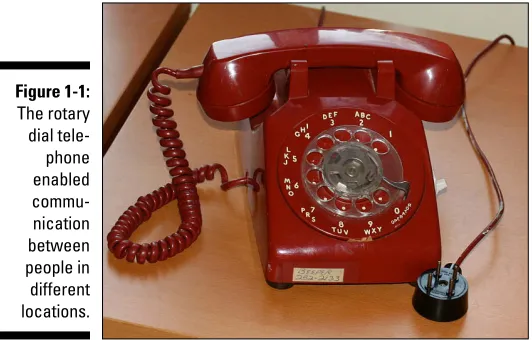
Much like the telephone, shown in Figure 1-1, made the location of a conver-sation between two people irrelevant, the webinar has done the same for the traditional meeting or seminar. Combine that idea with video and information graphics, and beam it out to thousands of people, and you see the value of the webinar.
Figure 1-1:
The rotary dial tele
phone enabled commu nication between people in different locations.
What a webinar is
Although webinars are a relatively new concept, many people have at least heard of them. Whether they can accurately describe one is another story. No worries. If you can’t, let me take a stab at it. Basically, a webinar is a com-munication between two or more individuals over the Internet that uses audio, video, and interactive technology. Unlike a group chat in a glassed confer-ence room, a book club discussion in your living room, or a large gathering in a public lecture hall, the meeting takes place wherever the participants are located.
13
Chapter 1: Webinars with Maximum Impact
Comparing a webinar to a conference call shares the same logic as thinking a 1928 Model A, as seen in Figure 1-2, does the same thing as a 2013 Cadillac Escalade. Sure, both will get you to your destination, but one clearly offers more comfort, efficiency, and style. Unless you’re an antique car aficionado, the Escalade appears the more logical choice. And so is the webinar.
Figure 1-2:
This 1928 Ford Model A doesn’t offer the same amenities as a luxury vehicle.
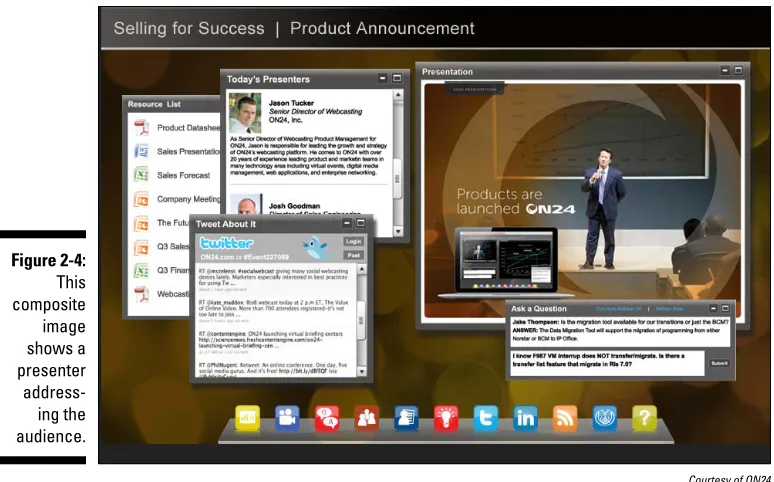
One reason a webinar is better than a telephone conference is its ability to go beyond audio communication by bringing an interactive visual component to the meeting. Sometimes that component is as simple as a few title slides or pie charts, but sometimes, it’s a full-blown PowerPoint presentation with video. Add live chat and microphones on the user end, and you’ve created a situation where participants can communicate with each other as well as with the moderator.
More elaborate productions have a moderated panel like your own version of The McLaughlin Group, replete with multiple camera setups. (If you’re not sure what The McLaughlin Group is, just think about those Sunday morning news shows with a bunch of talking heads sitting around arguing.)
Here’s the basics of how webinars work:
✓ Similar in some ways to a physical meeting: Both physical meetings and webinars bring large groups together for a discussion of topics, but with the webinar, the attendees aren’t all in the same room and can be located anywhere.
14
Part I: Getting Started with Webinars
PowerPoint presentation, and shares other appropriate content with the audience. Of course, with a webinar, it doesn’t matter where the audi-ence is located.
✓ Uses audio and visual aids: Audio and video are shared over the Internet through a webinar tool. Audio usually broadcasts through each partici-pant’s computer or over a telephone line. To participate, you need a computer with speakers and an Internet connection.
What a webinar isn’t
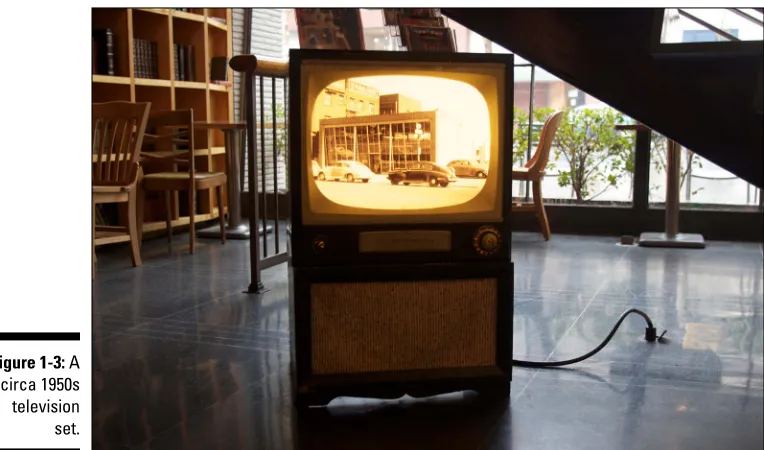
Now that you know what a webinar is, I want to examine what it’s not, com-pared to similar technology. For example, many people think that it’s the same thing as a streamed event. A streamed event shares more in common with a television broadcast, like the one seen in Figure 1-3, than a webinar. In the physical world, you would never confuse attending a PTA meeting at your kid’s school with going to a comedy club, nor would you think that going to movies is the same as attending a condominium board meeting. That’s because some of these examples provide interaction, and some of them don’t.
15
Chapter 1: Webinars with Maximum Impact
Here’s some food for thought on everything that a webinar is not:
✓ A television broadcast: A webinar is not an infomercial. Thank good-ness, because who wants to hear a customer comment on how succu-lent the chicken is when cooked in some miracle apparatus advertised on late-night TV?
✓ One-way presentation: You know the type — where the audience can only watch and listen like a live streamed event.
✓ An all-day affair: You wouldn’t want to sit through an eight-hour meet-ing in your workplace or some banquet hall, so why would you want to stare that long at a computer screen? The best webinars are carefully scheduled and have a managed running time that allows for bathroom breaks. People tend to lose interest when anything runs too long.
Why Do Webinars Work?
It’s a win-win arrangement for both the presenter and participants. Everybody gets something out of it, with the participants being pretty darn comfortable in the process. That’s because webinars offer a pleasing blend of technology and convenience.
Besides reaching a broad audience, the webinar can allow each participant to have a voice in the meeting or session. That kind of participation rarely works in a conference room, and almost never does in a large space. For example, some people are shy when it comes to speaking in conference room, just as others hog the floor with questions and comments. And when the meeting is in a larger space like a banquet hall, few people, with the excep-tion of those seated in the front, get picked to ask a quesexcep-tion, so most people get lost in the crowd.
Webinars also make life easier for the producer. Instead of having the added responsibility of securing an appropriately sized venue and all the things that go with it, you can concentrate on getting your message together and allow the service provider to worry about the rest.
Here are some others reasons that webinars work, including
✓ They’re affordable. Travel costs, car rentals, and meals are greatly reduced or non-existent.
16
Part I: Getting Started with Webinars
✓ They’re time zone-proof. Anyone who wants to can join, although for some, it’s morning, others afternoon, and for those on the eastern fringe, tomorrow, as seen in the quartet of clocks in Figure 1-4.
✓ They provide flexibility. An impromptu meeting takes time to come together because you have to consider location and people’s sched-ules. But with a webinar, companies can schedule meetings or training sessions on short notice without worrying about the location of the participants.
Figure 1-4:
Participants can join in a webinar no matter the time.
And participants reap the benefits too:
✓ Webinars are interactive. They provide real-time interaction between participants and presenter.
✓ Participants can watch on-demand. Participants can watch an archived version of the webinar if they missed it, or if they simply want to watch it again.
✓ They’re cost-effective. You can save money on travel, food, and other stuff that the company doesn’t cover.
Save on expenses
17
Chapter 1: Webinars with Maximum Impact
These direct and indirect savings include
✓ Increased productivity: When your employees don’t need to travel, they have more time to be productive. For example, they don’t have to stop working on a project because they need to get to the airport or drive a couple of hours.
✓ Lower venue costs: This means you won’t need to worry about finding a large room or venue and those overhead costs normally associated with having a meeting on location.
✓ Decreased budget for support services: These include chairs, refresh-ments, and so on.
Provide two-way communication
When you’re watching the president on television delivering the State of the Union address, you’re among an audience of approximately 35 million getting a progress report on the nation. Putting your political feelings aside — and the annoyance of having your favorite show pre-empted — it’s an effective way of letting the country know what’s going on.
That same model has limited appeal, however, when it comes to issues and topics that directly affect the individual. For example, employees don’t want to hear their company president deliver a speech on changes to work proce-dures over the next calendar year. That type of meeting compels people to
interact in some way. Why? Because people being able to ask questions at a meeting is a key part of the process.
Two-way communication lets the presenter and the participant exchange information by providing the chance to ask questions or participate. Although participants can’t just blurt out questions, they at least have the chance to participate using a variety of methods. By letting everyone participate despite their location, webinars lead to a more effective meeting experience.
Here are a few means for communicating that go beyond what you as a par-ticipant see onscreen:
✓ Telephone: Many webinars rely on using a telephone for audio pur-poses, so you can hear the presenter and ask live questions. Be ready to ask a question or add input when you’re called upon and be sure to identify yourself. After all, nobody knows who you are on the other side of the screen.
18
Part I: Getting Started with Webinars
✓ Social media: Some webinars allow participants to ask questions and make comments using Facebook or Twitter. The comments or questions either run on a ticker or are answered by the moderator.
✓ E-mail: Participants can send questions in advance, and the moderator will read them aloud, time permitting, and answer them.
✓ Text message: Just like e-mail questions, the moderator can read and answer these questions. Comments can also run on a ticker on the bottom of the screen during the presentation.
Ideal for global mobile audiences
As more companies realize the value of employees not having to schlep into the office, at least part of the time, the webinar becomes one more great thing about telecommuting. Webinars provide the perfect confluence of being able to work your normal job from home, while at the same time providing the ability to attend a meeting that, not that long ago, you’d have to commute to.
Webinars allow the participant to take an active role in the meeting, doing everything from listening to the meeting to being a contributor (responding to polls, asking questions, chatting), all from the comfort of home office. Here some other benefits:
✓ Relaxed environment: There’s no place like home. When you’re com-fortable and relaxed, you can more effectively absorb the material coming at you and interact accordingly.
✓ Cost effective: For so many reasons, webinars benefit the commuter, including not having to battle traffic jams, burn excessive gas, or put miles on your car. In addition, your blood pressure will thank you. ✓ No worry of what to wear: Heck, since you’re at home, you can wear
whatever you want and no one is the wiser. The value of this cannot be underestimated, no matter how many times it’s repeated.
✓ Increased productivity: By alleviating the stress of commuting, you can use that energy to participate and absorb the full scope of the webinar.
Can be live or later
19
Chapter 1: Webinars with Maximum Impact
Say you missed the webinar. Instead of asking a friend, coworker, or fellow participant what happened, you can simply watch it later. You see, webinars are often recorded, thus allowing viewers to watch them on demand from the host’s website. Think of it as broadcasting over the Internet. Even if you’ve seen it before, watching the archived version again allows you to stop, pause, and rewind at your own pace.
Just be aware that it’s a very large file if you plan on downloading. Some sites will store it online for a limited time. Check with your webinar provider to find out how long it will be available.
Here are a few other things to consider:
✓ Recording is optional. Some services include recording the webinar, whereas others offer it as an option. Free webinar sites generally do not include this service.
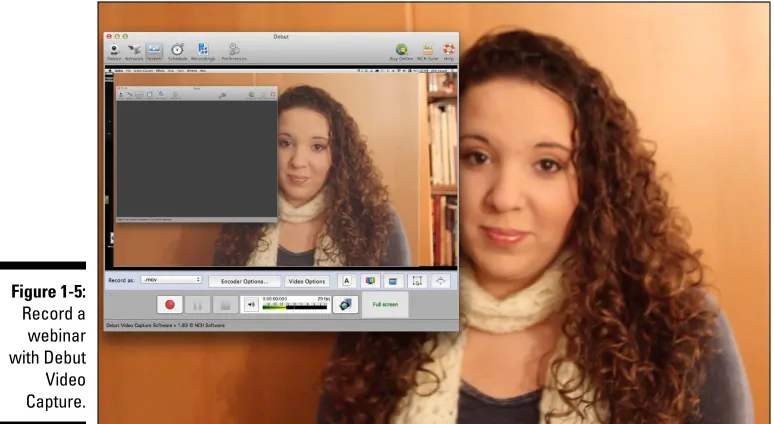
✓ You can do it yourself. Screen capture programs like Snapz Pro (www. ambrosiasw.com) or Debut Video Capture (www.nchsoftware. com), as seen in Figure 1-5, allow you to capture whatever is on your screen and play it back as a movie.
✓ You can share the link with others. When the archived version is avail-able, send out an e-mail blast with meeting highlights and a link to the recorded version. This provides an opportunity for people who missed the meeting to watch it, as well as those who did watch it to view it again.
Figure 1-5:
20
Part I: Getting Started with Webinars
Understanding the Tools of a Webinar
A physical meeting — you know, one that’s held in a conference room or the back of a local pub — still requires more than a group of people to make it happen. Otherwise, that scenario may involve someone continuously repeat-ing, “Can you hear me now?” If you don’t want to stand up and scream at the others so they can all hear, you need some basic equipment.
Sometimes all you need are chairs, a podium for the speaker, and a micro-phone to transform a room full of people into a meeting. Other times, it takes a little more. The same holds true for the webinar. It requires some electronic and technical gear to make it work.
Although each webinar varies, all of them need the proper conferencing tools, including computers, software, and an Internet connection to broad-cast. On the receiving end, the participant needs the proper coordinates to access the webinar and a web-enabled device. That covers a lot of ground, and I touch on the details later in the book. The recipe for a successful webi-nar has much in common with preparing a fine meal: Both depend on the finest ingredients.
Computer
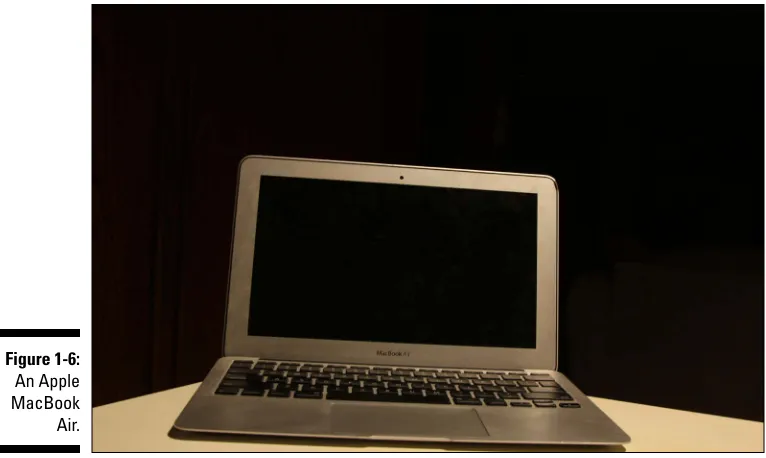
Many newer computers, like the Apple MacBook Air shown in Figure 1-6, can handle the minimum requirements of a webinar. Both newer Windows and Macintosh machines work fine. When it comes to older units and operating systems, check with your webinar platform provider to determine the proper minimum requirements for your webinar.
Software
21
Chapter 1: Webinars with Maximum Impact
Figure 1-6:
An Apple MacBook Air.
✓ Who are your participants? Is this for a general audience, or will the topic be specialized? Also, will your organization incur all of the costs, or will they charge participants to attend?
✓ How many people do you want to reach? Depending on the plan and type of service, you can reach anywhere from a few to a few thousand participants. Free services or a low-priced option offer limited features, including limits on the number of people at your webinar, whereas high-end packages support tens of thousands of participants at each session. ✓ What is your budget? If you frequently wish to connect with only 10–12 people and don’t care about recording your webinar for later viewing, some of the free plans might work for you. More elaborate plans range in price from a few dollars to thousands per month. Do you want a flat-fee service that provides everything, or do you just want to pay for what you need? Usually that means paying per participant, with time, audio services, recording, and toll-free phone being paid for à la carte.
Video
22
Part I: Getting Started with Webinars
Here are a few ways webinars use video:
✓ Single camera setup: Usually the single camera is trained on the mod-erator. Sometimes it’s a static shot, meaning that the camera position doesn’t change. Other times, an operator changes the camera angle or zooms in and out.
✓ Multi-camera: More sophisticated techniques use more than a single camera. Because a webinar is live, this setup requires a technical direc-tor. (See the “Technical director” section later in the chapter for more details.) A multi-camera setup would be used for shooting a moderated panel to show the entire group and for capturing individuals as they speak or react to another speaker.
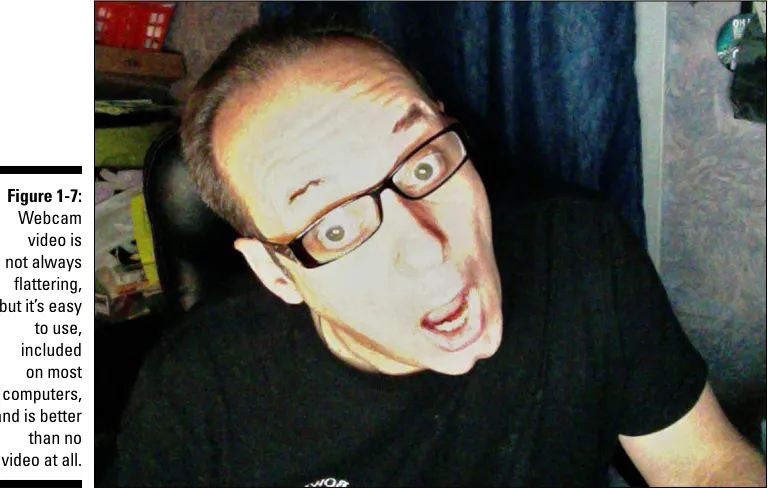
✓ Webcam: Cheap, affordable, and common, the built-in camera that comes with most new computers and web-enabled devices allows users to make their presence known. As seen in Figure 1-7, webcam video is great for a bare-bones webinar, or one where the participants want, or need, to see each other on screen.
✓ File video: You may want to show video content to illustrate a topic. Footage can either reside on your computer or be found online at sites such as YouTube or Vimeo.
Figure 1-7:
23
Chapter 1: Webinars with Maximum Impact
High-speed Internet
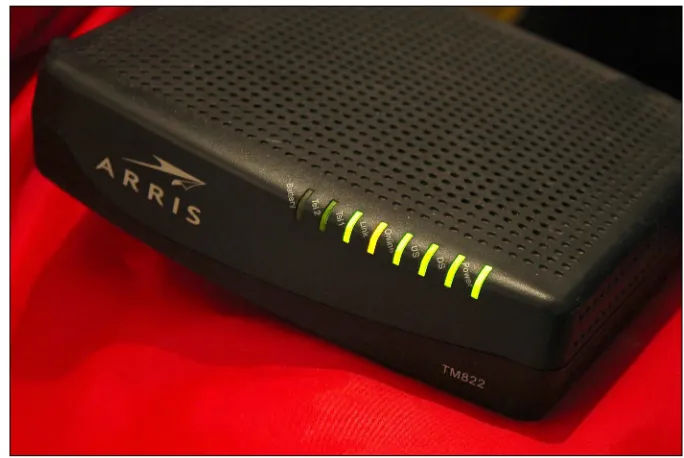
In the world of the webinar, the need for a fast online connection seems as obvious as needing air to breathe or food to survive. That’s because the high-speed pipeline is the essential bloodline for your webinar, allowing video and presentation to play smoothly and not skip or randomly stop. Broadcasting these materials requires a significant amount of bandwidth. That means the pipe has to let a lot of information pass through it seamlessly. Cable, DSL, and satellite providers are offering faster modems, as seen in Figure 1-8, to meet your need for speed.
But high-speed is a relative term. Some connections are clearly faster than others. That’s why you need to consider the slower side of connection. That means you should be conscious of image size, video quality, and the tempo of the show.
Figure 1-8:
A cable modem.
Going mobile with some cool devices
24
Part I: Getting Started with Webinars
These devices include
✓ Smartphone: Whether it’s your Apple iPhone, Blackberry, Android, or some other phone, you can watch and participate in a webinar on your mobile phone.
✓ Tablet: An all-in-one computing device that includes a camera, micro-phone, touchscreen, built-in Wi-Fi, and sometimes even 4G connectivity. (Or you can just say it looks like a giant smartphone that doesn’t make phone calls.) The Apple iPad, Samsung Galaxy, and the Google Nexus are a few models. This extends to the iPod Touch, which also has Wi-Fi capability.
✓ Laptop: Use your laptop computer anywhere there’s a Wi-Fi signal, and when there’s not, you can even use a cellular card or MiFi from wherever there’s signal strength to make a phone call.
Getting to Know the People
in Your Webinar
Say you’ve signed up with one of those free webinar sites to hold a meeting for ten or twelve people, knowing there’s a good chance you’ll do every-thing from moderating the discussion to taking questions afterward. Maybe you like wearing different hats from producer to presenter. Although that sort of multitasking is fine on a smaller level, it’s not practical as you begin to reach out to a larger audience. Sophisticated webinars simply require a bigger team.
How big? The size of your webinar depends on your needs, budget, and intended reach, so that dictates the size of your team. In the next few sec-tions, I take a look at every role in producing a webinar, with the idea that most of the time, not every head wears a single hat.
Presenter
25
Chapter 1: Webinars with Maximum Impact
Sometimes the person in this role clearly sounds like an expert and acts as the main source of information. Other times, the host introduces topics and various speakers. Besides acting as the master of ceremonies, the presenter also creates annotations, highlights important areas, and creates markings on the screen to help get the point across to the audience. The ability to enter-tain while at the same time leading, inspiring, and motivating the audience is a pretty positive quality for this role. Regardless of what you call it, the art of this job is getting through the program with flawless precision. Some large-scale webinars include several presenters, usually with one taking the role as the main presenter.
Producer
A producer is the person who takes all the different pieces and makes them work together. Sometimes it’s the same person who is presenting the show. Other times, the producer is the head of a large team. Basically, the producer has a hand in everything from planning the webinar to making sure all of its aspects run smoothly. That includes managing the production from inception all the way to presenting it to an audience.
Director
Sometimes the balance between humans and technology requires some prod-ding. Actually, just getting humans to do something requires prodding too. If the webinar were a television show, the director would make sure that every-one was in place during the entire shoot. They do the same for your webi-nar, at least in some capacity. Having a director is essential for large-scale productions, especially with a merger of segments, technology, and people. Remember, if there’s a glitch, the audience isn’t always patient enough to stick around.
Writer
One of the things that separate a webinar from a video blog is its structure, and much of that comes from working with a good script created by a skilled
26
Part I: Getting Started with Webinars
Stage manager
A stage manager controls what happens on the set, or near it, making sure that everything in the right place and that everything goes as planned. That goes beyond telling people to turn off their cell phones. For large-scale pro-ductions, the role of the stage manager relies on making sure that everyone and everything is in the right place, which is essential when it comes to a moderated panel.
Technical director
The technical director (TD) makes sure that all of the technical aspects go off without a hitch. More than likely, the technical director deals with video, espe-cially on those multiple camera setups used for large-scale events like a webi-nar that uses the interview format, or perhaps a moderated panel. Someone has to manage the different camera feeds, so the TD communicates with each camera operator and switches the appropriate angle out to viewers. Because a webinar is live, there’s no time to edit, so the technical director edits on the fly by switching to the appropriate camera angle. This role differs from other webinars that include less video, where the technical director also makes sure the audio and video components are working properly. Responsibilities include making sure the webinar connection stays up, as well as monitoring audio and transmission-related stuff.
Audience supervisor
For really big webinars that have a live audience, it’s important to have some-one focusing on the audience perspective, both on and off site. The audi-ence supervisor monitors the audiaudi-ence and communicates their issues and concerns regarding the webinar. In addition, they may field questions for the Q&A period. Monitors who scour social media during the webinar looking for important information sometimes support this position.
You wearing all the hats
27
Chapter 1: Webinars with Maximum Impact
do-it-yourselfer, technology has evolved to the point where a single busi-ness user can quickly and easily produce a pretty spectacular webinar at the comfort of your own desk.
Gauging Effective Uses for a Webinar
Webinars have created a true David and Goliath moment, with the size of an organization not playing a factor in its reach and scope. The small upstart that covers three counties in northern California can technically reach the same audience of a multinational corporation.
Although it’s a level playing field, you still need to let people know about the topic of your webcast. Entire books are dedicated to techniques for reaching out to a mass audience, but you can start with an e-mail blast and by using social media like Facebook and Twitter.
Webinars also share some similarities to a physical meeting in that both provide a forum for reaching out to large groups of people. Both are live per-formances that make the audience an important part of the process. And like their physical counterpart, webinars come in many sizes and styles. Yet, the webinar offers some clear advantages that go beyond making the participant feel like they’re in an episode of The Jetsons.
Employee meetings
Distance no longer acts as a nemesis to those not near the meeting site. Whether they’re across the country or around the globe, webinars can bring employees together. Topics range from changes in their 401(k), preparation for an upcoming sales conference, or those quarterly staff meetings — you know, the ones that happen just for the heck of it. Even if the webinar is about the new water cooler, these meetings keep everyone informed, and more importantly let them get back to work immediately.
Why it’s effective:
✓ Lets employees get back to work right away ✓ Saves on travel
28
Part I: Getting Started with Webinars
Training sessions
What if you logged onto to a webinar that explained how to produce a webi-nar? (Would it be like looking in the mirror?) Now imagine you can use this format to teach and train people on a whole variety of things. Whether you’re an educational provider, a family historian, or company that needs to bring staff up-to-date on new technology, webinars can reach a wide audience. Why it’s effective:
✓ Keeps staff up to date on procedure ✓ Incurs fewer lost work hours
✓ Brings the classroom to the comfortable environment of the computer screen
Marketing
Technology and marketing have always had a productive marriage and that relationship has gotten a second honeymoon with the webinar. That’s because companies have always depended on meetings and demonstrations to gener-ate new business. But meetings did have a high cost, especially travel and venue expenses. Taking location out of the equation makes them affordable and saves time.
Why it’s effective:
✓ Gets the word out quicker
✓ Is convenient for both the marketer and potential customer
✓ Lets you bring the presentation to multiple locations simultaneously
Talent development
29
Chapter 1: Webinars with Maximum Impact
Webinars make this process more accessible by allowing the interested par-ties to determine when and where to participate in any work-related sessions. Sometimes that takes place while they’re sitting at their desk in front of their computer screen. Other times, it’s on the treadmill at the gym from their smartphone.
Why it’s effective:
✓ Enables efficient training of personnel and saves time
Chapter 2
Planning Your Webinar
In This Chapter
▶ Establishing the goal of your webinar
▶ Picking the format that works for you
▶ Selecting the talent
▶ Structuring the webinar
L
ife has few certainties, with the short list including death and taxes. Those have ridden the top of the charts longer than “Stairway to Heaven” and “Layla” have made the perennial list of greatest rock songs. But down a little bit from those oldies but goodies on the non-musical compila-tion is another prophetic certainty: Poor planning leads to poor production. Now in all fairness, sometimes even well-planned events fail for one reason or another. Yet, rarely, if ever, does poor planning lead to an impressive presen-tation. Can you imagine deciding to get married on a Wednesday, and having an elegant reception for 200 people that coming Saturday? Or winging it when you take your bar exam for the first time and passing with flying colors? So rather than taking any chances with your next — or first-ever — webinar, in this chapter, I show you the basics required for putting it together from the ground up.Setting a Goal for Your Webinar
32
Part I: Getting Started with Webinars
Whether you’re attempting to inform employees of upcoming changes in their health insurance coverage, mounting a marketing campaign for a new kind of business intelligence solution, or conducting a training session on a state-of-the-art jackhammer with a built-in MP3 player that removes your wrinkles while you use it, consider the webinar successful if it informs the audience, no matter how sensible, important, or ridiculous the topic. As long as you can deliver what was promised, hold their attention doing it, and entertain them along the way, the potential is boundless.
Webinars succeed and fail for many reasons, with the root cause of either being your ability to clearly define the goal.
This is easier said than done, apparently, because some webinars are just plain boring. Names like “Third Quarter Statistics” and “Analyzing Web-Based Analytics” sound like a snooze-fest to a potential participant. Not many folks are enticed to online meetings that use words such as analyze, extrapolate, or even aggregate in their titles, no matter how exciting the content promised. Make sure your webinar has an interesting title.
Then there are webinars that never meet their objective before running out of time. Those are like the webinar equivalent of that co-worker or neighbor who rambles on and on without getting to the point. It’s not that we don’t want to give them the time of day, but their method of communication makes us look at our watch as if we were late for something (which is embarrassing because few of us wear a watch anymore).
It’s not much different when it comes to webinars. In fact, they introduce another wrinkle, especially when you realize you cannot see your audience. And yes, that matters. So much of what we do comes from the immediate feedback we get from human contact. Make a comment to the person next to you during your overseas flight, and chances are, if they smile, you proceed to make small talk. If they look away or give you a deadpan nod, you know conversation is not going to happen.
The webinar doesn’t provide the luxury of allowing you to see your audience, so you need to have a clear goal and structure it so that it covers all that you’ve promised, but not so much that it overloads the audience. It’s hard to overstress the importance of having a goal. Just as two friends may develop a loose itinerary for their upcoming road trip, your meeting should always have a purpose, no matter how simple.
33
Chapter 2: Planning Your Webinar
Figure 2-1:
A soccer ball hits the net for a goal.
Picking Your Poison . . . er, Format
After you’ve clarified what you’re trying to convey to your audience, it’s important to figure out the best way to deliver that message. Depending on the topic and the voices that you wish to include, it should be simple to pick the proper format. Sometimes the format is obvious. For example, if it’s a CEO introducing a new product, the format should be something in the flavor of what Steve Jobs did whenever Apple introduced a new technology. That’s the single-speaker approach. Launching something like the iPhone with a moderated panel of guest speakers would not work.
In the next few sections, I make a few suggestions for getting your message across.
Single speaker
34
Part I: Getting Started with Webinars
should rarely run longer than one hour, and sometimes that’s pushing it. Why? Because people get tired of looking at the same talking head or listening to the same voice, no matter how enthusiastic, after a while!
Situations that work for this kind of webinar include ✓ Lectures
✓ Product introductions
✓ Implementation of new policies ✓ Speeches
Interview style
It’s not 60 Minutes exactly, nor should you try to imitate it. Still, this format consists of a host interviewing one or more people during the webinar. The interview format provides a different perspective and compels the audi-ence with multiple layers of information by including alternate voices and opinions.
Variations include
✓ Experts: It’s always refreshing to the audience when the moderator interviews a subject matter expert on a particular topic.
✓ Different perspective: This lets the audience see a slightly different side of the topic.
✓ Testimonials: These are first-hand accounts by someone affected by the topic.
Moderated panel
35
Chapter 2: Planning Your Webinar
more pieces are involved, it makes getting them all in synch all the more important, but it’s hard to rehearse a moderated panel because the panelists make it challenging to gauge the flow.
Here are a few situations where this type of meeting works best:
✓ When there are a few topics to discuss: The host usually introduces herself and the panel to the webinar audience, sets up the topics for dis-cussion, and carefully makes sure the topics do not run over their allot-ted time period.
✓ When a well-balanced approach is essential: This works with situations that do not have a clear answer, so the multiple voices provide addi-tional perspective for the audience.
✓ For a question-and-answer session: By allowing participants to ask questions, you can provide the web audience with a wide ranges of thoughts and opinions on the subject.
Real-time audience data
Audience feedback collection has come a long way over the years when simple graphics included information that was up to date, that is, if you con-sidered the week or so before the event and it went to the printer up to date. Since the pie chart was invented, sometime after the pie, the circle with the internal triangles has been a staple in meetings to define the progress of vari-ous performance-related issues.
The pie chart is still a part of the webinar meeting, but because webinars take place on the Internet in 2014 and not in a conference room in 1964, it’s been updated to deliver up-to-the-moment statistics, as opposed to stale information from some old survey. In fact, you can poll your audience during the webinar and present those facts after compiling them in a pie chart. Of course, pie charts are only one way to present information in graphic form. But if you choose to use a pie chart, consider it a fresh alternative with modern technology at your disposal. Feel free to use it to accomplish these and other tasks:
✓ Poll: Find out how the audience feels about issues, procedures, or any other pertinent data, and then address it later in the webinar. Figure 2-2 shows a sample survey.
✓ Pop quiz: Test their knowledge on topics or issues.
✓ Vote: Let them vote on matters that range from future meetings to where to hold the office holiday party.
36
Part I: Getting Started with Webinars
Figure 2-2:
A survey.
Selecting the Talent
When you think about it, a webinar doesn’t differ that much from an unscripted television show. The goal of each fills some void in an individual’s quest for information or curiosity using a loosely structured format that occasionally strives for spontaneity, while at the same time mildly entertaining its audience. To accomplish this task, each requires a team of people to facilitate each part of the production.
Webinars require a small team of people, but due to various constraints, namely budget, most team members have to take on more than one job. That means that the same person can wear multiple hats, with at least one of those hats being managing the online environment.
In the next few sections, I take a look at the stars of the webinar.
Moderator
If you were at a comedy club, this role is equivalent to the emcee. Sometimes it’s the same person as the host, but always the one who keeps the webinar running smoothly. The moderator usually introduces the presenter and the speakers. In addition, as the name moderator implies, he can lead a moder-ated panel of several speakers. It’s not much different than Jim Lehrer, who is the executive editor of PBS NewsHour, moderating the first of the 2012 presi-dential debates.
attend-37
Chapter 2: Planning Your Webinar
For the talking part of the job, consider the following:
✓ Use your natural speaking voice: People relate to a clearly spoken regu-lar voice as opposed to someone pretending to be Ron Burgundy. So stay classy, web moderator, stay classy.
✓ Check out other moderators: Be a webinar connoisseur by registering for some different ones. Consider it less about checking out the competi-tion and more as an observacompeti-tion of how others do it. It’s a great way to get a sense of communicating in this new medium.
✓ Watch talk shows on television: Don’t seek to imitate them, but do become familiar with the conversational style you’ll need for moderating an entertaining webinar.
✓ Listen to your own voice: This also helps you improve at public speak-ing. Listening to your recorded voice helps you grow exponentially. If you’ve done a webinar in the past, go back and listen to it again. Also, record your voice on your smart phone to get comfortable with public speaking.
✓ Join Toastmasters: This non-profit organization (Figure 2-3) is dedicated to developing public speaking and leadership skills through practice and feedback. Visit their website at www.toastmasters.org.
Figure 2-3:
The Toast masters
logo.
Presenter
The moderator introduces the webinar and can also moderate it too, but it’s the host or presenter (the terms are used interchangeably) who acts as the face of the webinar. Let’s think for a moment of a TV variety show. The presenter’s role is not quite to yell, “Heeeere’s Johnny!” but then again, it’s not that much different either. (On the off-chance you’re not sure of the ref-erence, it’s how The Tonight Show sidekick Ed McMahon would introduce Johnny Carson every night.)