James Stanger, Ph.D. Patrick T. Lane
Edgar Danielyan Technical Editor
™
BUYER PROTECTION PLANYour Guide to Open Source Security
• Step-by-Step Instructions for Deploying Open Source Security Tools
• Hundreds of Tools & Traps and Damage & Defense Sidebars,
Security Alerts, and Exercises!
With more than 1,500,000 copies of our MCSE, MCSD, CompTIA, and Cisco study guides in print, we continue to look for ways we can better serve the information needs of our readers. One way we do that is by listening.
Readers like yourself have been telling us they want an Internet-based ser-vice that would extend and enhance the value of our books. Based on reader feedback and our own strategic plan, we have created a Web site that we hope will exceed your expectations.
[email protected]is an interactive treasure trove of useful infor-mation focusing on our book topics and related technologies. The site offers the following features:
■ One-year warranty against content obsolescence due to vendor product upgrades. You can access online updates for any affected chapters.
■ “Ask the Author”™ customer query forms that enable you to post questions to our authors and editors.
■ Exclusive monthly mailings in which our experts provide answers to reader queries and clear explanations of complex material.
■ Regularly updated links to sites specially selected by our editors for readers desiring additional reliable information on key topics.
Best of all, the book you’re now holding is your key to this amazing site. Just go to www.syngress.com/solutions, and keep this book handy when you register to verify your purchase.
Thank you for giving us the opportunity to serve your needs. And be sure to let us know if there’s anything else we can do to help you get the max-imum value from your investment. We’re listening.
Linux:
A Guide
to Open
Source
Security
™
BUYER PROTECTION PLANLinux:
A Guide
to Open
Source
Security
The Only Way to Stop a Hacker Is to Think Like One
(collectively “Makers”) of this book (“the Work”) do not guarantee or warrant the results to be obtained from the Work.
There is no guarantee of any kind, expressed or implied, regarding the Work or its contents.The Work is sold AS IS and WITHOUT WARRANTY. You may have other legal rights, which vary from state to state. In no event will Makers be liable to you for damages, including any loss of profits, lost savings, or other inci-dental or consequential damages arising out from the Work or its contents. Because some states do not allow the exclusion or limitation of liability for consequential or incidental damages, the above limitation may not apply to you.
You should always use reasonable care, including backup and other appropriate precautions, when working with computers, networks, data, and files.
Syngress Media®, Syngress®, and “Career Advancement Through Skill Enhancement®,”are registered trademarks of Syngress Media, Inc. “Ask the Author™,”“Ask the Author UPDATE™,”“Mission Critical™,” and “Hack Proofing™” are trademarks of Syngress Publishing, Inc. Brands and product names mentioned in this book are trademarks or service marks of their respective companies.
KEY SERIAL NUMBER
Hack Proofing Linux: A Guide to Open Source Security
Copyright © 2001 by Syngress Publishing, Inc. All rights reserved. Printed in the United States of America. Except as permitted under the Copyright Act of 1976, no part of this publication may be reproduced or dis-tributed in any form or by any means, or stored in a database or retrieval system, without the prior written permission of the publisher, with the exception that the program listings may be entered, stored, and executed in a computer system, but they may not be reproduced for publication.
Printed in the United States of America 1 2 3 4 5 6 7 8 9 0
ISBN: 1-928994-34-2
Technical Editors: Edgar Danielyan and Larry Karnis Freelance Editorial Manager: Maribeth Corona-Evans Co-Publisher: Richard Kristof Cover Designer: Michael Kavish
v
Acknowledgments
v We would like to acknowledge the following people for their kindness and support in making this book possible.
Richard Kristof and Duncan Anderson of Global Knowledge, for their generous access to the IT industry’s best courses, instructors, and training facilities.
Ralph Troupe, Rhonda St. John, and the team at Callisma for their invaluable insight into the challenges of designing, deploying and supporting world-class enterprise networks.
Karen Cross, Lance Tilford, Meaghan Cunningham, Kim Wylie, Harry Kirchner, Bill Richter, Kevin Votel, and Kent Anderson of Publishers Group West for sharing their incredible marketing experience and expertise.
Mary Ging, Caroline Hird, Simon Beale, Caroline Wheeler,Victoria Fuller, Jonathan Bunkell, and Klaus Beran of Harcourt International for making certain that our vision remains worldwide in scope.
Anneke Baeten, Annabel Dent, and Laurie Giles of Harcourt Australia for all their help.
David Buckland,Wendi Wong, Daniel Loh, Marie Chieng, Lucy Chong, Leslie Lim, Audrey Gan, Charlotte Chan, and Joseph Chan of Transquest Publishers for the enthusiasm with which they receive our books.
Kwon Sung June at Acorn Publishing for his support.
Ethan Atkin at Cranbury International for his help in expanding the Syngress program.
Joe Pisco, Helen Moyer, Paul Zanoli, Alan Steele, and the great folks at InterCity Press for all their help.
vii
Contributors
Patrick T. Lane(MCSE, MCP+I, MCT, Network+, i-Net+, CIW) is a Content Architect for ProsoftTraining.com, a leading Internet skills training and curriculum development company. He is the author of more than 20 technical courses and is the Director of the CIW Foundations and CIW Internetworking Professional series.While at ProsoftTraining.com, Patrick helped create the Certified Internet Webmaster (CIW) program and the i-Accelerate program for Intel, Novell, and Microsoft professionals.
Patrick consults as a mail, news, FTP, and Web Administrator for sev-eral organizations, including jCert Initiative Inc. and ProsoftTraining.com. He is also a network security consultant and writer who specializes in TCP/IP internetworking, LAN/WAN solutions, network and operating system security, and the Linux and Windows NT/2000 platforms. He has consulted for the University of Phoenix/Apollo Group, Novell, Intel, NETg,WAVE technologies, KT Solutions, SmartForce, and Futurekids. Patrick is a member of the CompTIA Network+ Advisory Committee, and co-author of Syngress Publishing’s E-mail Virus Protection Handbook (ISBN: 1-928994-23-7). His work has been published in eight languages and he has been a featured speaker for the SmartForce Seminar Series on E-Business, the Internet World PING Series on Internet Protocol version 6, and the Information Technology Association of America (ITAA). He holds a master’s degree in education.
viii
(www.securify.com), Brigham Young University, and California State, San Bernardino. He specializes in troubleshooting firewalls, intrusion detec-tion, DNS, e-mail, and Web server implementations.
James was the Technical Editor of Syngress Publishing’s E-mail Virus Protection Handbook(ISBN: 1-928994-23-7) and has been an instructional designer of security and A+ courses for NetG,Thompson/WAVE
learning, and ComputerPREP. Active in the Linux community, James sits on the Linux Professional Institute (www.lpi.org), SAIR
(www.linuxcertification.org), and CompTIA Linux+ (www.comptia.org) advisory boards, each of which is dedicated to creating and maintaining industry-respected certifications. As the Vice Chair of the Linux
ix
Technical Editors
Edgar Danielyan(CCNA) is a self-employed developer specializing in GCC, X Window,Tcl/Tk, logic programming, Internet security, and TCP/IP; as well as having with BSD, SVR4.2, FreeBSD, SCO, Solaris, and UnixWare. He has a diploma in company law from the British Institute of Legal Executives as well as a paralegal certificate from the University of Southern Colorado. He is currently working as the Network
Administrator and Manager of a top-level Armenian domain. He has also worked for the United Nations, the Ministry of Defense of the Republic of Armenia, and Armenian national telephone companies and financial institutions. Edgar speaks four languages, and is a member of ACM, IEEE CS, USENIX, CIPS, ISOC, and IPG.
x
This book is accompanied by a CD containing files and open source programs used throughout the book.The files include configuration examples, packet captures, and additional resources.We have included the specific open source programs used in the book so you can follow the chapter demonstrations step-by-step on your own systems.
Each file on the CD is discussed in detail and referenced throughout the book with the CD icon below.When a specific file or program is required, it directs you to the accompanying CD.The book also directs you to the Web site where you can download the most current version, and find additional resources relating to that pro-gram. For instance, you can download Free Secure Wide Area Network (FreeS/WAN) at www.freeswan.org, or use the version located on the CD. It is recommended that you use the version included on the CD because this will increase the chances that the book demonstrations will be successful, as some of the programs may have changed since this book was printed.
The book is written to Red Hat Linux 7.x.Therefore, most of the CD files are Red Hat Package Manager (.rpm) files.There are also many Tape Archive (.tar) files and GNU Zip (.gzip) files. Instructions for unpacking and installing these files are included in their respective locations throughout the book.To mount the CD onto your Linux system, you would issue the following command (for Red Hat systems):
mount -t iso9660 /dev/cdrom /mnt/cdrom
And to unmount:
umount /mnt/cdrom
It is recommended that you copy the CD files to your hard drive before working with them. If you use other versions of Linux, you may need to modify the demon-strations, or download a portable version of the open source programs to work with your version of Linux.
Look for this CD icon when obtaining files used in the book demonstrations.
Contents
xi
Foreword xxvii
Chapter 1 Introduction to Open
Source Security 1
Introduction 2
The Tools Used in This Book 3
Using the GNU General Public License 3
Fee-Based GPL Software 5
Can I Use GPL Software in My Company? 5 Soft Skills: Coping with Open Source Quirks 6
General Lack of Installation and Configuration Support 6 Infrequent or Irregular Update Schedules 6
Command-Line Dominance 6
Lack of Backward Compatibility and No
Regular Distribution Body 7
Inconvenient Upgrade Paths 7
Conflicts in Supporting Libraries and Limited
Platform Support 7
Interface Changes 8
Partially Developed Solutions 8
Should I Use an RPM or Tarballs? 10 Tarball 10
Red Hat Package Manager 11
Debian 11
Obtaining Open Source Software 12
SourceForge 12 License (GPL) is the basis of the open source movement. This license is provided by the Gnu is Not Unix (GNU) organization, which develops various software packages. The most important element of this license is that instead of protecting a particular person or company, it protects the software code that creates the
SecurityFocus 15
Is That Download Safe? 16
A Brief Encryption Review 16
Symmetric Key Encryption 17
Asymmetric Key Encryption 18
Public Key and Trust Relationships 19
One-Way Encryption 20
GNU Privacy Guard 21
Deploying GNU Privacy Guard 21 Skipping Public Key Verification 29 Using GPG to Verify Signatures on
Tarball Packages 30
Using Md5sum 30
Auditing Procedures 31
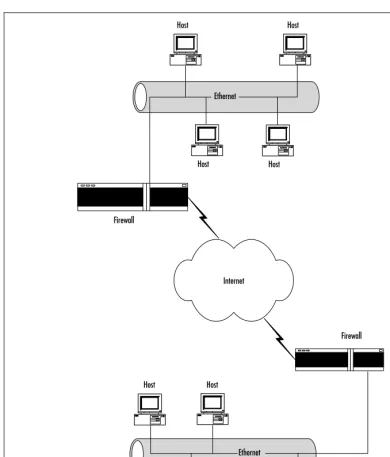
Locking Down Your Network Hosts 31 Securing Data across the Network 32 Protecting the Network Perimeter 33 Summary 35
Solutions Fast Track 35
Frequently Asked Questions 38
Chapter 2 Hardening the Operating
System 41 Introduction 42
Updating the Operating System 42
Red Hat Linux Errata and Update Service
Packages 42
Handling Maintenance Issues 43
Red Hat Linux Errata: Fixes and Advisories 44
Bug Fix Case Study 46
Manually Disabling Unnecessary Services
and Ports 47
Services to Disable 47
The xinetd.conf File 48
Locking Down Ports 50
Well-Known and Registered Ports 50
Blocking Ports 53
Xinetd Services 53
Stand-Alone Services 54
Hardening the System with Bastille 55
Bastille Functions 55
Bastille Versions 63
Implementing Bastille 64
Undoing Bastille Changes 74
Controlling and Auditing Root Access with Sudo 77
System Requirements 79
The Sudo Command 79
Downloading Sudo 80
Installing Sudo 82
Configuring Sudo 86
Running Sudo 90
No Password 92
Sudo Logging 93
Managing Your Log Files 96
Using Logging Enhancers 97
SWATCH 97 Scanlogd 100 Syslogd-ng 101 Summary 103
Solutions Fast Track 104
Frequently Asked Questions 107
Chapter 3 System Scanning and Probing 109
Introduction 110 Scanning for Viruses Using the AntiVir Antiviru
Application 110
Understanding Linux Viruses 110
Using AntiVir 112
Key Mode and Non-Key Mode 114
Licensing AntiVir 114
Exercise: Updating AntiVir 114
Using TkAntivir 116
Required Libraries and Settings 117
Determining Which Ports to Block
Scanning Systems for Boot Sector and
E-Mail Viruses 117
Additional Information 120
Exercise: Using TkAntivir 120
Scanning Systems for DDoS Attack Software
Using a Zombie Zapper 123
How Zombies Work and How to Stop Them 124 When Should I Use a Zombie Zapper? 125 What Zombie Zapper Should I Use? 125 What Does Zombie Zapper Require
to Compile? 127
Exercise: Using Zombie Zapper 127 Scanning System Ports Using the Gnome Service
Scan Port Scanner 129
Required Libraries 130
Why Use a Port Scanner? 131
Exercise: Using Gnome Service Scanner 131
Using Nmap 133
Isn’t Nmap Just Another Port Scanner? 134 Acquiring and Installing Nmap 136
Common Nmap Options 136
Applied Examples 137
Scanning Entire Networks and Subnets 138
Selective Scanning 139
Adding More Stealth 139
Saving to Text and Reading from Text 140 Testing Firewalls and Intrusion Detection
Systems 141 Example: Spoofing the Source Address
of a Scan 142
Timing Your Scan Speeds 142
Example: Conducting a Paranoid Scan 143
Exercise: Using Nmap 143
Using Nmap in Interactive Mode 144 Exercise: Using Nmap in Interactive
Mode 144
Using NmapFE as a Graphical Front End 146
Exercise: Using NmapFE 147
Using Remote Nmap (Rnmap) as a Central
Scanning Device 147
Exercise: Scanning Systems with Rnmap 148 Deploying Cheops to Monitor Your Network 151
How Cheops Works 153
Obtaining Cheops 154
Required Libraries 154
The Cheops Interface 155
Mapping Relations between Computers 157
Cheops Monitoring Methods 157
Connectivity Features 159
Exercise: Installing and Configuring
Cheops 160 Deploying Nessus to Test Daemon Security 165 The Nessus Client/Server Relationship 167
Windows Nessus Clients 169
Required Libraries 169
Order of Installation 170
Configuring Plug-Ins 173
Creating a New Nessus User 174
The Rules Database 174
Exercise: Installing Nessus and
Conducting a Vulnerability Scan 175
Updating Nessus 179
Understanding Differential, Detached,
and Continuous Scans 180
Exercise: Conducting Detached
and Differential Scans with Nessus 182 Summary 185
Solutions Fast Track 185
Chapter 4 Implementing an
Intrusion Detection System 191
Introduction 192 Understanding IDS Strategies and Types 194
IDS Types 195
Host-Based IDS Applications 196 Network-Based IDS Applications 196 IDS Applications and Fault Tolerance 197 What Can an IDS Do for Me? 200 Which IDS Strategy Is Best? 203 Network-Based IDS Applications and
Firewalls 203
IDS Applications 204
Installing Tripwire to Detect File Changes on
Your Operating System 206
Tripwire Dependencies 207
Availability 208
Deploying Tripwire 208
Tripwire Files 208
Tripwire Installation Steps 209
Configuring the Tripwire Policy File 209 Creating the Tripwire Policy File 212 Database Initialization Mode 212
Testing E-Mail Capability 214
Integrity Checking Mode 214
Specifying a Different Database 215
Reading Reports 215
Updating Tripwire to Account for Legitimate
Changes in the OS 215
Updating the Policy 216
What Do I Do if I Find a Discrepancy? 217 Configuring Tripwire to Inform You Concerning
Changes 217 Exercise: Installing Tripwire 217 Exercise: Securing the Tripwire Database 219 Exercise: Using Cron to Run Tripwire
Automatically 220
SECURITYALERT!
Deploying PortSentry to Act as a
Host-Based IDS 220
Important PortSentry Files 221
Installing PortSentry 222
Configuring PortSentry to Block Users 222 Optimizing PortSentry to Sense Attack Types 223
Exercise: Installing and Configuring
PortSentry 224 Exercise: Clearing Ipchains Rules 227 Exercise: Running an External Command
Using PortSentry 227
Installing and Configuring Snort 229 Availability 229
Supporting Libraries 229
Understanding Snort Rules 230
Snort Variables 230
Snort Files and Directories 231
Snort Plug-Ins 232
Starting Snort 233
Logging Snort Entries 236
Running Snort as a Network-Based IDS 236
Ignoring Hosts 237
Additional Logging Options:Text
files,Tcpdump, and Databases 237 Configuring Snort to Log to a Database 238 Controlling Logging and Alerts 239
Getting Information 240
Exercise: Installing Snort 240 Exercise: Using Snort as an IDS
Application 241 Exercise: Configuring Snort to Log to
a Database 243
Exercise: Querying a Snort Database
from a Remote Host 251
Identifying Snort Add-Ons 251
Exercise: Using SnortSnarf to Read
Snort Logs 252
Analysis Console for Intrusion Databases 252 Summary 254
Solutions Fast Track 254
Frequently Asked Questions 258
Chapter 5 Troubleshooting the
Network with Sniffers 261
Introduction 262 Understanding Packet Analysis and TCP
Handshakes 264
TCP Handshakes 265
Establishing a TCP Connection 265 Terminating a TCP Connection 266 Creating Filters Using Tcpdump 268
Tcpdump Options 268
Tcpdump Expressions 271
Boolean Operators 275
Installing and Using Tcpdump 276 Configuring Ethereal to Capture Network
Packets 279
Ethereal Options 281
Ethereal Filters 283
Configuring Ethereal and Capturing Packets 283 Viewing Network Traffic between Hosts Using
EtherApe 288 Configuring EtherApe and Viewing Network
Traffic 289 Summary 293
Solutions Fast Track 294
Frequently Asked Questions 296
Chapter 6 Network Authentication
and Encryption 299
Introduction 300 Understanding Network Authentication 300
Attacking Encrypted Protocols 301 Creating Authentication and Encryption
Solutions 303 Implementing One-Time Passwords
(OTP and OPIE) 305
What Files Does OPIE Replace? 305
How Does OPIE Work? 305
OPIE Files and Applications 306
opiepasswd 307
Password Format 308
Using opiekey 309
Using opieinfo and opiekey to Generate
a List 310
Installing OPIE 310
Configuration Options 310
Installation Options 311
Uninstalling OPIE 312
Exercise: Installing OPIE 312
Exercise: Installing the OPIE Client
on a Remote Server 315
Exercise: Using opie-tk and Allowing
Windows Users to Deploy OPIE. 316 Exercise: Installing opieftpd 318 Implementing Kerberos Version 5 319 Why Is Kerberos Such a Big Deal? 320
Kerberos Terms 321
Kerberos Principals 322
The Kerberos Authentication Process 323 How Information Traverses the Network 324 Creating the Kerberos Database 325
Using kadmin.local 325
Using kadmin 326
Using kadmin on the Client 328 Using kadmin and Creating Kerberos Client
Passwords 329 keytab of one of my Kerberos clients. How do I do this?
The kinit Command and Time Limits 332 Managing Kerberos Client Credentials 333
The kdestroy Command 333
Exercise: Configuring a KDC 334 Establishing Kerberos Client Trust Relationships
with kadmin 337
Additional Daemon Principal Names 339 Logging On to a Kerberos Host Daemon 340
Common Kerberos Client Troubleshooting
Issues and Solutions 340
Kerberos Client Applications 341
Kerberos Authentication and klogin 342 Exercise: Configuring a Kerberos Client 342 Summary 345
Solutions Fast Track 345
Frequently Asked Questions 348
Chapter 7 Avoiding Sniffing
Attacks through Encryption 353
Introduction 354 Understanding Network Encryption 354 Capturing and Analyzing Unencrypted
Network Traffic 355
Using OpenSSH to Encrypt Network Traffic
between Two Hosts 361
The OpenSSH Suite 362
Installing OpenSSH 364
Configuring SSH 367
How SSH Works 368
Insecure r-command Authentication 368
Secure SSH Authentication 371
Implementing SSH to Secure Data Transmissions
over an Insecure Network 373
Distributing the Public Key 376
Capturing and Analyzing Encyrpted Network
Traffic 381 Summary 385
Secure E-Commerce Transactions
Solutions Fast Track 386
Frequently Asked Questions 388
Chapter 8 Creating Virtual Private
Networks 391 Introduction 392
Secure Tunneling with VPNs 392
Telecommuter VPN Solution 392
Router-to-Router VPN Solution 394
Host-to-Host VPN Solution 395
Tunneling Protocols 395
Explaining the IP Security Architecture 396 Using IPSec with a VPN Tunneling Protocol 400 Internet Key Exchange Protocol 401 Creating a VPN by Using FreeS/WAN 402 Downloading and Unpacking FreeS/WAN 404 Compiling the Kernel to Run FreeS/WAN 407 Recompiling FreeS/WAN into the New
Kernel 417
Configuring FreeS/WAN 420
Testing IP Networking 420
Configuring Public Key Encryption for Secure Authentication of VPN
Endpoints 424
Starting the Tunnel 434
Capturing VPN Tunnel Traffic 436
Closing the VPN Tunnel 438
Summary 439
Solutions Fast Track 440
Frequently Asked Questions 441
Chapter 9 Implementing a Firewall
with Ipchains and Iptables 445
Introduction 446 Understanding the Need for a Firewall 447
Building a Personal Firewall 449
Choosing a Linux Firewall Machine 452
Protecting the Firewall 452
Deploying IP Forwarding and Masquerading 453 Masquerading 456 Configuring Your Firewall to Filter Network
Packets 458
Configuring the Kernel 460
Packet Accounting 460
Understanding Tables and Chains in a Linux
Firewall 461 Built-In Targets and User-Defined Chains 462
Specifying Interfaces 463
Setting Policies 464
Using Ipchains to Masquerade Connections 467 Iptables Masquerading Modules 468 Using Iptables to Masquerade Connections 468
Iptables Modules 470
Exercise: Masquerading Connections
Using Ipchains or Iptables 471 Logging Packets at the Firewall 471
Setting Log Limits 472
Adding and Removing Packet Filtering Rules 472
ICMP Types 473
Exercise: Creating a Personal Firewall
and Creating a User-Defined Chain 475 Redirecting Ports in Ipchains and Iptables 477
Configuring a Firewall 478
Setting a Proper Foundation 478
Creating Anti-Spoofing Rules 479
Counting Bandwidth Usage 483
Listing and Resetting Counters 484 Setting Type of Service (ToS) in a Linux
Router 484 Setting ToS Values in Ipchains and Iptables 486 Using and Obtaining Automated Firewall Scripts
and Graphical Firewall Utilities 488
Understand Essential Linux Firewall
Functions
■ IP address conservation
and traffic forwarding
■ Network differentiation ■ Protection against
denial-of-service, scanning, and sniffing attacks
■ IP and port ■ Content filtering ■ Packet redirection ■ Enhanced
authentication and encryption
Firewall Works in Progress 490 Exercise: Using Firestarter to Create a
Personal Firewall 490
Exercise: Using Advanced Firestarter
Features 498 Summary 500
Solutions Fast Track 500
Frequently Asked Questions 505
Chapter 10 Deploying the Squid
Web Proxy Cache Server 507
Introduction 508 Benefits of Proxy Server Implementation 508
Proxy Caching 508
Network Address Translation 510
Differentiating between a Packet Filter and
a Proxy Server 512
Implementing the Squid Web Proxy
Cache Server 513
System Requirements Specific to Proxy
Caching 516
Installing Squid 517
Configuring Squid 520
The http_port Tag 522
The Cache_dir Tag 523
The acl Tag 525
The http_access Tag 526
Starting and Testing Squid 528
Configuring Proxy Clients 529
Configuring Netscape Navigator and Lynx 530 Configuring Netscape Navigator 530
Configuring Lynx 532
Configuring Internet Explorer (Optional) 533 Summary 535
Solutions Fast Track 536
Frequently Asked Questions 538
Chapter 11 Maintaining Firewalls 543 Introduction 544
Testing Firewalls 544
IP Spoofing 546
Open Ports/Daemons 546
Monitoring System Hard Drives, RAM,
and Processors 547
Suspicious Users, Logins, and Login
Times 547
Check the Rules Database 548
Verify Connectivity with Company
Management and End Users 548
Remain Informed Concerning the
Operating System 549
Port Scans 549
Using Telnet, Ipchains, Netcat, and SendIP to
Probe Your Firewall 550
Ipchains 551 Telnet 551
Using Multiple Terminals 552
Netcat 552
Sample Netcat Commands 554
Additional Netcat Commands 555
Exercise: Using Netcat 557
SendIP:The Packet Forger 558
SendIP Syntax 558
Exercise: Using SendIP to Probe a
Firewall 560 Understanding Firewall Logging, Blocking, and
Alert Options 563
Firewall Log Daemon 563
Obtaining Firelogd 563
Syntax and Configuration Options 563
Message Format 564
Customizing Messages 566
Reading Log Files Generated by Other
Firewalls 568 either be run as an application or (you might have guessed) as a daemon. It does two things:
■ It reads the kernel log
entries and passes them into a "first in, first out" (FIFO) pipe, which Firelogd can then process.
■ Once its buffer is full, it
Exercise: Configuring and Compiling
Firelogd 568 Fwlogwatch 569
Fwlogwatch Modes 570
Fwlogwatch Options and Generating
Reports 572 Exercise: Generating an HTML-Based
Firewall Log with Fwlogwatch 575
Automating Fwlogwatch 575
The Fwlogwatch Configuration File 576
Notification Options 579
Response Options 581
Exercise: Configuring Fwlogwatch to
Send Automatic Alerts and Block Users 583 Using Fwlogwatch with CGI Scripts 584 Obtaining More Information 586
Viewing the Results 587
Exercise: Using Cron and Fwlogwatch CGI Scripts to Generate an Automatic
HTML Report 588
Additional Fwlog Features 590
Obtaining Additional Firewall Logging Tools 590 Summary 593
Solutions Fast Track 593
Frequently Asked Questions 597
Appendix A Bastille Log 599
Appendix B Hack Proofing
Linux Fast Track 605
Hack Proofing Linux: A Guide to Open Source Securityis designed to help you deploy a Linux system on the Internet in a variety of security roles.This book provides prac-tical instructions and pointers concerning the open source security tools that we use every day.
First, we show you how to obtain the software; and then, how to use the Bastille application to “harden” your Linux operating system so that it can function securely as it fulfills a specific role of your choice (e.g., as a Web server, as an E-mail server, and so forth).You will also learn how to use your Linux system as an auditing tool to scan systems for vulnerabilities as well as create an Intrusion Detection System (IDS), which enables your Linux system to log and respond to suspicious activity. From virus protection to encrypting transmissions using Gnu Privacy Guard and FreeSWAN, you will be able to configure your system to secure local data as well as data that will be passed along the network. After reading this book, you will be able to identify open source and “for-fee” tools that can help you further secure your Linux system.
We have also included chapters concerning ways to sniff and troubleshoot net-work connections and how to implement strong authentication using One Time Passwords (OTP) and Kerberos.Tools such as Squid proxy server and Ipchains/Iptables will help you use your Linux system so that it can act as a firewall.With the tools on the accompanying CD as well as the advice and instructions given in this book, you will be able to deploy your Linux system in various roles with confidence.
We decided to focus on profiling the most commonly used security tools found on the Linux platform.We also decided to emphasize the real-world implementation of these tools, as opposed to just providing conceptual overviews. Finally, we decided to describe the steps you should take when things go wrong. As a result, we have created a book that is a valuable resource that helps you use your Linux system as efficiently as possible.
xxvii
One of the most exciting things about this book is that it provides hands-on instructions for implementing security applications. From Gnu Privacy Guard (GPG) and Bastille to FreeSWAN, Kerberos, and firewall troubleshooting utilities, this book shows you how to use your Linux skills to provide the most important security ser-vices such as encryption, authentication, access control, and logging.
While writing the book, we had the following three-part structure in mind:
■ Locking Down the Network (Chapters 1 through 4)
■ Securing Data Passing Across the Network (Chapters 5 through 8)
■ Protecting the Network Perimeter with Firewalls (Chapters 9 through 11) Each of these sections is designed to help you find the best solution for your par-ticular situation. Although the book itself isn’t explicitly divided into sections, as you are reading remember this rough division because it will help you to implement security measures in your own environment.
Chapter 1 discusses open source concepts, including the GNU General Public License, as presented by the www.gnu.org people (the Free Software Foundation), and then moves on to showing how you can use GPG and Pretty Good Privacy (PGP) to encrypt transmissions and also to check the signatures of files that you download from the Web. It also provides information concerning the steps to take when auditing a network.
Chapter 2 shows you how to lock down your operating system so that it provides only those Internet services that you desire. Chapter 3 shows you how to use applica-tions such as AntiVir, Gnome ServiceScan, Nmap, Rnmap, and Nessus to scan for vulnerabilities. In Chapter 4, you will learn about host and network-based IDS applica-tions such as Snort,Tripwire, and PortSentry. Chapter 5 explains how to use network sniffers such as Tcpdump, Ethereal, and EtherApe to their full advantage.With this knowledge, auditing a network and truly understanding what is going on “beneath the hood” will make you a much more effective network security administrator.
The open source community has fulfilled the need for a powerful, free system that allows you to conduct audits, serve up Web pages, provide e-mail services, or any other Internet service you wish to provide. Once you are able to take advantage of the security software provided by the open source community, you will receive the benefit of having a huge pool of developers working for you.You will gain more freedom because you will be able to choose widely tested security tools provided by a variety of skilled developers.You can even choose (at your own risk) to use rather obscure tools that have been recently created. It is up to you.
Open source operating systems and security tools are both a blessing and a curse: You are blessed with (usually) free software, but you are then cursed with having to spend time working with the software’s idiosyncrasies. By reading this book and implementing the tools and practices we’ve described, you should be able to mini-mize the “curse.” It is also our hope that as you read this book you will also become further involved in the open source software movement, which has begun to fulfill its promise of creating powerful, useful software.
Introduction to
Open Source
Security
Solutions in this chapter:
■ Using the GNU General Public License
■ Soft Skills: Coping with Open
Source Quirks
■ Should I Use an RPM or Tarballs?
■ Obtaining Open Source Software
■ A Brief Encryption Review
■ Public Key and Trust Relationships
■ Auditing Procedures
; Summary
; Solutions Fast Track
; Frequently Asked Questions
Chapter 1
Introduction
In spite of the ups and downs of the dot-com industry, open source software has become a viable alternative to commercial companies such as Microsoft, Sun, and IBM. Although open source software has its quirks and its problems, the open source movement has made its niche in the networking market. As a networking professional, it is in your best interest to understand some of the more important security applications and services that are available.
This book is designed to provide experienced systems administrators with open source security tools. Although we have made every effort to include as many people and as many skill sets as possible, this book assumes a fundamental knowledge of Linux.This book focuses on open source Linux applications, dae-mons, and system fixes. In the book’s first chapters, you will learn how to lock down your network. Chapter 2 discusses ways to secure and monitor the oper-ating system, and ways to scan local and remote networks for weaknesses.You will receive detailed information on how to ensure that your system’s services and the root account are as secure as possible.
In Chapter 3, you will learn how to deploy antivirus and scanning programs for your local system. By using these scanning programs, you will be able to miti-gate risk and learn more about the nature of services on your network. Scanners such as nmap and nessus will help you learn about the open ports on your net-work, and how these open ports might pose a threat to your system. Chapter 3 gives you detailed information about practical ways to implement intrusion detection on your local system and on your network. Using applications such as Tripwire, Portsentry, and Snort, you will be able to precisely identify system anomalies and detect inappropriate logins. Chapter 5 shows how you can use open source tools such as tcpdump, Ethereal, EtherApe, and Ntop to inspect and gauge traffic on the network.
The final part of the book focuses on ways to create an effective network perimeter. Chapter 9, shows how to install and configure Ipchains and Iptables on a Linux system. Kernels earlier than 2.3 can use Ipchains, whereas kernel versions 2.3 and later use Iptables. Regardless of the way you do it, you will learn to filter traffic with these two packet filtering tools.
In Chapter 10, you will learn how a proxy server can further enhance your control over your network perimeter. Specifically, you will use the Squid proxy server to control client access to the Internet.You will also learn how to con-figure Linux clients to access the proxy server. Finally, Chapter 11, shows how to troubleshoot and counteract problems with your network perimeter.You will learn how to maintain, test, and log the firewall so that you have a functional bar-rier between you and the outside world.
It is our intention to create a book that gives you practical information and advice about the most common open source security tools.
The Tools Used in This Book
This book was written using version 7.0 of the Red Hat Linux operating system. Although it may not be the “best” Linux distribution (there are at least 100 ver-sions in the world), it is the most popular.We have tried to ensure that the skills and tools you obtain in this book will be portable to other Linux versions, and even other open source operating systems such as FreeBSD (www.freebsd.org). However, each Linux flavor has its own quirks, and you may find it necessary to deviate from some of the instructions in this book.
Using the GNU General Public License
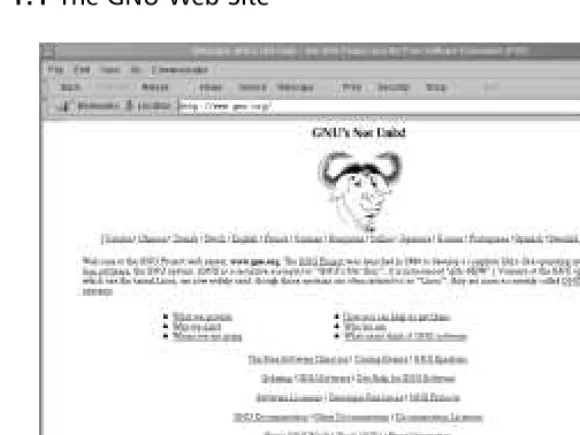
The GNU General Public License (GPL) is the basis of the open source move-ment.This license is provided by the Gnu is Not Unix (GNU) organization, which develops various software packages. Begun in 1984 by Richard Stallman, GNU has worked to create a license designed to ensure that the open source movement continues to thrive.You can learn more about GNU at the www.gnu.org Web site, shown in Figure 1.1.similar functionality. For better or for worse, Richard Stallman, Eric Raymond, and others helped found and popularize the concept of an open software license called the Gnu General Public License (often referred to as the GPL).You can read the GPL at www.gnu.org/copyleft/gpl.html.
This license is part of the “copyleft” movement, which considers itself an alternative to traditional copyright laws.The GPL essentially allows anyone who develops code to ensure that the code remains open, meaning that GPL-licensed code can be taken and improved upon by anyone, as long as the improved code is given to the original writer and the software writing community. Consequently, a piece of code protected by the GPL will, by law, always remain accessible by anyone who wants to read or modify it.Without the GPL license, another person can take the code that you invent, and make it closed and proprietary.
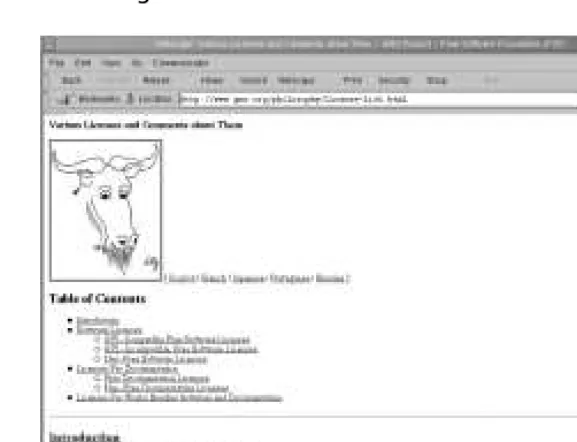
The GNU GPL is not the only free software license in existence. Figure 1.2 shows the GNU page dedicated to understanding additional licenses. If you wish, you can read about additional licenses that are similar to the GPL at www.gnu.org/philosophy/license-list.html.
For more information about the open source movement, one of the more revealing books is Erik Raymond’s The Cathedral and the Bazaar (O’Reilly &
Associates, 2001). Although somewhat overly enthusiastic, it is a very helpful book in understanding the mindset of many open source code writers.
Fee-Based GPL Software
Contrary to what you might think, open source code protected by the GPL is not necessarily free. Under the terms of the GPL, any person or corporation can take GPL software, modify it, and then package it for sale. However, this person or cor-poration must make this software freely available for anyone to read or modify.
Can I Use GPL Software in My Company?
The GNU GPL does not ask companies to supply licensing agreements or other-wise register the programs. However, other licenses, which you can read at
GNU’s comparative forum, may invoke restrictions that you may have to consider as you implement the software.The software covered in this book is, in one way or another, open software, which means it can be used by any organization.
Soft Skills: Coping with
Open Source Quirks
You should consider, however, that open source software can present challenges. Consider them before you delve into the open source world. It is likely that using open source software will require you to use your “soft skills,” such as how to overcome objections and manage constant change.The more important chal-lenges to your soft skills are discussed in the following sections.
General Lack of Installation
and Configuration Support
Although many of the applications you will use are written by clever, knowl-edgeable coders, most of these people create this code on their own time.Thus, no formal support structure exists for the software you use. As a result, you will be forced to rely on knowledgeable individuals to implement and maintain your open source applications.
Infrequent or Irregular Update Schedules
Many closed-source companies update their software at regular periods. Usually, a for-profit company’s desire to keep sales high by requiring constant for-fee upgrades is tempered by its need to maintain the product’s reputation for stability, ease of use, and longevity.Thus, upgrades will happen at regular intervals.
However, the open source community is not held in check by this desire. Generally, software is frequently upgraded.You may, therefore, find that you will have to spend considerable time upgrading the open source products you use.
It is also quite unlikely that you will be notified of any problems that have been discovered in the specific version of your application. For example, many for-profit companies spend time publicizing problems and even contacting licensed users to notify them of a security problem. If you use an open source security application, the burden is placed on you: it is assumed that you will take the time to keep current about any developments concerning the application you are using.
Command-Line Dominance
command-line applications. Generally, however, these GUI interfaces are not as portable between operating systems. In some cases, the GUI interface, unless superbly written, does not provide the same functionality (that is, you can’t do the same thing with the GUI that you can at the command line).
Lack of Backward Compatibility
and No Regular Distribution Body
When you upgrade an operating system, it is possible that the applications you have been using no longer work, or behave differently. Although the open source community is remarkably well coordinated, you should consider this possibility.
Furthermore, it is possible that the software you use may become unavailable, or may become fee based.While discovering that a Web site URL has changed is inconvenient, discovering that an upgrade for your favorite application will now cost you money can raise serious issues about your continued use of the product.
Inconvenient Upgrade Paths
Many open source applications change their coding rather radically. As a result, a previous version may not be upgradeable, and you may have to reinstall it. Even then, it is possible that a simple reinstallation is not possible. Many open source applications provide their own versions of a Windows-style configuration wizard, but when you upgrade, you may have to install the new files manually.
Conflicts in Supporting Libraries
and Limited Platform Support
Even though you find a piece of software that you really find interesting, it is possible that you will have to take rather intricate steps to make your operating system ready for the application. Most of these steps involve updating system libraries, which are sets of routines and helper applications. Examples of libraries include the Tool Command Language/Tool Kit (tcl/tk) and the Gnome libraries (gnome-lib).
Another problem with software that isn’t quite “ready for prime time” is that it may be developed for only one Linux flavor, or even only one version of a specific Linux flavor. If you upgrade your system (or one of the libraries), it is possible that the application will stop working
Interface Changes
Coders and end users rarely want radical changes in a GUI interface to occur. Changing an interface requires more coding work on the part of coders, and it could result in an application losing popularity. However, due to changes in the open source libraries and in coding practices, you may find that commands and interfaces are radically changed from one version to the next.
Partially Developed Solutions
Sometimes, the code you want to use promises to do things it just can’t deliver. Some expected or advertised features may be missing, or may not be implemented yet. Sometimes, this happens because the open source application’s development team has the best of intentions and is working to complete the project. Other times, the development team runs out of gas, and you end up wishing that the application had delivered on its potential.
In such cases, your options are rather limited, unless you have the means at your disposal to deploy your own development team and take up the project where your predecessors left off.
Open Source as Malware?
Thus far, you have learned about technical issues concerning open source software. However, there are business and security issues as well. If you are a manager, make sure you carefully consider the use of open source software. There may be times when open source software is not appropriate for a certain task. Consider the following questions:
■ Aren’t these hacker programs?
■ Is the software stable enough to use?
■ Have I had the code reviewed to ensure it is safe?
■ How will I explain the use of open source software to my
management?
■ How will I explain the use of open source software to
cus-tomers and business partners?
The first question is significant. Many open source security applica-tions have been written as proof of conceptexploits. A proof of concept exploit is basically an application meant to prove that a theoretical or much-discussed weakness in an operating system really does exist. Other applications are provided to allow hackers to gain information about a network or network host. However, just because an application was cre-ated for malicious intent does not necessarily mean that it has to be used maliciously. In fact, many open source applications have been cre-ated with the best of intentions, only to have them used to cause prob-lems. Therefore, as a manager, you should ensure that all parties involved in maintaining your network understand that simple use of a particular application does not necessarily mean that the user has become a hacker.
As you choose the software, make sure that you actually take some time to educate your IT employees so that they use it properly. Have them consider how using the application can affect the network. If used at certain times, using a network probing application may cause too much network traffic and thus impact end-user communication. In addi-tion, when you choose this applicaaddi-tion, consider that it may still be in beta development, and that certain features are bound to change.
Because it is difficult to verify that this code is in fact safe, take the time to review it. If you cannot do it yourself, contact a reliable source to verify that the code does not contain an element, such as a Trojan horse, that can erode your network’s security.
Should I Use an RPM or Tarballs?
In regard to Linux, open source software generally comes in three flavors: source tarball, Red Hat Package Manager (RPM), and Debian. A source tarball is a group of files and directories that usually must be compiled. Generally, tarballs come with a special file called a makefile, which contains instructions that tell the source code where the supporting libraries are for the application you are installing. Many will argue passionately that one is better than the other (or, that one operating
system—such as the Debian operating system—is better than all the rest).The best approach to take is to use the right tool for the right job. In some cases, tarballs will work best. In other cases, using RPMs is the best way, as long as the RPM was created by a person who really understands the operating system, and that you have chosen the correct RPM for your operating system version.
Tarball
When using source tarballs, the most portable and extensible format, the code usually comes in packages that are first run through the tar application, which cre-ates archives of files and directories that can then be easily transported from one system to another. Sometimes, the tarball contents are precompiled binaries, which means that all you have to do is decompress and install the application. Other times, the code comes as C or (less often) C++ “source code,” which must then be compiled using, for example, the makefiles and the Gnu CC (gcc) or Gnu C++ gc++ compilers.These tarball packages are then compressed by using any number of applications.The most common (de)compression programs are GNU Zip (gzip,gunzip,gzcat) programs, which create compressed tarball archives with a tar.gz, .tgz, or tar.Z ending.The gzip command creates the tar.gz ending. The .tgz extension is also created in gzipby those who know that their files may be downloaded by Microsoft-oriented browsers, which often have difficulty downloading files with the tar.gz ending.The .Z extension is created by the Unix command called compress. Slackware systems often use the .tgz tarball ending. The bzipprogram has also become popular. Compressed bzip files have a .bz ending. Generally, you install a gzipped tarball by using the tar -zxvf command.
applica-Tarballs often require editing of a special file called a makefile. However, this is not necessarily all that difficult. It simply requires that you know where your sup-porting applications and libraries are. In addition, most open source software will contain instructions concerning how to edit the makefile. Most well-known operating systems, such as Red Hat Linux and Slackware, do not require makefile modification.
Red Hat Package Manager
Originally developed by Red Hat, Red Hat Package Manager (RPM) files have become more universal.TurboLinux, Mandrake, and Kondara, for example, all support this format. RPMs come in either precompiled binary format, or as source RPMs. Make sure that you obtain the correct RPM for your distribution and hardware.You can then install an RPM (barring library and resource con-flicts) by using the rpm -ivh command.These packages usually contain precom-piled binary files, but it is possible to install source RPMs(.srpm) that will deposit source code that you must then compile using makeand the appropriate gcc and g++ compilers.
RPMs are installed using the RPM utility.To install an RPM, you could enter the following command:
host# rpm –ivh packagename.versionnumber.i386.rpm
This command uses the -Ioption, which simply means install.The -vh options have the RPM utility go into verbose mode and report the installation progress using hash marks.You can learn more about the RPM facility by con-sulting the rpm man page. As you will see in later sections, tarball, RPM, and Debian packages can pose threats to your system—after all, they are designed to automatically place code onto your system. Many times, this code is precompiled and “ready to go.” It is possible for malicious users to place code into these pack-ages.You must be extremely careful whenever installing any of these packages. Later in this chapter, you will see how you can at least partially protect yourself by using digital signatures.
Debian
Obtaining Open Source Software
Now that you have considered some of the more pressing open source issues, it’s time to learn where to get open source security software. As you might suspect, there is no single source. Some of the best Web sites for open source security software include the following (many other sources exist):
■ SourceForge www.sourceforge.com ■ Freshmeat www.freshmeat.net
■ Packetstorm http://packetstorm.securify.com ■ RPMFind www.rpmfind.net
■ LinuxLinks www.linuxlinks.com ■ Tucows www.tucows.com ■ Startplaza www.startplaza.nu
■ SecurityFocus www.securityfocus.com ■ AtStake www.atstake.com
SourceForge
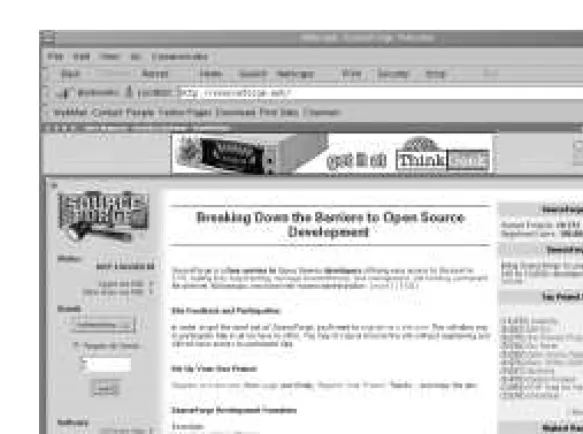
SourceForge, shown in Figure 1.3, is an especially rich source for security con-tent. From here, you can download applications such as EtherApe, Ethereal, and many others.
One of the primary benefits of obtaining software from SourceForge is that you can learn about the development history, learn about the developers of an application, and even send the developers e-mail (good luck getting answers!). You can also learn about what language the program was developed in, and what operating systems the application was specifically developed for. In many ways, this site does much of the research for you.
Finally, SourceForge provides a login feature that allows you to:
■ Participate in open discussions concerning software. ■ Register an open source project.
■ Learn about top projects.
■ Obtain information about various topics, including the latest Linux
Freshmeat
The Freshmeat Web site, shown in Figure 1.4, derives its name from its primary function, which is to provide the latest and greatest software from the open source community. Like SourceForge, this site is not completely devoted to secu-rity. Nevertheless, you should spend time at this site to learn about the latest applications, most of which are created for Linux. By just typing securityin the search field, you can learn about the latest applications meant to increase security, as well as those meant to defeat existing security measures.
This site also provides a login feature. One of the benefits of logging in is the ability to catch up on the latest projects that have been registered on the site. In less than a week, several hundred new projects can be registered, many of them having to do with security. Another benefit is the ability to search for articles written about the applications in which you are interested.The search feature includes filtering mechanisms designed to help you drill down to the most relevant information.
Packetstorm
Packetstorm is specifically devoted to security, and has an extensive collection of files. At this site, shown in Figure 1.5, you can download both “white hat” and “black hat” applications; in other words, you can download applications that help
Figure 1.4The Freshmeat Web Site
detect and/or stop intrusions, or you can download applications specifically designed to break into systems.The developers of the site spend a great deal of time surfing the top Internet sites (including SourceForge and Freshmeat) for the “latest and greatest” files.
One of the many convenient features of this site is its listing of the most recent tools, exploits, and warnings the site has obtained. Another is its Forums feature, which allows you to converse with others interested in security.The site also lists the most current advisories, so you can see if anyone has discovered a problem in any of the open source applications you are using.
SecurityFocus
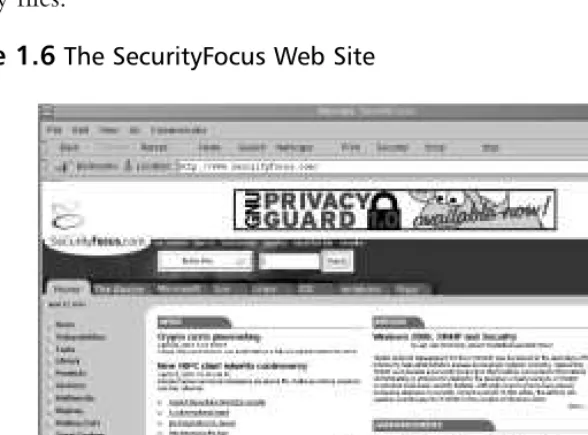
The SecurityFocus site is a well-organized repository of security files. Its home page is shown in Figure 1.6. As well organized as it is, its collection of files, found in the Tools section, is not as extensive. Still, the site provides informative news about the latest security developments, and does a good job archiving the latest security files.
Is That Download Safe?
Another problem with open source code is that you spend a great deal of time downloading files from untrusted sites. As a security professional, you have to consider the possibility that some of these files may have been tampered with. Many in the open source community have encountered files that contain Trojan horses, which are stealthy programs meant to thwart security.Trojan code hides legitimate code. Sometimes, the Trojan can wait to activate, or it can activate itself when you install what appears to be a perfectly legitimate program. Examples of Trojan horses include:
■ Illicit servers Hidden servers that open ports that allow a malicious
user (usually) root access to the server.
■ Root kits Programs, such as ps,ls, or su, which will still work, but also
thwart security by, for example, key logging the administrator’s password and then sending it to an anonymous FTP.The malicious user can then download the password and log in to the system.
So, how can you determine if this download is secure? One of the best ways is to obtain a digital signature for the software package. A digital signature is a small piece of code generated by an encryption algorithm. A signature allows you to determine two things. First, you can learn if the file has been tampered with in any way. Second, you can use the key to verify that the software was in fact authored by the person who claims authorship. Before you learn more about checking signatures, it is important that you first understand the basic encryption principles involved.
A Brief Encryption Review
One of the most important things you can understand in terms of open source security is how encryption operates on networks. Feel free to skip this section if you already understand these terms. If you don’t, then read on.They will be implied throughout this book.
transmissions are not completely safe. Nevertheless, encryption does tend to raise the bar enough to make most hackers search for other systems to attack.
Before we continue, it is important to understand the three types of encryp-tion in general use:
■ Symmetric The use of one key to encrypt and decrypt information.
This is a common type of encryption, but can be easily defeated if you misplace the key, or if a malicious user intercepts the key in transit. If a malicious user is able to intercept the key, he or she can then use it to decrypt your secret messages.
■ Asymmetric This type of encryption uses a mathematically related key
pairto encrypt and decrypt information. It is commonly used on the Internet and on LANs, because it reduces the likelihood that the key can be learned by a malicious user, and aids in authentication.
■ One way The use of an algorithm to encrypt information so that it is,
mathematically speaking, impossible to unencrypt it. One-way encryp-tion is also used to read a file and then create a hash of that file.The resulting hash value is said to be mathematically unrecoverable.
You should understand that in regard to networking, the “information” dis-cussed in this section can include a file, or a series of network packets emanating from a network host. Many encryption applications, such as GNU Privacy Guard (GPG) and Pretty Good Privacy (PGP) employ all three of these types of encryp-tion, as you will see later.
Symmetric Key Encryption
Your car key is a crude, although helpful, example of symmetric encryption. Consider that most people use the same physical key to lock, unlock, and start their cars. If you lose your key, anyone who finds it can locate your car, insert your key in the door and the ignition, and then drive it away. Suppose, now, if you tried to pass this key to another person in a crowded room, and someone you do not trust was to intercept it.You would probably then have a problem: the only thing keeping this untrusted person out of your car is that person’s honesty and his or her knowledge of what your car looks like. If that person wanted to, he or she could find your car, open it, and drive away.
as the use of a single car key: anyone who intercepts your symmetric key with a packet sniffer can decrypt your messages.This type of attack is a sniffing attack. A sniffing attack is a type of man-in-the-middle attack, where a host that resides in the middle of a connection is able to obtain and then manipulate data.You will learn more about this type of attack in Chapter 7.
The obvious response to this analogy and the threat of sniffing attacks would be, “Well, I guess I just won’t send my passwords across the Internet or my net-work.” However, it has traditionally been very difficult to get your job done without sending passwords across the Internet.The ability to communicate securely is the backbone of e-commerce and network communication. So, how will you get that password to a person? Even if you use a telephone (a very slow, awkward option), you are not guaranteed safety. After all, your friend who
receives this password could write it down on a sticky note, exposing it to anyone passing by. Besides, what if you needed to get a password not to a person, but to a network host?
Another problem with the use of symmetric encryption is that if someone sniffs your symmetrically encrypted message, it is possible for this person to use a password-cracking program to guess the password (the key) you used to encrypt the message.This type of application effectively reverse-engineers the password creation process by taking multiple guesses to try and find the answer. Such appli-cations include L0phtCrack (www.atstake.com/research/redirect.html) and John the Ripper (available at various sites, including http://packetstorm.securify.com). Using such applications, a suitably powerful computer, and enough time, a person can guess the right password.This type of attack is called a brute-forceattack.
Asymmetric Key Encryption
One of the answers to sniffing and brute-force attacks is the use of a pair of keys. Asymmetric encryption allows you to do two things:
■ Encrypt transmissions ■ Authenticate users and hosts
him-self before he gained access to use your car.This is basically how asymmetric key encryption works.
The public key can be distributed to anyone. It can be placed on public key servers all over the Internet or to anyone you know (or don’t know, for that matter). However, the private key must be kept, as you might have already
guessed, private.The easiest way to understand public key encryption is to under-stand the relationship between each key pair. Each pair is generated at the same time.The algorithm that creates the key pair ensures that this pair is so related that one half of this pair can decrypt the other half.
Public Key and Trust Relationships
Let’s say that you have generated a key pair.The private key is (hopefully) stored safely on your hard drive, and you are ready to distribute your public key.Your friend has done the same: she has created her private key and is ready to give you her public key. Before both of you can use asymmetric key encryption, you must give each other your public keys.
Giving your public key to another person (or host) is often called establishing a trust relationship. Once you have given each other your public keys, you both can then engage in asymmetric key encryption. How? You compose a message, and then you encrypt this message to your friend’s public key. Once this message is encrypted, no one but your friend can read this message. Even though you cre-ated the message, you cannot read it either, because you encrypted it to your friend’s public key.
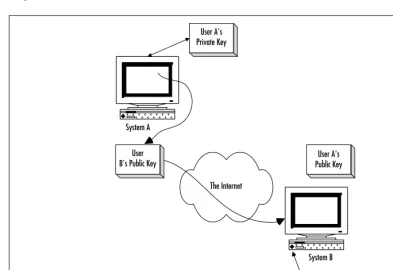
So, all you have to do now is find a way to get this message to your friend. Once you use e-mail or FTP to do this, your friend receives a bunch of garbled text that means nothing.This is the encrypted message.Your friend can then take this message and then decrypt it using her private key. Once this message is decrypted, your friend can read it.With any luck, your friend won’t still think that she received a bunch of garbled text that means nothing. Figure 1.7 illus-trates this process.
In Figure 1.7, User A on System A encrypts his message to User B’s public key. In order to encrypt the message to User B’s public key, User A must first enter a password to use his public key to sign the message.The encrypted and signed message is then sent across the Internet, where User B uses her private key to decrypt the message.
As long as this key remains private, then chances are, so will your letter. Second, notice that you and your friend did not have to distribute the whole password in some way.You only distributed half of the password (the public key). And, usually, it is extremely difficult to guess the private key from the public key. It is, of course, mathematically possible to use the public key to guess the private key, but it would take many million-dollar-plus supercomputers several months to do this. Only state-run organizations such as Scotland Yard and the CIA are likely to devote such resources to your little old message.
As far as authentication is concerned, asymmetric encryption accomplishes this by verifying the owner of the public key.You will learn more about this as you learn about IPSec and VPNs later in this book.
One-Way Encryption
You may ask yourself why anyone would want to irretrievably encrypt a piece of information. After all, doing this makes the information, well,irretrievable—it can’t be used anymore. One-way encryption is not useful for encrypting and
Figure 1.7Using Public Keys to Encrypt Transmissions
System A
System B The Internet
User B's Public Key
User A's Private Key
User A's Public Key
unencrypting files. It is, however, useful for obtaining a file’s signature. A signature is obtained by running a one-way encryption algorithm on the file.The resulting value, called a hash, is closely related to the contents of the file.This value is so related that if even the slightest change is made to the file’s contents, the hash value will not match. Many applications use one-way encryption to ensure that information is not altered as it passes over the network.
GNU Privacy Guard
GNU Privacy Guard (GPG) is one of the primary open source tools in use today.You can download it from www.gnupg.org.You can download binaries and source code for all Unix versions. For Linux, g-zipped archives and RPM files are both available. Most distributions (TurboLinux, Red Hat, Caldera, Slackware, etc.) include GPG in their source files. Using GPG, you will be able to encrypt files and e-mail messages.You will also be able to import and export public keys in order to verify PGP- and GPG-generated keys from the tarballs and RPM files you download.
Deploying GNU Privacy Guard
Although many GUI interfaces are in the planning stage for GPG, the following steps focus on using GPG with the command line.The steps assume that you already have GPG installed on your system.Verify this by using the whereis command:
whereis gpg gpg: /usr/bin/gpg
If you do not have GPG installed, you can download GPG from www.rpmfind.net, from www.gnupg.org/download.html, or from the CD that accompanies this book (gnupg-1.0.4-11.i386.rpm or the equivalent gnupg-1.0.5.tar.gz).
NOTE
Running an application as SUID root means that the application is run as root, even though the owner who starts it is a nonroot user.
By default, however, GPG is not installed as SUID root.To make it setuid root, do the following:
1. Find the application (in Red Hat Linux, GPG is at /usr/bin/gpg).
2. If you are not already root, become root with the command su.
3. Issue the command chmod u+s /usr/bin/gpg.
If you cannot do this on your own system for some reason, or do not wish to, you can enter the following line into the ~/.gnupg/options file of any non-root user:
/usr/bin/gpg --gen-key
This command will create the necessary directories and files for GPG to work. Once you create these directories, generate a key pair for the user you are logged in as.You do this by issuing the gpg --genkey command again.
GPG will then ask you to select a key type.You will have the option of choosing Digital Signature Algorithm (DSA) and ElGamal (the default) DSA, or ElGamal (sign and encrypt). Each of these options defines different types of signature and encryption algorithms.The first uses both the standard ElGamal key distribution method and the DSA, which is used to sign and encrypt data. DSA is a nonproprietary algorithm, unlike the RSA algorithm, which was previously used. If you only wish to sign and encrypt documents, you can just use DSA. Most people use the first option, which is to both sign and encrypt information.Traditionally, the first choice (the default) is the best.
You are then given the choice of the keysize.The default keysize of 1024 bits is actually quite sufficient for most purposes. Selecting anything higher can signif-icantly slow your application. So, select 1, and then press ENTER.
Enter 1y to make your key expire one year from now, and then press ENTER. Press yto confirm this choice.