Indianapolis, IN 46256 www.wiley.com
Copyright © 2013 by John Wiley & Sons, Inc., Indianapolis, Indiana
Published simultaneously in Canada
ISBN: 978-1-118-53083-2 ISBN: 978-1-118-53082-5 (ebk) ISBN: 978-1-118-78961-2 (ebk)
Manufactured in the United States of America
10 9 8 7 6 5 4 3 2 1
No part of this publication may be reproduced, stored in a retrieval system or transmitted in any form or by any means, electronic, mechanical, photocopying, recording, scanning or otherwise, except as permitted under Sections 107 or 108 of the 1976 United States Copyright Act, without either the prior written permission of the Publisher, or authorization through payment of the appropriate per-copy fee to the Copyright Clearance Center, 222 Rosewood Drive, Danvers, MA 01923, (978) 750-8400, fax (978) 646-8600. Requests to the Publisher for permission should be addressed to the Permissions Department, John Wiley & Sons, Inc., 111 River Street, Hoboken, NJ 07030, (201) 748-6011, fax (201) 748-6008, or online at http://www.wiley.com/go/permissions.
Limit of Liability/Disclaimer of Warranty: The publisher and the author make no representations or warranties with respect to the accuracy or completeness of the contents of this work and specifi cally disclaim all warranties, including without limitation warranties of fi tness for a particular purpose. No warranty may be created or extended by sales or promotional materials. The advice and strategies contained herein may not be suitable for every situation. This work is sold with the understanding that the publisher is not engaged in rendering legal, accounting, or other professional ser-vices. If professional assistance is required, the services of a competent professional person should be sought. Neither the publisher nor the author shall be liable for damages arising herefrom. The fact that an organization or Web site is referred to in this work as a citation and/or a potential source of further information does not mean that the author or the pub-lisher endorses the information the organization or Web site may provide or recommendations it may make. Further, readers should be aware that Internet Web sites listed in this work may have changed or disappeared between when this work was written and when it is read.
For general information on our other products and services please contact our Customer Care Department within the United States at (877) 762-2974, outside the United States at (317) 572-3993 or fax (317) 572-4002.
Wiley publishes in a variety of print and electronic formats and by print-on-demand. Some material included with standard print versions of this book may not be included in e-books or in print-on-demand. If this book refers to media such as a CD or DVD that is not included in the version you purchased, you may download this material at http://booksupport.wiley.com. For more information about Wiley products, visit www.wiley.com.
Library of Congress Control Number: 2013907974
to say thank you for teaching us to work, to accept responsibility for our actions,
to do the right thing, and to help others. You taught us to do what we enjoy and
to do our best. What a great formula to be happy, energized, and resilient, and to
appreciate all that we have! You set the foundation for me to embrace the thrills,
lessons, and adventures in life. And, throughout life, to be compassionate and to
give generously — especially laughter and smiles, a hug or a helping hand.
—Teresa Hennig
To Suzanne and Harry, for being just plain awesome. I couldn’t have done it
without you two!
—Ben Clothier
I want to dedicate my part in this book to my mother and father, who not only
brought me into the world, but showed me how to live properly once I got here.
Family comes fi rst, but that is easy when you have a family like mine. To my
siblings, JoAnna, Tom, Sam, Jack, Nancy, and Jane: Your encouragement (and
unusually high tolerance for bad jokes, lies, and war stories) helps keep me going.
Thanks. I promise I’ll update the family website again soon. I also need to make
special mention of my daughter, Lyndsey; you give me reason to be proud every
day. Love ya, sweetie. We’ll make up for the missed weekend dinners soon.
—George Hepworth
To my wife, Lisa, who still patiently picks up the slack as I dive head-fi rst into
new adventures. None of it would have been possible without you. I love you.
TERESA HENNIG has been an Access developer and business consultant since 1997, when she decided to start her own business on the second day that she used Access. Her company’s name, Data Dynamics Northwest, aptly refl ects her dynamic per-sonality and her innate ability to quickly grasp a situation, formulate and implement a solution, and motivate others. With a strong background in business and project management, Teresa focuses on providing intuitive, cost-effective solutions that sup-port all levels of an organization. One of her favorite aspects of being a consultant is working with an endless variety of businesses across many industries and in numerous locations.
As a self-taught developer, Teresa quickly became involved with the Seattle Access Group and has been the President since 1999. It wasn’t long before she was asked to help run, and then became President of, the Pacifi c Northwest Access Developer Group. Her fi rst book Access 2003 Programmer’s Reference (Wiley, 2003) opened the door to new opportunities to help fellow develop-ers share their passion and expertise with the community. Over the past 10 years, Teresa has helped dozens of colleagues to become authors, editors and contributors. This is her sixth book, and she already has requests to do more.
Teresa has been recognized as a Microsoft MVP continuously since 2006, and has twice earned INETA’s National Community Champion award. Teresa thrives on challenges, project management, and creating cost-effective solutions. Her skills for motivating and helping others are refl ected in her contributions to the developer community and support of numerous non-profi t organizations. She is expanding her reach by doing presentations and offering customized training, mentoring, and consulting for database development as well as business and project management. You can contact Teresa at [email protected] to learn more about any of these services. You can also read about some of her adventures and charitable endeavors by visiting her website,
www.DataDynamicsNW.com.
BEN CLOTHIER is a Lead Developer with IT Impact, Inc., a premier Access and SQL Server development shop based in Chicago, Illinois. He has worked as a freelance consultant with notable shops including J Street Technology and Advisicon, and has worked on Access projects from small, one-man solutions to company-wide line-of-business applications. Notable projects include job tracking and inventory for a cement company, a Medicare insurance plan generator for an insurance provider, and order management for an international shipping company.
Ben is an administrator at UtterAccess and was a coauthor, with Tim Runcie and George Hepworth, on Microsoft Access in a SharePoint World (Advisicon, 2011), and a contributing author for Access 2010 Programmer’s Reference (Wiley, 2010). He is a certifi ed MySQL 5.0 Developer and a Microsoft Certifi ed Technology Specialist for SharePoint 2010 confi gurations. He has been a Microsoft MVP since 2009.
his company, Grover Park Consulting (www.GPCData.com), specializing in resuscitat-ing “owner-built” Access databases for small- and medium-sized organizations. As a self-taught developer, George believes that any day on which he doesn’t learn at least one new thing is a day wasted.
George is a database developer for Data and Domains, a development organization near Bellevue, Washington, creating Access and Access/SQL Server solutions for clients in the Puget Sound region. George is part of the administrator team, and a regular contributor, at UtterAccess, the most popu-lar Access support site on the Internet. He is the author or contributor to several books on Access, and a presenter at the Pacifi c Northwest Access Developer Group and Seattle Access Group.
George holds a BS in English and an MA in TESL from Utah State University. And now, George’s daughter and his money go to Seattle University.
DAGI (DOUG) YUDOVICH is the Assistant Director of Departmental Computing for the University of Washington School of Medicine. One of the department’s primary BI responsibilities is developing database solutions using Access and SQL Server.
JERRY DENNISON has over 20 years of professional experience in the design and development of Microsoft Access database applications. He was one of the coauthors of Microsoft Access 2010 Programmer’s Reference (Wiley, 2010) and a contributing editor on other Access books. Jerry was a four-year recipient of the Microsoft Offi ce Access MVP award and is considered by his peers to be one of the foremost experts on the forms of data normalization.
Jerry is the owner of TradeIt! Software Support Services, where he provides database consulting for businesses and other Access developers. He is an automation engineer at Rexam Healthcare Packaging, where he has worked for 22 years providing design, installation, and service support for automated inspection and test systems.
Jerry lives with his wife of 24 years in Hixson, Tennessee.
PATRICK WOOD is the founder of Gaining Access Technologies, which provides consult-ing and custom software development. Originally a minister with a bachelor’s degree in biblical studies, he decided one day while he was between churches to develop an application to manage the many tasks involved with small- to medium-sized churches. That sparked his interest in Microsoft Access development, which led to the founding of his company. He learned ASP.NET to build the company website, and began developing SQL Server and Azure SQL databases. Pat’s articles about cutting-edge technology software develop-ment have been featured on several websites. He received the MVP Award for Microsoft Access in 2011.
Pat still preaches at a small country church and enjoys taking walks, playing the guitar, hunting and fi shing, and spending time with his wife and three young grandsons.
F. SCOTT BARKER is the owner of AppsPlus, where he develops software for industries ranging from government agencies, insurance companies, banks, medical analy-sis fi rms, and even for Microsoft. Scott is a former Microsoft MVP and Microsoft employee, and was a member of the original Access team. He is also the author of a number of books on programming techniques using Microsoft technologies.
LEO (theDBguy™) is an Access MVP and moderator of the UtterAccess (UA) Forums. Since joining UA in 2007, Leo has made over 50,000 posts responding to questions and solving worldwide database dilemmas. Leo is a renowned Access expert with over 17 years of experience creating complex and intuitive Access solutions. He currently works as a Knowledge Manager for the Navy and manages the SharePoint portal for his com-mand, which supports over 1500 sites and more than 5500 users.
GREG LINDHORST is the Principal Program Manager for Microsoft Access. He has been a member of the Microsoft Access engineering team since 2006, specializing in Access web apps and the pro-gramming model. Greg is a 20-year veteran at Microsoft, where he has worked on a wide range of application development tools in Offi ce and Visual Studio.
TOM VAN STIPHOUT is an Access MVP and the software development manager for Kinetik I.T. (www.kinetik-it.com), a premier provider of website design, SEO Internet marketing, software development, and computer network services and solutions in Phoenix, Arizona. Tom can be reached at [email protected].
JACK D. LEACH is an Access MVP with a strong background in the manufacturing business. He runs Dymeng Services (www.dymeng.com), a software development company in upstate New York, specializing in database and website solutions for small businesses. Jack can be found on www.utteraccess.com as jleach and at [email protected].
PETER DOERING is an Access MVP from Bamberg, Germany and an expert on migrations to SQL Server as well as SQL Azure and Offi ce 365. He’s been an independent developer on international projects for over 20 years. Peter is an acclaimed speaker at developer conferences in Europe and can be reached at [email protected].
GLEN KRUGER is an Access MVP and the Developer/Owner of KNK Consulting, assisting clients using Access and Visual Basic. Glen graduated from NAIT’s Computer Systems Technology (CST) program. He is an administrator of the UtterAccess Forums, and can also be reached at
RIK HEPWORTH is a Microsoft vTSP and is the IT Director and head of the SharePoint Practice at Black Marble in the UK. With over 20 years in IT, Rik has worked in nearly every aspect of comput-ing. As a technology evangelist, Rik is a regular presenter at events around the UK and Ireland. He is easiest to fi nd on Twitter as @rikhepworth.
AS A TEAM, WE WOULD LIKE TO EXPRESS our respect and appreciation for all of the people who contributed to the content, editing, and production of this book. This project truly epitomizes the concept of team work and community — especially the MVP community. We wanted this book to refl ect a wide perspective of expertise, but we didn’t anticipate the extent that would become. We reached around the world to leverage the expertise and passion of more than a dozen MVPs and experts from multiple disciplines. They invested an unprecedented amount of time, research, and resources to create this book and all of the supporting fi les and examples. Much like creating a solu-tion for your clients, the team has invested hundreds of hours to create or enhance developer tools that you can incorporate directly into your fi les.
Over the course of a number of months, we conquered many hurdles, forged new connections, and helped to expand the functionality for Access web apps. We couldn’t have done it without the timely and invaluable efforts of our editors and technical contributors. These guys stepped up the moment they were called upon — and yes, that often meant at a point of near panic and urgency! Whether it was to resolve a version confl ict, expand into associated technologies, or to share tools and tech-niques, they generously shared their expertise and passion with the community and you, the readers. Please take a moment to read about our contributing editors and technical contributors.
Of course, we wouldn’t have anything to write about if it weren’t for the incredible people on the Microsoft Access team. Their passion, dedication, and commitment to continuously expand and enhance Access are truly remarkable and inspiring. And we wouldn’t have a book without all of the editors and teams at Wiley — Bob, Rosemarie, Mary Beth, Nancy, and so many more. Plus a very spe-cial thank you to Chris Haviland for her remarkable skills, attitude, and encouragement while guiding us through months of reviews and production. Hmm, we’ve lost track of all the IOUs, but suffi ce it to say they should include a spa day, margaritas, chocolate dipped strawberries, and many massages!
can take us on quite a roller coaster ride fi lled with excitement, challenges, accomplishments, and les-sons. People and life have so many facets to relish and cherish; thank you for sharing the adventures. I also want to thank my colleagues, especially my MVP family, and everyone working on this book.
This project has been like no other. When we started planning over 12 months ago, no one could have foreseen the amount of time and effort, or the extensive and ongoing changes, that would be involved. On behalf of myself and the entire Access community, I want to thank Ben and George for their vision, perseverance, and dedication to not only proving that an Access 2013 web app can be a robust business solution, but also providing a model and guide for others to follow. At critical moments, we also gained the invaluable expertise of Greg, Rik, and Jonathan. And to ensure that the traditional Access solutions demonstrate multiple perspectives and signifi cant new approaches, Doug and I incorporated content and tips from several of our MVP colleagues. Their involvement was also instrumental in completing a second round of technical reviews and testing; with many thanks to the Herculean efforts by Leo, who reviewed nearly all of the web chapters!
Over the months, the team has undergone major transitions. Starting with a team of four authors, we added more than a dozen experts with a seeming exponential increase in coordination tasks. (Talk about lessons in project management!) Fortunately, those challenges also enriched my life with new friends as they joined our team. In working countless hours with Leo, Glen, Jack, and Pat, I gained the utmost respect for their expertise and dedication. Similarly, it is always a pleasure to work with my treasured colleagues, Tom, Peter, Jerry, and Scott. Your contributions helped make our book a truly remarkable and invaluable resource for all Access users. I am grateful for being able to share both the opportunity and the credits with so many. In recognition of the invaluable part that they played, we have designated a new role, Technical Contributor. These are remarkable people, so please take a moment to read their bios. This is truly a team effort and it epitomizes the spirit of the MVP community.
With all of the turmoil on the book, I essentially took a 4+ month hiatus from consulting to support the team. So I also want to thank my clients for understanding the delays and for working with me to prioritize and schedule tasks so that we could meet their immediate needs and defer others. THANK YOU!
I must also express very special, heartfelt appreciation to Christina Haviland — for her patience, guidance, humor, and compassionate understanding. Thank you for doing whatever it took to pull all of the pieces together to get everything to production and print! Your entryway should be over-fl owing with gift baskets, massage certifi cates, and a lifetime of gratitude.
This project has tested and strengthened us individually and collectively. We did this for you, the Access community. Our greatest reward is helping you to help others, so it is with great pride that we present this book. As you benefi t from this compilation of resources, we hope that you too will realize that it is indeed priceless.
This demonstrates yet again that life is fi lled with opportunities — celebrate them all!
Patrick Wood, and Leo theDBGuy™ for their meticulous diligence. Thank you, Christina Haviland and Teresa Hennig, for your guidance in the project. And most importantly, thank you, George Hepworth, for putting up with me!
—Ben Clothier
THE CONTRIBUTIONS OF VARIOUS PEOPLE have been of great help in this journey. Greg Lindhorst, Access Program Manager at Microsoft, was an early and on-going source of key information about Access web apps. His help was invaluable. Later, when it became clear we had ventured some dis-tance into the SharePoint realm, we were fortunate to obtain the assisdis-tance of Rik Hepworth in shoring up that part of the narrative. We also appreciate Jonathan Sampson for his important con-tributions in reviewing some of the JavaScript code. I also want to thank the partners at Data & Domains, Eric Change and Frank Wilson, for their generosity in allowing me time off to work on this book. We also want to acknowledge the contributions of Leo “theDBGuy” and Jerry Dennison for their excellent reviews and comments that helped make the book better.
—George Hepworth
SPECIAL THANKS to my coauthors — Teresa, Ben, and George. It’s been a wild ride, but riding along with you made it all worthwhile. Your support during the project was nothing short of amazing. Extra thanks to Teresa for leading the project with an unlimited amount of energy and enthusiasm.
To my fellow MVPs and friends, Tom van Stiphout and Peter Doering — thank you for your help, insight, and input. Your knowledge seems boundless, and I’ve learned a lot from you. I’d also like to thank Pat Wood for taking the time to solve the puzzle after fi nding a missing piece.
To Chris, our project editor, thank you for your patience and guidance throughout the project and for being a calm port in the storm. To the technical editors, technical advisors, and anyone else who helped iron out the wrinkles — thank you.
INTRODUCTION xxvii
PART I: ACCESS WEB APPLICATION DESIGN AND DEVELOPMENT
CHAPTER 1: INTRODUCTION TO ACCESS WEB APPS
AND ARCHITECTURE 3
Deprecated Components
4
Access Data Projects 5
Jet Replication 6
Menus and Toolbars 6
Import/Export/Link to Jet 3.x and dBASE Files 7
PivotTables and PivotCharts 8
Collect Data via E-mail 8
SharePoint Workfl ow 8
Source Code Control Extension 9
Packaging Wizard 10
Upsizing Wizard 10
Creating Access Web Databases 11
New Components Added
12
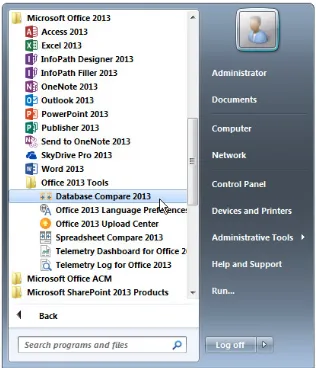
Database Compare 12
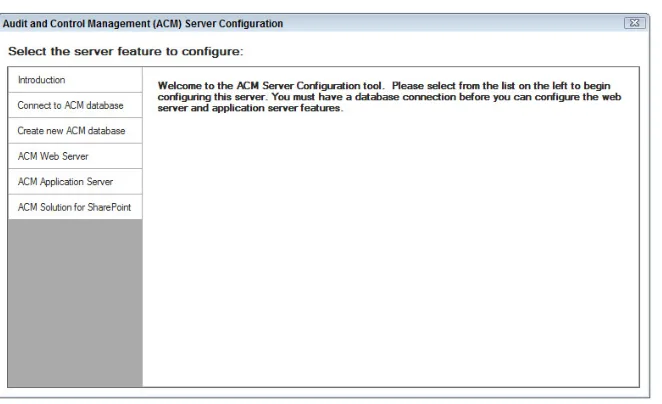
Audit and Control Management Server 13
What Is an App?
13
How Is an App Hosted?
15
How Is an App Distributed?
16
App Marketplace for Publicly Available Solutions 16 App Catalogs for Internal-Facing Solutions 16
How Are Security and Trust Managed in Apps?
18
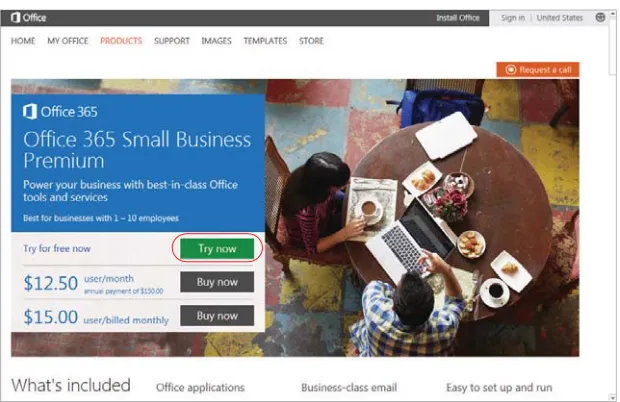
Setting Up a SharePoint Site for Your Apps 20 Setting Up an Offi ce 365 Trial Account 21
Solving Business Problems
24
The Maid To Order Work Schedule Database
24
Summary 24
CHAPTER 2: DESIGNING TABLES 25
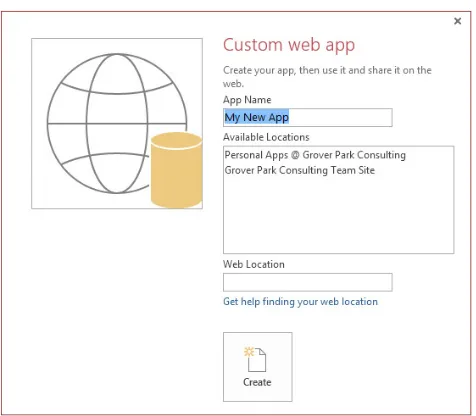
Creating a Blank App
26
Creating Tables Using Nouns 29 Creating Tables from Imported Data Sources 31 Creating Tables the Traditional Way 36 Tables and Their Related Views 37
Data Type Changes from Previous Versions
38
Text Data Type 38
CHAPTER 3: UNDERSTANDING THE NEW USER INTERFACE 45
Web Navigation
46
Navigation Tools 46
The New Approach to Layout 51
The New Ribbon 55
Mobile Devices Support
60
SharePoint and Offi
ce 365
65
Creating a Web App via Team Site 67
Deleting Web Apps 69
Sharing Web Apps with Others 69
Summary 70
Action Bar and Action Bar Buttons
93
Action Bar Button Properties 93
Default Action Button 94
xvii
Changed Controls 96
New Controls 103
Common Properties 108
Client Controls with No Counterparts 109
Web Browser Control 110
Summary 114
CHAPTER 5: CREATING QUERIES AND WRITING EXPRESSIONS 115
Query Architecture
116
SQL Server Views 116
Table-Valued Functions 117
Changes in the Query Designer
119
Creating, Editing, Saving, and Previewing Queries 119
Action Queries 125
Parameterized Queries 125
Aggregates, Unique Values, and Top Values 126
Query Properties 127
Functions and Expressions
128
Delimiters 129
Operator Diff erences 129
New Constants 131
Data Type Inspection and Conversion 132
String Functions 135
Why We Need a New Web-Compatible
Macro Language
150
Where We’ve Been 150
Access’s Traditional Role as Tool of First Choice 151
Macro Designer
152
UI Macros 157
Data Macros 157
Data Macro Architecture 158
UI Macro Architecture 159
Block Macro Action 160
Creating and Editing Data Macros
160
Creating a Standalone Data Macro 162
Using the Action Catalog 162
Using the Add New Action Drop-Down 162
Using Program Flow Actions 162
How to Use the LookupRecord Data Block 165 How to Use ForEachRecord and EditRecord 165
How to Use DeleteRecord 166
Creating and Editing UI Macros
166
How to Use SetProperty 168
How to Use ChangeView and OpenPopup 169
How to Use RequeryRecords 171
How to Use Data Entry Operations 171
Using UI and Data Macros Together
172
How to Create and Use Parameters 172
How to Return Values 174
Summary 175
CHAPTER 7: DESIGNING THE TABLE STRUCTURE 177
New Data Types
178
Short and Long Text Fields 178
Number Fields 182
Editing Validation Rules with Existing Data 195 Validation Rules Design Consideration 196
Leveraging Calculated Fields
197
xix
Tally Table 199
Utility Table 200
Summary 200
CHAPTER 8: DESIGNING THE USER INTERFACE 203
Naming Convention for Web Apps
204
Planning the User Interface
205
Reusing Create, Read, Update, and Delete Views
205
Eff ective Navigation Design
206
Traditional Navigation Patterns 206
Web Design Principles 211
Tile-Bound View and Popup Views 215
Creating a Splash Screen
216
Designing an Index Form
219
List View: Searching on a fi eld 219 Summary View: Searching on an Aggregated Value 223 Datasheet: Filtering Cumulatively 230
Creating a Query By View
237
SQL Construction 237
Techniques for Filtering 241
Design Requirements 246
Creating Filter Tables 248
Creating Data Macro to Clear Selections 249
Creating Query By View 249
Filtering Query 252
Building Data Macros to Populate Filter Tables 257 Building a Popup View to Display the Filter Results 260 Building a Click Event Handler 261
Summary 263
CHAPTER 9: SOLVING BUSINESS PROBLEMS WITH MACROS 265
Macro Design Considerations
266
When to Use Data Macros 266
When to Use UI Macros 268
On Start Macro 269
Using Freestanding Macros
270
Cloning a Record 270
Generating a Set of Records with Variable Parameters 278 Generating Records in Diff erent Tables 290 Updating and/or Deleting Several Records 294
Using Table Events
296
Acquiring Default Values from Other Tables 300 Maintaining a History of Change 301
Summary 303
CHAPTER 10: EXTENDING WEB APPS 305
Integration Options
306
Security Considerations 307
Introduction to Web Services 310
Linking a Web App for Additional Functionality
311
Locating and Adding the Locations Mapper App 311 Confi guring and Using the Locations Mapper App 315
Inlining a Web App in Access Web App
322
Adding a PayPal Button
333
Getting the PayPal HTML 333
Authoring a Custom Page in SharePoint Designer 336 Allowing Framing of Custom Page 338
Adding the PayPal HTML 339
Showing a PayPal Button on an Access Web App 340
Adding a Site Mailbox
341
Confi guration for a Site Mailbox 342 Setting Up the Site Mailbox 343 Team Site Mailbox as a Shared Tool 347
Using APIs with a Web Browser Control
362
Building a Page to Handle JavaScript Code 363
Development Experience 366
Adding the Charting Page to Access Web App 368
Consuming ZIP-Lookup Web Services in the Client
371
Creating a User Account for the Web Service 372 Library References and Code 373
Summary 394
CHAPTER 11: CONNECTING TO YOUR WEB APP 397
Info Backstage
398
Adding VBA Code to Relink 406
xxi Sharing Excel Workbooks on the Web 425
Using SSMS
430
Connecting to a Web App Database 430 Adding a Linked Server on the Web App Database 433 Querying Data in a Linked Server 437 Using Linked Server Programmability Objects 442
Summary 446
CHAPTER 12: WEB APPS IN THE ENTERPRISE 449
Creating a Document Library
450
Creating a Custom Content Type 452
Importing Image Files 455
Customizing a Library 456
Customizing a Library Ribbon 458
Version Control 460
Customizing an App Package
463
Linking to a Template File
467
Synchronizing Data Between App Databases
468
Local Diff erential Backup 468
Choosing Approaches 479
Summary 479
CHAPTER 13: IMPLEMENTING SECURITY MODELS
FOR THE ACCESS WEB APP 481
Security Considerations
482
File-Based Security 482
Agent-Based Security 482
Securing Web Apps on SharePoint 483 Security in the Application Layer 484
SharePoint Security
485
Team Sites and Personal Storage 486
Managing User Accounts 486
Extending Permissions 490
External User Accounts 491
Using Subsites to Restrict Users to Specifi c Apps 498
Sites and Subsites 499
Traditional Methods for Security in Client Solutions
509
Web App Linked File Security
513
DSN-Less Linking and Relinking 514 Password Storage/Non-Storage 515
Local SQL Server 532
Summary 537
CHAPTER 14: DEPLOYING ACCESS WEB APPS 539
Deploying Access Web Apps
540
Web Apps and App Catalogs 540
On-Premises SharePoint Server 541
Versioning Web Apps 551
Summary 562
PART II: CLIENT-SERVER DESIGN AND DEVELOPMENT
CHAPTER 15: MANAGING DATA SOURCES 565
Normalization 566
First Normal Form: Eliminate Repeating Groups 566 Second Normal Form: Eliminate Duplicate Data 567 Third Normal Form: Eliminate Fields That
Do Not Depend on the Key 567
Other Normalization Forms 568
Normalization Examples
568
Un-Normalized Table 568
First Normal Form: Eliminate Repeating Groups 568 Second Normal Form: Eliminate Duplicate Data 569 Third Normal Form: Eliminate Fields That
Do Not Depend on the Key 569
Primary Keys
570
Overview of Access Files and the Database Engine
572
Other Data Sources
572
Overview of ODBC Linking 573
Managing Linked Objects 576
Querying External Data Eff ectively
579
Linked Object Performance and Query Optimization 579 Passthrough Query and T-SQL 580 Comparing Access SQL and T-SQL 581
xxiii
Creating a Query On the Fly Using VBA 606
API 608
Obtaining Documentation for API Functions 609
Mapping Data Types 609
VBA User-Defi ned Types and C-Style Structs 610
Pointers and Handles 611
32-Bit vs. 64-Bit 611
Putting It All Together: Create and Manage an Explorer Window 613
API Declaration 617
Declaring the Enumeration Function 618 Declaring the Callback Function 619 Determining the Class Name of a Window 619 Preparing the EnumChildProc for Two Diff erent Uses 620 Creating the Main Procedure 620 Retrieving Window Information 621
Tips and Techniques 622
Introduction to Data Macros
624
Why Use Data Macros? 625
Diff erences in Client and Web Data Macros 625
Use Cases for Data Macros 626
Creating Data Macros
628
Maintaining Calculated Values to Support Indexing 628 Maintaining Quantity On Hand to Support Business Logic 631
Data Macros and VBA 640
Summary 641
CHAPTER 17: CREATING INTUITIVE FORMS 643
Creating Intuitive Forms
644
Clean Layout 645
Textbox 647 Label 648
Command Buttons 649
Split Forms 650
Pop-up, Modal, or Dialog Forms 652
The Demo Forms
653
Tag Property 653
Displaying Images 654
List and Combo Boxes 656
Datasheet View Search Forms 657 Multiple Instances of a Form 660
Multi-Value Fields
663
Appending MVFs 664
Appending Attachments 665
Report Runner
668
Creating the Foundation 668
Setting Up the Report and Its Criteria Fields 669 Selecting the Criteria and Running the Report 673
Summary 685
CHAPTER 18: CREATING POWERFUL REPORTS 687
Introduction to Reports
688
Calling the Criteria Form from the Report 706 Reports that Compare Values 706
Professional Polish
709
Report Criteria 709
Confi dentiality Statement 711
Page Numbers and Report Date 711
Report Name 711
xxv
Using Reports 712
Using an XFDF fi le 713
Summary 715
CHAPTER 19: AUTOMATING AND INTEGRATING
WITH OTHER PROGRAMS 717
Overview of Interoperability
717
Getting Started with Automation
719
Declare and Instantiate Variables 721 Early Binding Versus Late Binding 722
Automating Offi
ce Programs
724
Microsoft Excel Integration
725
Integration with Excel Using Ribbons, Menus, and Macros 725 Referencing the Excel Object Library 728 Working with the Excel Object Model 728 Using Automation to Send Data to Excel 728 Creating an Excel PivotTable from Access 731 Generating an Excel Chart from Access 734
Word Integration
737
Integration with Word Using Ribbons, Menus, and Macros 737 Referencing the Word Object Library 737 Working with the Word Object Model 738 Sending Access Data to Word with Automation 738 Using Access Automation to Create Word Tables 741
PowerPoint Integration
744
Setting a Reference to the PowerPoint Object Library 745 Working with the PowerPoint Object Model 745 Creating a Presentation from an Access Table 745
Outlook Integration
749
Sending Outlook Mail Using a Macro Action 750 Referencing the Outlook Object Model 751 Sending Mail Using VBA and Automation 751 Reading and Moving Mail Using VBA and Automation 753 Creating Other Outlook Items Using VBA and Automation 755
Integrating Access with Other Applications
759
Summary 762
CHAPTER 20: SECURING, DEPLOYING, AND
MAINTAINING ACCESS APPLICATIONS 763
User Level Security and Audit Trail
764
Network Identity with a User Table in Access Database 766 Diff erent Front-end Files for Diff erent User Roles 767
Security Summary 767
Converting from .mdb with User Level Security to .accdb 768
Audit Trail 769
Using VBA 770
Using Data Macros 771
Remote Query 772
Deployment Considerations
772
Deploying Front-end Files 773
Auto-Updating the Front End 775
Deploying Back-end Changes 776
Maintaining Diff erent Environments
778
Development, Test, and Production Environments
778
Promoting Files from Test to Production 784
Version Control 785
Data Maintenance
786
Automating Backups 786
Automating Maintenance 789
How to Kick Users Out of the Application 791
Ownership of Code
791
Intellectual Property Rights 791
Trial Version 792
Summary 794
CHAPTER 21: MAXIMIZING SQL SERVER CAPABILITIES 795
Upsizing 795
When to Upsize 796
The Upsizing Process 802
Things to Watch for When Upsizing 805
Working with SQL Server as the Back End
807
SQL Server Management Studio 807
SQL Server Objects 814
Troubleshooting 817
Summary 820
THANK YOU FOR BUYING THIS BOOK. We wrote it with you (the developer, the manager, the busi-ness owner) in mind to provide valuable tips, techniques, and tools applicable to a wide spectrum of experience, expertise, and industries. Each time you use one of the tools that we’ve provided, you’ve more than recouped the price of the book.
As the most popular database system in the world, Microsoft Access keeps getting better with each new version. The new Access 2013 provides signifi cant new features that will enhance your experi-ence of building web-based and traditional database applications. This book shows you everything you need to get started immediately, and it guides you through exploring a multitude of program-ming tools and techniques for building Access 2013 solutions.
Written by a team of Microsoft Access MVPs, this book leverages our expertise and passion for Access. In expanding the reach of Access, we incorporated the knowledge and experience of over a dozen experts to consult, test, and provide examples working with SharePoint, SQL Server, .NET, and web development. And to make sure that we could provide a model for a robust business solu-tion, we worked closely with the Microsoft Access team to be at the forefront of defi ning, testing, and implementing the new features for Access 2013 web apps.
In creating the demo apps and writing this book, our team pushed the limits of what was provided and helped to delineate the required functionality. We not only blazed the way into a new frontier, but we also expanded the horizon. In doing so, we created an application that will guide you on a successful journey to create and deploy your own Access web apps. With the countless variations of platforms and confi gurations, there are unprecedented opportunities for security and other issues that you might encounter. To help you avoid and resolve such challenges, we have also provided a list of some of the potential issues you may encounter.
The chapters in Part II, “Client Server Design and Development,” draw from resources far beyond the author team. We wanted to ensure that we addressed the needs of developers from a wide spec-trum of expertise and industries. To that end, we enlisted the contributions of fellow MVPs from around the world. That culminated in providing you with tools, tips, techniques, and examples that incorporate the experience, style, and perspective of more than a dozen developers.
The emphasis is on creating cost-effective solutions based on real-world scenarios. The techniques in this book focus on rapid development, stability, and automation. They will help you to work more effectively with multiple data sources and integrate with other programs, leverage SQL Server, and deploy polished, professional solutions.
This book encompasses thousands of hours of development, testing, writing, and reviews. We designed it to serve as a learning manual, a reference, and a means to expand your expertise that will pave the way to new opportunities. The more you use it, the greater your rewards.
WHO THIS BOOK IS FOR
Professional Access 2013 Programming is a complete guide to the latest tools and techniques for building Access 2013 applications for both the web and the desktop. The information and examples are structured so that developers and businesses can make decisions and move forward with confi -dence. Whether you want to expand your expertise with client-server deployments or start develop-ing web apps, you will fi nd this book to be an invaluable manual, companion, and reference.
Access 2013 web applications are completely new, so the material is new to everyone. The web sec-tion starts with the basic fundamentals and lays a strong foundasec-tion. The subsequent chapters then provide a step-by-step process to build the structure resulting in a robust web application.
In the client-server section, the premise is that readers have been using Access and have some famil-iarity with VBA, so we breeze through the fundamentals to provide a foundation and then quickly dig into features, development techniques, and examples that you can relate to. The emphasis is on cost-effective solutions that address rapid development, stability, working with multiple data sources, integration with other programs, automation, and leveraging SQL Server.
The book is also an informative guide for decision makers who are seeking to identify and evaluate available options to make informed decisions and invest in solutions that will support their current and anticipated needs. You will see solutions to real-world scenarios that have strong correlations to your activities and needs.
WHAT THIS BOOK COVERS
This book is the professional developer’s resource for Access 2013 web apps and traditional client solutions. As the training manual and proving ground for Access 2013 web apps, this book shows you everything you need to immediately start developing new solutions, upgrading existing projects, and planning future enhancements. It uses real-world scenarios to demonstrate how to use Access to provide custom solutions — whether you are working with a traditional client-server, web, or hybrid application.
The book is structured to support the two major deployment environments for Access 2013: Web applications and the traditional client-server (desktop) solutions. But regardless of your current needs or focus, you will fi nd invaluable tips and techniques in both sections.
In a nutshell, this book:
➤ Explores the new development environment for Access web apps
xxix
➤ Explains how to use macros to create solutions that will run in a web browser and perform tasks on SQL Server
➤ Discusses the Offi ce Store and using it to monetize your apps
➤ Demonstrates how to use SQL Server effectively to support both web and client solutions and to synchronize data across multiple SQL Servers.
➤ Provides examples for adding professional polish to traditional desktop application development
➤ Shows you how to automate other programs using macros, VBA, API calls, and more
➤ Illustrates how to use data macros to simplify enforcement of business rules and automate data processing tasks. And it provides a tool for managing data macros
➤ Demonstrates features and techniques using real-world examples that can easily be modifi ed and incorporated into your custom solutions
➤ Provides several full featured examples and databases that can easily be incorporated into your solutions
Part I: Access Web Application Design and Development
With Access 2013, Microsoft introduced a new architecture for authoring database applications that can be provisioned to the web. One major feature of the new architecture is that it’s now based on SQL Server. This opens up many opportunities for developing robust, full-featured web applica-tions, as well as a means of quickly creating prototypes that can easily become the foundation for the fi nal solution.
The web section is targeted toward the professional developers and content experts who want to cre-ate a rich application that is focused on solving business problems. But at the same time, you want to avoid getting lost in the tedious plumbing that is typically involved in the traditional web develop-ment process.
A major challenge for people who are experienced with building powerful Access solutions is tran-sitioning their current database design skills over to the web. The structure and code is just one aspect. Web apps also require a new approach to designing the user interface. This book facilitates the mental transition from traditional client development to web development. It focuses on building the conceptual foundation and points out the differences between the two approaches.
To help reinforce the concepts, the book incorporates a running example throughout the web sec-tion. The example uses a hypothetical professional maid services company that needs to effi ciently manage the maids, customers, and jobs. As one of their tools, the maids use their tablets to record the progress and status of their jobs.
instance, you can make the application accessible to more than just internal users, such as a remote data entry operator or external partners.
Part II: Client Server Design and Development
The second section of the book is devoted to traditional client-server solutions, primarily using Access as the front end with Access or SQL Server as the data source. The emphasis is on providing you with tools and techniques to add the functionality and professional polish that you expect to fi nd in a really great Access application. Each chapter includes several examples that you can easily incorporate into your existing or new Access solutions.
The client-server section is based on the premise that readers have some familiarity with Access and VBA, so after a brief introduction to build a foundation, each chapter quickly gets into features and development techniques. They introduce and demonstrate how to use the key features, and provide examples and tips that are fundamental to creating and deploying professional-caliber solutions. The emphasis is on helping you to provide cost-effective solutions that leverage Access’s rapid devel-opment environment with multiple data sources, including Access, SQL Server, and other formats.
As you delve into SQL Server, you will learn how to use SQL Server Management Studio and SQL Server Migration Assistant. You will learn how to use T-SQL syntax and other techniques to effec-tively leverage SQL Server’s features.
You will also learn how to integrate with and even automate other programs from Access. As you work through the examples, you will create documents in Word, Excel, Outlook, and PowerPoint. After that, you will use PKZip as a model to demonstrate how to automate non-Offi ce programs.
In addition to examples and code in the book, you can download database fi les that contain full-fea-tured forms and reports that provide key functionality to support real-world scenarios. You’ll fi nd intuitive search and fi lter forms that incorporate a variety of techniques and tools to enable users to specify criteria fi elds and grouping to customize reports. Among the standalone tools, you will receive a fully functioning solution that will fi ll in PDF forms with data stored in Access. Another program allows you to tap online resources to display maps and directions in Access forms, and there is a program to help you manage data macros across multiple database fi les.
Online Material
The book also has three “appendixes” available online at www.wiley.com/go/proaccess2013prog that are packed full of tips, functions, tools, and sample fi les as well as lists of time-saving
shortcuts. These materials supplement and support the material in the chapters, by covering a wide spectrum of other topics, such as managing data, preventing duplicate records, using alternative approaches to form controls, and much more.
xxxi
HOW THIS BOOK IS STRUCTURED
The following is a detailed chapter-by-chapter overview of what you can expect to fi nd in this book. It is divided into two main parts, web apps and traditional client-server solutions. Chapters 1 through 14 introduce, explain, and walk through the steps to design and deploy an Access web application. Chapters 15 through 21 and three online “appendixes” delve into traditional client-server solutions.
In Chapter 1, you will review what has changed for Access 2013 and new features introduced to Access 2013. In addition, you will get an overview of Offi ce 365 and how it makes SharePoint accessible for small businesses and how they can leverage the power of SharePoint without involving expensive IT resources. You learn how to create an Offi ce 365 account as you follow the example in the web section.
In Chapters 2, 3, 4, and 5, you learn about the fundamental building blocks for creating new web apps. Casual users and professional developers will appreciate comprehensive coverage of the new architecture and information about how it will infl uence the design choices that may be made. You will learn about new paths that lead to successful development experience and identify paths that are fraught with roadblocks. The chapters also provide a good comparison and contrast with client design that may be familiar to you but may not translate to the new web architecture. The chapters are ordered in generally the same workfl ow that you will naturally follow when building new web apps, which differs from the typical order seen in developing client Access solutions.
Access development always starts with tables, so in Chapter 2 you learn about the deep integration of Access with SQL Server and how tables are built and represented in SQL Server. You will see how the new features such as Nouns and Import Data make it easier and faster to design new tables.
Once you’ve built the tables, you move to Chapter 3 where you start to explore the new interface. You will become familiar with the new design surface and begin to internalize the differences in designing and working with web apps as compared to the client database. You also learn about Tiles and View Selectors, which represent a new approach to navigation. You will quickly appreciate how Tiles and View Selectors greatly simplify the navigation with minimal effort.
Building on that orientation, Chapter 4 explores the new views, which are web counterparts to a traditional Access form. Once you are familiar with designing views, you will move to Chapter 5, where you will learn about queries and new functions. You will see how to use the expressions that you can now incorporate into your queries, controls, and macros.
In Chapter 6, you learn how to use the new Macro Designer and experience the process of creating macros. The emphasis is on helping you understand the nuances that can make a big difference in whether you have a productive design experience when building macros. You also learn about how data macros and UI macros differ, as well as how and when to leverage each.
whether it’s a familiar design pattern you’ve used in client applications or something new that works seamlessly with the new web app architecture.
In Chapter 7, you study the data types closely and learn more about how the tables are defi ned within SQL Server. You then explore the changes to validation rules and calculated types and learn how to use them to help solve business problems.
In Chapter 8, you concentrate on identifying effi cient design principles. You then apply the prin-ciples to build an intuitive navigation system and learn how the new Tiles and View Selectors can be used effi ciently in lieu of traditional popup forms. Using these web design principles, you will do a deep dive into building a full-featured query by form component. Mastering the concepts and tech-niques for building the query by form are pivotal to making the transition from the traditional client to the web approach. They provide the foundation for creating rich custom solutions.
As you proceed into Chapter 9, you will expand on those views by incorporating macros that simplify common workfl ows. You will see how to use macros to provide fi ltering and perform data operations.
In Chapters 10, 11, and 12, the focus shifts from working within the Access environment to looking at how the Access web app is provisioned on SharePoint using SQL Server as a back end. You’ll also see how to integrate the data stored in the web app’s database with other applications or processes. You will discover how to use tools from other programs, such as SQL Server and SharePoint, to cre-ate powerful solutions. Seeing the benefi ts will provide incentives for developers to gain competency with those tools and to leverage them in parallel with Access. With that in mind, the book covers the fundamentals to get you started. We supplement the material in the book by suggesting addi-tional resources in these areas.
In Chapter 10, you learn about authoring solutions in SharePoint and SharePoint Designer and inte-grating the solutions with your Access apps. You will discover a new world of web services and APIs available to deliver rich content to your apps without requiring you to build a web application from the ground up. You will see how to integrate charting and also see how easy it can be to associate e-mails with database records.
The next step is to access the web app’s database directly. In Chapter 11, you will see how you can use familiar tools such as the Access client or SQL Server Management Studio to manage the data and perform additional data operations against the database. You learn techniques to effectively access and query the data.
In Chapter 12, you learn how you can work with multiple web apps and how to create templates so that you can effi ciently apply branding and standards as you are building new web apps. You also use an app catalog and document library.
In Chapters 13 and 14, you learn about web app security and deployment considerations, respec-tively. You will review how the architecture of web apps uses a completely different approach to security. You will see how to leverage SharePoint’s built-in security to effectively manage access. You learn how to provide granular access for both web apps and Access client fi les that are linked to the web app database without sharing the password for linking.
xxxiii catalogs. You also learn some of the ways that you can implement version and upgrade options, as well as some of the ramifi cations. With this information and tools you should have a broad view of what you can expect to achieve with Access, and you can start building awesome Access web apps! Much of the content discussed in the web app chapters is also applicable to Access client solutions. And that provides a good transition to the next section of the book.
The Access client section starts by discussing techniques for connecting Access with data that is stored in other programs. In Chapter 15, you learn about using ODBC to connect and work with different external data sources, especially SQL Server, to harness the power of Access as a FE tool to provide data management and reporting. You also learn about the Extract, Transform, Load (ETL) process and how to use ETL to import data to your database. When the data is loaded, we show you how to clean and reformat the data to conform to the structure of the tables in your solution.
As you read through Chapter 16, you will learn to enhance your VBA code by creating User Defi ned Functions (UDF) to effi ciently process and report data. There is also a database to demonstrate how to include robust error handling routines and to identify pending issues such as reoccurring errors. The demo includes a table for capturing the errors so that you can track, trend, correct, and prevent recurrences. There is also a discussion of the differences between 32-bit Access and 64-bit Access, including the modifi cations that will be required in your VBA code if you end up working with the 64-bit version of Access.
Chapter 16 also presents a variety of query techniques that you can use to manage and mine your data. It covers concepts such as sargable queries to leverage indexes and improve performance, and
Upsert queries simultaneously insert and update data. You also learn how to use Query by Form (QBF) to let your users set the criteria for form and reports. And you can use the code in the sample database to learn how to construct the correct syntax and as a starting point for your own samples. You will see complex implementations of QBF in Chapters 17 and 18.
Chapter 16 then takes it a step further to show you how to use API calls to extend the reach of your VBA code, including how to pass nulls, how to use scalable pointers, and more. The fi nal section of Chapter 16 expands on working with macros, especially data macros. This supplements the mate-rial in Chapters 6 and 8 on macros in the UI and using macros to implement business rules. You will also learn how to use macros to enforce data integrity, create an audit trail, and to provide actions comparable to SQL Server triggers.
Chapters 17 and 18 are all about the user interface forms and reports, respectively. They provide several examples and demo fi les that address real-world scenarios. Each chapter provides a basic foundation to the key concepts as well numerous techniques and tips that you can use to enhance the user experience and add professional polish to your database solutions. The download fi les include several powerful tools you can incorporate directly into your solutions.
impressive report customization tool that offers users the ability to tailor their reports to their indi-vidual needs. The user can specify which fi elds will have selection criteria, defi ne the criteria, select the report format, and add custom report headers.
Chapter 18 starts by covering some of the fundamentals to build a foundation for the ensuing examples. You’ll learn how to create multipurpose reports, how to use forms and reports as subreports, and how to incorporate both bound and unbound reports. The examples walk you through several common tasks, such as printing name badges, creating conference schedules, and customizing report criteria.
Chapters 17 and 18 include complex techniques that have been generously shared by our Access MVP colleagues. A couple of the more complex tools include the forms to allow users to create cus-tom grouping for their reports, and the database that is used to fi ll in a PDF form using data from Access. You will fi nd the tools and examples in the database fi les for the chapters.
Chapter 19 shows you how to automate other Offi ce applications using menus, macros, VBA, and more. We begin with a discussion of Excel and demonstrate simple exports. Then we move on to the creation of pivot tables and charts, with the option of displaying them in Access forms and reports. Next, you see different ways to work with Word. After reviewing some basic approaches, you learn how to create a Word document with attractive formatting. The example walks you through the use of data from a table and the creation of a report in a Word document.
Chapter 19 then moves on to PowerPoint. You learn how to automate the process to incorporate data from Access into your PowerPoint presentations. You might use this to dynamically update narrative content, such as for an online training company, or to update project status reports. The example walks you through the process of creating and updating a presentation.
Chapter 19’s fi nal Offi ce example works with Outlook. We begin by discussing how to send e-mail using macros or VBA, and then we explain how to automate your reading and moving of e-mail. You also learn how to create Tasks, Contacts, and Appointments from Access.
Chapter 19 wraps up with an example using a third-party program. With this, you learn how to automate PKZip to compress and decompress fi les. You can use similar techniques to automate other programs.
After you are done with development, you can use the content in Chapter 20 to learn how to deploy your database solution. You will review various methods of deployment and some of the available options, for both initial deployment and updating existing solutions. Among the techniques covered, you will learn how to use checksums and deploy updates to the back-end fi les. You will then com-plete the process by setting up an automated backup solution to provide a means of recovering from a disaster. The chapter includes several references to additional tools and resources.
In addition, your clients can benefi t from securing and managing access to the database. In Chapter 20 you learn different methods for creating a security matrix to control what each user can do. You will also see how to customize a ribbon to match a security role. The sample database has the code to get you started in your own products.
xxxv Chapter 21 shows you when you need to upsize the database engine of your solution to SQL Server. It covers the various options that are available during the process as well as different ways to upsize. You will also learn about some of the issues that you should watch for when upsizing.
Chapter 21 also presents some of the fundamentals to help you work more effectively with SQL Server. The chapter goes through different objects available in SQL Server such as views (not to be confused with the views used in Access web apps in Chapters 4 and 7); Stored Procedures (SProcs); User-Defi ned Functions (UDF), which are also distinct from VBA UDFs as discussed in Chapter 16; triggers and more. In addition to learning about the tools, you will learn about some of the common issues you might encounter and some techniques that will help you troubleshoot your SQL Server database. You can use the chapter database to learn about and experiment with using SQL Server as data source.
Additionally, you learn how to leverage passthrough queries to utilize the processing power of the server for faster response time. You also learn the differences between T-SQL and Access SQL when composing queries, contrasting IIF() and CASE, and comparing concatenation characters such as &
versus +. You will also be pleased to learn that as of SQL Server 2012, you can now use the IIF()
function in SQL Server.
The three online “appendixes” are packed full of tips and demo databases that were generously shared by our Access MVP colleagues. Appendix A provides numerous tips to enhance forms and manage data. Examples include datasheet views, tab controls, and continuous forms. Additional discussions cover the use of bound and unbound forms, preventing duplicate data, and a few of the under-used built-in features. Plus, you’ll see a few useful functions that can quickly be added to your solutions.
Appendix B provides a data macro tool that is nicely packaged in a database. The Data Macro Tools utility (DMT) provides an effi cient way to manage and update data macros. This gives you an easy way to view and edit groups of data macros. The DMT also allows you to defi ne standardized, reus-able macros with XML and treus-able fi elds for common macro tasks such as providing a timestamp or an audit trail.
Appendix C provides a comprehensive list of keyboard shortcuts that can be used to time and minimize errors. It also includes two short lists of our favorites: one for developers and one for users. The lists are also provided in a Word document so that you can easily customize the lists to share with your clients and users.
The examples and demo fi les are included in the download fi les for each chapter. You can easily use them to follow the processes described in each chapter. Plus, you can copy the objects and code into your fi les to quickly incorporate the techniques into your solutions.
WHAT YOU NEED TO USE THIS BOOK
If you are reading this book from the perspective of a decision maker who is seeking information, then you can gain a better understanding of the capabilities of Access web and client solutions by selectively reading or perusing the chapters. And you can supplement the examples and images by reviewing some of the online application templates and demos provided by Microsoft and others.
example, you will need a version of SQL Server, but that doesn’t mean that you have to purchase SQL Server. You can use SQL Server Express, Microsoft’s free version. If you want to automate other programs, you need those programs as well.
Some of the examples demonstrate how to work with image fi les. For those examples to work as currently designed, you will need to store the images in the specifi ed directory. Alternatively, you can store the images in the location of your choice and modify the path accordingly.
Also, if you want to learn about web apps as covered in the web section, you will need an Offi ce 365 account or you will need to have access to an on-premises installation of SharePoint 2013 with Access Services 2013 enabled. However, this does not mean that you have to purchase Offi ce 365. You can utilize Microsoft’s offer for a free 30-day trial and select the Small Business Plan (P1).
It is important to note that not all Offi ce 365 plans include the Access Services 2013. If you intend to follow along with the examples, you will also need to install SQL Server Management Studio and SharePoint Designer to work with some of the chapters. Again, these do not require a purchase as they are provided as a free download from Microsoft.
NOTE Please note that some network and security confi gurations may prevent the downloaded fi les from functioning as designed. This is most commonly asso-ciated with fi les that are downloaded from the Internet. In order for the func-tions to work properly, the fi les and the location need to be trusted and enabled. If you still have problems after enabling and trusting the fi les and locations, you might try copying the objects into a new container. Beyond that, you may need to consult with your help fi les, IT, or online resources.
Additionally, working on the web presents numerous opportunities for security considerations to impact your ability to work effectively with Access web apps, as well as traditional Access data-bases. Some of the issues that might impact functionality include:
➤ In some organizations, JavaScript is not enabled; therefore, any web app or functionality that relies on JavaScript may not run.
➤ Some organizations place restrictions on the use of network resources. You may fi nd that such limitations impact your ability to use or deploy Access solutions.
➤ In many organizations, end users are prohibited from installing programs or may be limited to a list of approved programs. This may impact you or your users’ ability to use programs needed by a solution described in the book.
➤ Under Internet Explorer, you may need to add SharePoint sites to your local intranet group to allow some features, such as security, to work. Other web browsers may also have secu-rity settings that affect functionality.
xxxvii non-Microsoft account, such as Gmail. The account must be linked to a Live account or the equivalent.
➤ On Offi ce 365, permissions for Account owners differ from those of other account users. This may create confusion and questions from users if they cannot fi nd something. This may be due to lack of permissions and SharePoint may not make it clear that they lack the permissions.
➤ While Offi ce 365 tends to perform well on most major browsers, your experience may vary based on the browser, versions, and settings. You can fi nd additional information about browsers and other issues in Microsoft’s statement regarding software requirements for Offi ce 365 for Business at http://office.microsoft.com/en-us/office365-suite-help/software-requirements-for-office-365-for-business-HA102817357.aspx.
The source code for the samples is available for download from the Wrox website at:
www.wiley.com/go/proaccess2013prog
CONVENTIONS
To help you get the most from the text and keep track of what’s happening, we’ve used a number of conventions throughout the book.
WARNING Warnings hold important, not-to-be-forgotten information that is directly relevant to the surrounding text.
NOTE Notes indicates notes, tips, hints, tricks, or asides to the current discussion.
As for styles in the text:
➤ We italicize new terms and important words when we introduce them.
➤ We show keyboard strokes like this: Ctrl+A.
➤ We show fi lenames, URLs, and code within the text like so: persistence.properties.
➤ We present code in two different ways:
We use a monofont type with no highlighting for most code examples.
SOURCE CODE
As you work through the examples in this book, you may choose either to type in all the code man-ually, or to use the source code fi les that accompany the book. All the source code used in this book is available for download. Specifi cally for this book, the code download is on the Download Code tab at:
www.wiley.com/go/proaccess2013prog
You can also search for the book at www.wrox.com by ISBN. A complete list of code downloads for all current Wrox books is available at www.wrox.com/dynamic/books/download.aspx.
Throughout each chapter, you’ll fi nd references to the names of code fi les as needed in listing titles or within the text.
Most of the code on www.wrox.com is compressed in a .ZIP, .RAR, or similar archive format appro-priate to the platform. Once you download the code, just decompress it with your preferred com-pression tool.
ERRATA
We make every effort to ensure that there are no errors in the text or in the code. However, no one is perfect, and mistakes do occur. If you fi nd an error in one of our books, such as a spelling mistake or faulty piece of code, we would be very grateful for your feedback. By sending in errata, you may save another reader hours of frustration, and at the same time you will be helping us provide even higher quality information.
To fi nd the errata page for this book, go to:
www.wiley.com/go/proaccess2013prog
and click the Errata link. On this page, you can view all errata that has been submitted for this book and posted by Wrox editors.
If you don’t spot “your” error on the Book Errata page, go to www.wrox.com/contact/techsup-port.shtml and complete the form there to send us the error you have found. We’ll check the information and, if appropriate, post a message to the book’s errata page and fi x the problem in sub-sequent editions of the book.