$response = $twitter->status->update
('Developing a killer new Twitter app!');
Dusty Reagan, @DustyReagan
Learn to:
• Turn your ideas into applications
• Develop apps with a high chance of
success
• Find out what users are looking for
• Make money from your apps
®
Start with FREE Cheat Sheets
Cheat Sheets include
•
Checklists
•
Charts
• Common Instructions
• And Other Good Stuff!
Get Smart at Dummies.com
Dummies.com makes your life easier with 1,000s
of answers on everything from removing wallpaper
to using the latest version of Windows.
Check out our
•
Videos
• Illustrated Articles
• Step-by-Step Instructions
Plus, each month you can win valuable prizes by entering
our Dummies.com sweepstakes. *
Want a weekly dose of Dummies? Sign up for Newsletters on
• Digital Photography
• Microsoft Windows & Office
• Personal Finance & Investing
• Health & Wellness
• Computing, iPods & Cell Phones
•
eBay
•
Internet
• Food, Home & Garden
Find out “HOW” at Dummies.com
To access the Cheat Sheet created specifically for this book, go to
by Dusty Reagan
Application
Development
FOR
Hoboken, NJ 07030-5774
www.wiley.com
Copyright © 2010 by Wiley Publishing, Inc., Indianapolis, Indiana Published by Wiley Publishing, Inc., Indianapolis, Indiana Published simultaneously in Canada
No part of this publication may be reproduced, stored in a retrieval system or transmitted in any form or by any means, electronic, mechanical, photocopying, recording, scanning or otherwise, except as permitted under Sections 107 or 108 of the 1976 United States Copyright Act, without either the prior written permis-sion of the Publisher, or authorization through payment of the appropriate per-copy fee to the Copyright Clearance Center, 222 Rosewood Drive, Danvers, MA 01923, (978) 750-8400, fax (978) 646-8600. Requests to the Publisher for permission should be addressed to the Permissions Department, John Wiley & Sons, Inc., 111 River Street, Hoboken, NJ 07030, (201) 748-6011, fax (201) 748-6008, or online at http://www. wiley.com/go/permissions.
Trademarks: Wiley, the Wiley Publishing logo, For Dummies, the Dummies Man logo, A Reference for the Rest of Us!, The Dummies Way, Dummies Daily, The Fun and Easy Way, Dummies.com, Making Everything Easier,and related trade dress are trademarks or registered trademarks of John Wiley & Sons, Inc. and/ or its affi liates in the United States and other countries, and may not be used without written permission. All other trademarks are the property of their respective owners. Wiley Publishing, Inc., is not associated with any product or vendor mentioned in this book.
LIMIT OF LIABILITY/DISCLAIMER OF WARRANTY: THE PUBLISHER AND THE AUTHOR MAKE NO REPRESENTATIONS OR WARRANTIES WITH RESPECT TO THE ACCURACY OR COMPLETENESS OF THE CONTENTS OF THIS WORK AND SPECIFICALLY DISCLAIM ALL WARRANTIES, INCLUDING WITH-OUT LIMITATION WARRANTIES OF FITNESS FOR A PARTICULAR PURPOSE. NO WARRANTY MAY BE CREATED OR EXTENDED BY SALES OR PROMOTIONAL MATERIALS. THE ADVICE AND STRATEGIES CONTAINED HEREIN MAY NOT BE SUITABLE FOR EVERY SITUATION. THIS WORK IS SOLD WITH THE UNDERSTANDING THAT THE PUBLISHER IS NOT ENGAGED IN RENDERING LEGAL, ACCOUNTING, OR OTHER PROFESSIONAL SERVICES. IF PROFESSIONAL ASSISTANCE IS REQUIRED, THE SERVICES OF A COMPETENT PROFESSIONAL PERSON SHOULD BE SOUGHT. NEITHER THE PUBLISHER NOR THE AUTHOR SHALL BE LIABLE FOR DAMAGES ARISING HEREFROM. THE FACT THAT AN ORGANIZATION OR WEBSITE IS REFERRED TO IN THIS WORK AS A CITATION AND/OR A POTENTIAL SOURCE OF FUR-THER INFORMATION DOES NOT MEAN THAT THE AUTHOR OR THE PUBLISHER ENDORSES THE INFOR-MATION THE ORGANIZATION OR WEBSITE MAY PROVIDE OR RECOMMENDATIONS IT MAY MAKE. FURTHER, READERS SHOULD BE AWARE THAT INTERNET WEBSITES LISTED IN THIS WORK MAY HAVE CHANGED OR DISAPPEARED BETWEEN WHEN THIS WORK WAS WRITTEN AND WHEN IT IS READ.
For general information on our other products and services, please contact our Customer Care Department within the U.S. at 877-762-2974, outside the U.S. at 317-572-3993, or fax 317-572-4002. For technical support, please visit www.wiley.com/techsupport.
Wiley also publishes its books in a variety of electronic formats. Some content that appears in print may not be available in electronic books.
Library of Congress Control Number: 2010921232 ISBN: 978-0-470-56862-0
Dusty Reagan launched a Web development company called Floating Head Studios in 2007. He developed the popular Twitter app Friend or Follow in 2008, and a few months later launched FeaturedUsers, a niche ad network for the Twitter ecosystem.
This book is dedicated to my parents, Randy & Sandy Reagan.
Author’s Acknowledgments
This book would not have been possible without the patience, love, and encouragement of my wonderful wife, Sharlee. She was beside me through the whole journey, proofreading every word, acting as my sounding board, and being my emotional rock during those tight deadlines. Thank you Shar. I love you!
To all of my friends and family who put up with my social absence during the writing of this book, thank you for your encouragement and for enthusi-astically accepting me back into your lives when I crawled out of my writing cave, back into the daylight.
Thanks to Chris Treadaway for introducing me to Katie Feltman. Katie, you are a wonderful project editor and writer’s therapist. Thank you for guiding me through this wonderful experience.
Pat O’Brien, thank you for your professionalism and editing expertise. Somehow you and Debbye Butler managed to make even my writing publish-able.
Thank you Jaisen Mathai (@jmathai) and Abraham Williams (@abraham) for your technical help with OAuth. You are both masters of your trade and exceptionally generous with your knowledge. Follow them on Twitter and pay attention to what they have to say about Twitter API happenings.
side the U.S. at 317-572-3993, or fax 317-572-4002.
Some of the people who helped bring this book to market include the following:
Acquisitions, Editorial, and Media Development
Project Editor: Pat O’Brien
Acquisitions Editor: Katie Feltman
Copy Editor: Melba Hopper
Technical Editor: Vince McCune
Editorial Manager: Kevin Kirschner
Media Development Project Manager:
Laura Moss-Hollister
Media Development Assistant Project Manager: Jenny Swisher
Media Development Associate Producers:
Josh Frank, Marilyn Hummel, Douglas Kuhn, and Shawn Patrick
Editorial Assistant: Amanda Graham
Sr. Editorial Assistant: Cherie Case
Cartoons: Rich Tennant (www.the5thwave.com)
Composition Services
Project Coordinator: Sheree Montgomery
Layout and Graphics: Ashley Chamberlain, Carl Byers, Joyce Haughey,
Melissa K. Jester
Proofreader: Sossity R. Smith
Indexer: Becky Hornyak
Publishing and Editorial for Technology Dummies
Richard Swadley, Vice President and Executive Group Publisher
Andy Cummings, Vice President and Publisher
Mary Bednarek, Executive Acquisitions Director
Mary C. Corder, Editorial Director
Publishing for Consumer Dummies
Diane Graves Steele, Vice President and Publisher
Composition Services
Introduction ... 1
Part I: Catching Up to Twitter and App Development ... 5
Chapter 1: Catching Twitter’s Coat Tails ... 7
Chapter 2: Web Development Refresher Course ... 13
Chapter 3: Setting Up to Create Twitter Apps ... 39
Part II: Ideation — Coming Up with an Idea ... 45
Chapter 4: Getting to Know the Twitter Application Ecosystem ... 47
Chapter 5: Introducing the Twitter API ... 63
Chapter 6 : Logging In and Managing Your Account ... 79
Chapter 7: Managing Users and Their Relationships ... 105
Chapter 8: Communication Through Tweets ... 179
Chapter 9: Selecting an Idea ... 241
Part III: Creation — Developing Your Application ... 249
Chapter 10: Selecting Libraries, Design Patterns, and Frameworks ... 251
Chapter 11: Hosting In the Clouds ... 255
Chapter 12: Coding Your Application ... 269
Chapter 13: Making It Pretty Makes It Credible ... 309
Chapter 14: What You Need to Know to Grow ... 315
Part IV: Monetization — Making Money
with Your Application ... 321
Chapter 15: How Twitter Makes Money ... 323
Chapter 16: Advertising ... 327
Chapter 17: Monetizing with Other Models... 335
Chapter 18: Promoting Your Application ... 345
Part V: The Part of Tens ... 355
Chapter 19 : Ten Traits of a Respectable Twitter Developer ... 357
Introduction ... 1
About This Book ... 1
What You Don’t Need to Read ... 2
Foolish Assumptions ... 2
How This Book Is Organized ... 2
Part I: Catching Up to Twitter and App Development... 2
Part II: Ideation — Coming Up with an Idea... 3
Part III: Creation — Developing Your Application ... 3
Part IV: Monetization — Making Money with Your Application ... 3
Part V: The Part of Tens ... 3
Icons Used in This Book ... 3
Where to Go from Here ... 4
Part I: Catching Up to Twitter and App Development ... 5
Chapter 1: Catching Twitter’s Coat Tails . . . .7
Why Do People Tweet? ... 7
What Makes Twitter So Special? ... 8
Asymmetrical relationships ... 9
Follow and update using SMS ... 10
Trends and search ... 10
The open API ... 11
Why Should You Develop a Twitter App? ... 11
Turning Motivation into Action ... 12
Chapter 2: Web Development Refresher Course . . . .13
Writing HTML & CSS ... 13
HTML Elements ... 16
Styling Your HTML ... 18
Formatting in XML & JSON ... 24
The Basics of PHP ... 25
Conditional Statements ... 26
Loops ... 28
Functions ... 29
Arrays ... 30
cURL ... 31
PHP DOMDocument Class ... 33
PHP json_decode Function ... 35
Chapter 3: Setting Up to Create Twitter Apps. . . .39
Create Your Developer Account ... 39
The Importance of Version Control ... 40
Hello Twitter! ... 41
Part II: Ideation — Coming Up with an Idea ... 45
Chapter 4: Getting to Know the Twitter Application Ecosystem. . . . .47
Desktop Client ... 47
TweetDeck ... 48
Seesmic Desktop ... 48
Twitterrifi c ... 49
Mobile Clients ... 49
Tweetie ... 49
TweetDeck ... 50
Tiny Twitter ... 50
Web Applications ... 50
Customer relationship management (CRM) ... 51
Contact management... 52
Statistics ... 53
Media Sharing ... 54
Information aggregation ... 55
Information publishing ... 57
Advertising... 58
Twitter Bots ... 59
Twittercal (@gcal) ... 59
Remember The Milk (@rtm) ... 60
Tweetname (@tweetname) ... 60
Hardware ... 60
BakerTweet ... 61
Botanicalls Kit ... 61
Tweet-a-Watt ... 61
Chapter 5: Introducing the Twitter API. . . .63
Play Nice and Follow the Terms of Service ... 63
General Twitter Rules ... 64
Developer Etiquette ... 65
There Are Actually Two APIs ... 65
Twitter API Versioning ... 66
Rate Limits and How to Get White Listed ... 67
REST API Rate Limit ... 67
Search API Rate Limit ... 68
HTTP Response Status Codes and Errors ... 69
Defi ning the Payload ... 71
The User Object ... 71
The Status Object ... 72
Authentication ... 73
Chapter 6: Logging In and Managing Your Account . . . .79
Account Methods ... 79
Verify a user’s credentials ... 80
Check your rate limit ... 81
End a user’s session ... 83
Updating a user’s notifi cation device ... 85
Update a user’s profi le ... 86
Update a user’s profi le colors ... 89
Update a user’s profi le picture... 91
Update a user’s background image ... 93
OAuth Methods ... 95
Log a user in with OAuth ... 95
Get an OAuth request token ... 96
Get an OAuth access token ... 99
Chapter 7: Managing Users and Their Relationships . . . .105
User Methods ... 105
Get the details of a user ... 106
Get user details of your friends and followers ... 109
Social Graph Methods ... 112
Get the user IDs of your friends and followers ... 112
List Methods ... 115
Create a new list ... 116
Update an existing list ... 118
Get a user’s lists ... 120
Get details on a specifi c list ... 122
Delete a list ... 124
Get a list’s timeline ... 126
Get the lists a user belongs to ... 129
Get the lists a user follows... 132
List Members Methods ... 134
Get a list’s members ... 134
Add a member to a list ... 136
Remove a list member ... 138
Test if user is a list member ... 140
List Subscribers Methods ... 142
Get a list’s subscribers ... 143
Follow a list ... 145
Stop following a list ... 147
Friendship Methods ... 151
Follow a user ... 152
Stop following a user ... 154
Check if one user follows another user... 156
Get information about the relationship between two users ... 158
Notifi cation Methods ... 161
Follow a user to your phone ... 161
Stop receiving notifi cations ... 163
Block Methods ... 165
Block a user ... 166
Unblock a user... 168
Check if a user is blocked ... 170
Get a user details list of blocked users ... 172
Retrieve a list of blocked users IDs ... 174
Spam Reporting Method ... 176
How to report a Twitter account as spam ... 176
Chapter 8: Communication Through Tweets . . . .179
Status Methods ... 179
Get the details of a specifi c tweet ... 180
Create a new tweet ... 182
Delete a tweet ... 184
Retweet a tweet ... 186
Retrieve retweets of a particular tweet... 188
Direct Messages Methods ... 190
Retrieve direct messages ... 191
Send a direct message ... 194
Delete a received direct message ... 196
Timeline Methods ... 198
Get tweets from the public timeline ... 199
Get your aggregated friends timeline ... 201
Get a user’s tweets ... 203
Get tweets that mention your screen name ... 207
Get status updates retweeted by you ... 210
Get your friend’s retweets ... 212
Get the retweets of a specifi c tweet ... 215
Favorite Methods ... 217
Retrieve a user’s favorite tweets ... 217
Add a tweet to your favorites ... 220
Remove a tweet from your favorites ... 222
Saved Searches Methods ... 224
Retrieve all your saved searches ... 225
Get the details of a saved search ... 227
Create a saved search ... 229
Remove a saved search ... 231
Search API Methods ... 233
How to search for tweets with the API ... 233
Get the days trending topics ... 237
Get the weeks trending topics... 239
Chapter 9: Selecting an Idea . . . .241
Imagining a Successful Twitter App ... 241
What Is Your Motivation? ... 242
Enjoyment ... 242
Make money... 242
Filling a need ... 243
Make it better ... 243
Build your brand’s reputation ... 244
Support a cause... 244
Why Do People Use a Twitter App? ... 244
Solves a problem ... 245
It’s entertaining ... 245
It’s easy to use ... 245
They trust it ... 246
Do You Have the Skill and Resources to Build Your App? ... 246
Enough Jibber Jabber! Start Building! ... 247
Part III: Developing Your Application ... 249
Chapter 10: Selecting Libraries, Design Patterns,
and Frameworks . . . .251
Twitter API Libraries Can Speed Up Development ... 251
Web Application Frameworks ... 252
Model View Control ... 253
Chapter 11: Hosting in the Clouds . . . .255
Types of Web Hosting Solutions ... 255
Shared web hosting ... 255
Dedicated web hosting ... 256
Cloud computing ... 256
Choosing a Hosting Provider ... 257
Setting Up Your Servers ... 258
Setting up Apache and PHP ... 258
Setting up your MySQL server ... 263
Uploading Files to Your Web Server ... 266
Setting Up Your Domain Name ... 267
Chapter 12: Coding Your Application . . . .269
Setting Up the Zend Framework ... 269
Create your project’s initial directories... 270
Bootstrapping your application ... 272
Create your .htaccess fi le ... 273
Create your index.php fi le ... 273
Create your bootstrap fi le... 275
Create your confi g fi le ... 276
Create your layout template ... 277
Create your fi rst view and controller ... 278
Setting Up Your Data Structure ... 280
Build the User table ... 280
Build the Tweet table ... 282
Create Your Data Models ... 283
Defi ne your tables ... 283
Create the Tweet model ... 284
Create the User model... 286
The Cron Jobs ... 295
1. Creating your auto-follow script ... 295
2. Creating your Tweet monitor script ... 301
Schedule your Cron jobs ... 303
Creating the Scoreboard ... 303
Update your IndexController ... 303
Add your pagination template ... 305
Update your Index view ... 306
Release Early and Often ... 307
Chapter 13: Making It Pretty Makes It Credible . . . .309
Hire a Designer ... 309
PSD to XHTML ... 310
Integrating Your Design ... 311
Chapter 14: What You Need to Know to Grow . . . .315
Automating Acceptance Testing ... 315
Unit Testing ... 317
Continuous Integration ... 317
Performance Concerns ... 318
Part IV: Monetization — Making Money
with Your Application ... 321
Chapter 15: How Twitter Makes Money . . . .323
Understanding Venture Capital ... 323
How to Fund Your Application ... 325
Self-funding ... 325
Chapter 16: Advertising . . . .327
Selecting a Traditional Ad Network ... 327
Pay Per Click (PPC) ... 328
Cost Per Thousand (CPM) ... 329
Pay Per Action (PPA) ... 330
Cost Per Time (CPT) ... 331
Going Vertical ... 332
The Magpie Network ... 332
The Featured Users Network ... 332
Do It Yourself ... 333
Chapter 17: Monetizing with Other Models. . . .335
Requesting Payment for Service ... 335
Ask for donations ... 336
Sell your software ... 337
Sell subscriptions ... 338
Selling Goods ... 339
Physical goods ... 340
Virtual goods ... 341
Building Your Business ... 342
Brand awareness ... 342
Be acquired ... 343
Chapter 18: Promoting Your Application . . . .345
Social Networking ... 346
Twitter strategy... 346
Facebook strategy ... 347
Web site blog ... 348
Opt-in e-mail list ... 349
Go Viral ... 349
Public Relations Strategies ... 351
Network in your industry ... 351
Toot your own horn ... 351
Be authentic ... 352
Advertise ... 352
SEO ... 353
Part V: The Part of Tens ... 355
Chapter 19: Ten Traits of a Respectable Twitter Developer . . . .357
Ask Permission ... 357
Stay Within Your Rate Limit ... 358
Don’t Promote Mass Following ... 358
Be Cautious of Trademarks ... 359
Give Back ... 359
Cache Your Data ... 359
Use OAuth ... 359
Don’t Be Evil ... 360
Communicate with Your Users ... 360
Chapter 20: Ten Twitter API Tips . . . .361
Develop Defensively ... 361
Degrade Gracefully ... 361
Don’t Rely on screen_name ... 362
Use 64-Bit Integers ... 362
Subscribe to the Google Group ... 362
Access the API in the Background ... 362
Use JSON ... 363
Optimize Caching ... 363
Support International Characters ... 363
Do It Client Side ... 363
Appendix A: Twitter API Reference ... 365
Account Methods ... 365
account/verify_credentials ... 365
account/rate_limit_status ... 366
account/end_session ... 366
account/update_delivery_device ... 366
account/update_profi le_colors ... 366
account/update_profi le_image ... 367
account/update_profi le_background_image... 367
account/update_profi le ... 368
Block Methods ... 368
blocks/blocking ... 369
blocks/blocking/ids ... 369
blocks/create ... 369
blocks/destroy ... 370
blocks/exists ... 370
Direct Message Methods ... 371
direct_messages... 371
direct_messages/sent ... 372
direct_messages/new ... 372
Favorite Methods ... 373
favorites ... 373
favorites/create ... 374
favorites/destroy ... 374
Social Graph Methods ... 375
followers/ids ... 375
friends/ids ... 375
Friendship Methods ... 376
friendships/create... 376
friendships/destroy ... 376
friendships/exists ... 377
friendships/show ... 377
Help Methods ... 378
help/test ... 378
Notifi cation Methods ... 378
notifi cations/follow ... 379
notifi cations/leave ... 379
OAuth Methods ... 379
oauth/access_token ... 380
oath/authenticate ... 380
oauth/authorize ... 380
oauth/request_token ... 380
Saved Searches Methods ... 380
saved_searches ... 381
saved_searches/create... 381
saved_searches/destroy ... 381
saved_searches/show ... 382
Search Methods ... 382
search ... 382
trends ... 383
trends/daily ... 383
trends/current ... 384
trends/weekly ... 384
Spam Reporting Methods ... 384
report_spam ... 385
Status Methods ... 385
statuses/retweeted_of_me ... 390
statuses/retweeted_to_me ... 391
statuses/retweets ... 392
statuses/show ... 392
statuses/update... 392
statuses/user_timeline ... 393
User Methods ... 394
users/show ... 394
Appendix B: Gallery of Twitter Applications ... 395
W
elcome to the first edition of Twitter Application Development For Dummies, the book written especially for people who want to create Twitter applications but haven’t a clue about how to start.About This Book
There are a couple of ways to use this book, depending on your preferences and experience.
If you’re a Twitter newbie, you can start reading and working with Chapter 1 and keep going until you reach the index at the end. Everything falls in sequence as you build experience and knowledge.
This book also works like a reference. Start with the topic you want to find out about. Look for it in the table of contents or in the index to get going. The table of contents is detailed enough that you should be able to find most of the topics you’re looking for. If not, turn to the index, where you can find even more detail.
After you find your topic in the table of contents or the index, turn to the area of interest and read as much as you need or want. Then close the book and get on with it.
Of course, this book is loaded with information, so if you want to take a brief excursion into your topic, you’re more than welcome. If you want to know the ins and outs of building an online store, read the whole chapter on store-fronts. If you just want to know how to post a product on your site, read just the section on adding products. You get the idea.
What You Don’t Need to Read
Aside from the topics you can use right away, some of this book is skippable. I carefully placed extra-technical information in self-contained sidebars and clearly marked them so that you can steer clear of them. Don’t read this stuff unless you’re really into technical explanations and want to know a little of what’s going on behind the scenes. Don’t worry; my feelings won’t be hurt if you don’t read every word.
Foolish Assumptions
I’m making only one assumption about who you are: You’re a computer user.
How This Book Is Organized
Inside this book, you find chapters arranged in five parts. Each chapter breaks down into sections that cover various aspects of the chapter’s main subject. The chapters are in a logical sequence, so reading them in order (if you want to read the whole thing) makes sense. But the book is modular enough that you can pick it up and start reading at any point.
Here’s the lowdown on what’s in each of the five parts.
Part I: Catching Up to Twitter
and App Development
The chapters in this part present a layperson’s introduction to what Twitter development is all about.
Part II: Ideation — Coming Up
with an Idea
The goal of the chapters in this section is to get you started working on a great Twitter application. There are technical details, and blue-sky tips.
Part III: Creation — Developing
Your Application
The chapters in this part show you how to take control of your application and detail it.
Part IV: Monetization — Making
Money with Your Application
Hey, there’s more to life than money. That’s why we keep the money stuff safely tucked away here.
Part V: The Part of Tens
This wouldn’t be a For Dummies book without a collection of lists of interest-ing snippets.
Icons Used in This Book
Those nifty little pictures in the margin aren’t there just to pretty up the place. They have practical functions:
Hold it — technical details lurk just around the corner. Read on only if you have a pocket protector.
Did I tell you about the memory course I took?
Danger, Will Robinson! This icon highlights information that may help you avert disaster.
Where to Go from Here
Catching Up to
Twitter and App
Catching Twitter’s Coat Tails
In This Chapter
▶ Why Twitter is a compelling platform
▶ The rationale behind building a Twitter app
A
few years ago a small Web site called Twitter appeared on the Internet. Twitter is kind of like a blog, but your posts must be less than 140 char-acters. Twitter users call their posts tweets. Of course, your tweets have to be that small to be sent as a text message to your followers. That’s Twitter lingo for subscribers to your Twitter updates, usually your friends, family, and fans. As it turns out, my dad is one of my biggest fans. All of my small daily updates about my life go straight to his cell phone. Likewise, all of his updates go to my phone. This way we get to share little things we wouldn’t otherwise take the time to call and talk about. This helps bring us closer together, even though we live miles apart.The idea of keeping in touch with friends and family is comforting and increases Twitter’s appeal, but Twitter has even larger implications.
Why Do People Tweet?
You already know one reason I tweet, to stay close to friends and family. But there are several other reasons why people might be compelled to get involved with Twitter. Here are a few examples:
✓ Stay in touch with friends and family.
✓ Get instant advice from friends.
✓ Meet new people.
✓ Keep informed of stock market trends.
✓ Build cool stuff with their open API.
✓ Promote a business with Twitter and interact with customers.
✓ Get involved in politics.
✓ Stay informed of breaking current events as they happen.
✓ Talk to influential people and celebrities.
These are just a few common reasons why someone might be on Twitter. There are even more creative uses of Twitter. In Chapter 4, you learn about a plant that tweets when it needs to be watered. You can also use Twitter to update your Google Calendar by sending a direct message to @gcal. If you want to know the time in London, you can follow @big_ben_clock that bongs every hour on the hour.
Perhaps a more practical example of creative Twitter use is @AusTraffic, run by the Austin American Statesmen newspaper. The account includes only tweets on traffic conditions in Austin, Texas. People can even direct message (DM) the account to send traffic reports, which are then shared with all the account’s followers. If you follow this account to your phone, you have an instant, real-time feed of traffic conditions in Austin.
One of Twitter’s strengths is that it doesn’t limit what people can do with it. Nor do they presume to know exactly how everyone should interact with it. The founders of Twitter have left it up to the users to discover what Twitter is to be used for and how.
Some now common features of Twitter were originally derived out of how the Twitter community decided to use the application. @ replies for instance were invented and adopted by the Twitter community first. @ replies are used when one Twitter user references another Twitter user’s screen name. For example, if someone wanted to mention me in a tweet, they would type @DustyReagan. Twitter noticed how people were using the @ sign when they referred to another Twitter account, and to make the @ sign more helpful, Twitter linked it to the referred users account. Then they made it so you could search for all mentions of your screen name. Some other conventions that came out of the Twitter community include hashtags and retweets.
What Makes Twitter So Special?
Twitter’s premise is simple, but its effects are wide-reaching. Here are four features of Twitter that make it more than a blog with 140 character posts:
✓ Asymmetrical relationships
✓ Follow and update using SMS
✓ Trends and Search
Asymmetrical relationships
Twitter’s relationships structure is simple, but revolutionary. Before Twitter, most social networking sites, such as Facebook (http://facebook.com) and MySpace (http://myspace.com), required mutual friendships. You couldn’t see a user’s information if he or she didn’t specify you as a friend. Twitter threw this model out the window.
On Twitter, you can follow the updates of anyone who has a public account, and they don’t have to follow you back. This means celebrities and politicians can communicate with their fans and constituents without becoming friends with half of the Internet’s population. This asymmetrical relationship model parallels relationships in real life. There are people whom I admire, who have simply never met me. Now I have a way to stalk those people! I can even send their updates to my phone. I write this with tongue in cheek — well, the stalking part anyway. Unless your account is private, tweets are intended to be public broadcasts of information.
A brief glossary of terms
If you haven’t been around the Twitter block, you need to learn a few Twitter-specific terms to communicate with your new Twitter friends and colleagues.
✓ direct message — Sometimes referred to as a DM, a direct message is a private mes-sage sent to you, or by you, over Twitter.
✓ FailWhale — In the early days of Twitter, the small company suffered from growing pains as its application became popular. Unfortunately, this caused Twitter to crash frequently. When Twitter was down, an illustration of several birds lifting a whale out of the sea via ropes held from their beaks was displayed. This image became known as the FailWhale.
✓ hashtag — A word proceeded with a # sign. Hashtags are used to signify that a status update is about a particular topic to allow for easy searching. For example, confer-ence goers may tag all of their updates with a hashtag unique to the conference so
other attendees can read all the updates pertaining to the event.
✓ @ replies — Pronounced “at replies.” @ replies are how you reference another Twitter user. For example, I am @Dusty Reagan. You use @ replies to direct a tweet to a user or to mention a user in passing. @ replies are sometimes referred to as “mentions” or a “mention.”
✓ retweet — Abbreviated RT. A retweet is a status update from someone you follow that you share with your followers, by using Twitter’s built-in retweet feature or by copy-ing the update attributcopy-ing the original author and posting it from your Twitter account.
✓ tweet — A tweet is another word for a status update. It can be used as a noun or a verb. For example, you can tweet a tweet.
Follow and update using SMS
I usually attend one or two technical conferences per year. These conferences usually last a few days, and I may know a few people at the event. Attending the panels is straightforward enough, but there is valuable time in-between panels and after the conference when people meet up, have a good time, exchange ideas, and so on. At these times, you have two options: find out where every-one is hanging out and join them, or go back to the hotel.
Twitter is my lifeline during these times. At conferences, I follow the people I know using SMS updates that are sent to my phone. This way, I know where the good parties are, where the free beer is, and where the conference pre-senters are hanging out.
Still not convinced about the usefulness of SMS updates? Here’s another example.
Many news organizations have seen the potential of broadcasting news to Twitter. If you want to stay up-to-date on current events, you can’t get much more current than having headlines sent to your phone in near real-time.
Along with receiving updates to your mobile phone, you can post updates to Twitter using SMS. This feature allows users to update their Twitter status while they’re on the go, in real-time. The next time you go downtown for drinks or head to the coffee shop for a mid-afternoon cup of espresso, you can alert your friends. This may cause an impromptu gathering of good friends.
Trends and search
Following the Twitter accounts of news organizations to stay on top of current events is one option, but using Twitter, you can get information on newsworthy events even before the news organizations do.
One way to do this is by monitoring trending words and phrases on Twitter. Twitter has this functionality built in and provides the current trending topics to all users. When real-time events occur, they often spread organically by word of mouth, bubbling up in popularity until they become a trending topic.
Trends are helpful in finding recent interesting topics, but if you’re looking for news on a particular subject, you can use Twitter’s search functionality. Using Twitter Search, you can monitor Twitter for words and phrases in near real-time. You can even limit your results to tweets from particular geographical locations.
Search is also useful for monitoring mentions of your company’s brand name or product. You can then interact with users who are talking about your brand from your company’s Twitter account. Never before has it been this easy for a brand to contact customers about their concerns before their customers contact them.
The open API
The real reason Twitter is so appealing to developers, inventors, hackers, and entrepreneurs is the open API. Twitter provides all its data and functionality for free as an open API. This means you can invent and build new applications around Twitter’s functionality. You can even create a whole new Twitter inter-face from the ground up.
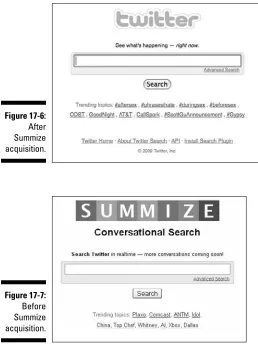
Twitter encourages development with its API and has even acquired compa-nies that build spectacular applications on top of Twitter. Twitter’s current search engine was once an independent company called Summize.
The open API is probably the reason you picked up this book.
Why Should You Develop a Twitter App?
Opportunities to build interesting and compelling things in and around Twitter abound. Some third-party applications have started to show themselves as the leader in a particular facet of the Twitter ecosystem. But these leaders could use some competition, and there are still opportunities to use Twitter in ways no one has even thought of before. Developers are constantly pushing the envelope on how Twitter can be useful and entertaining.
If you’re looking for a reason to build a Twitter app, money could be one of them. However, it can also be fun and rewarding to learn something new, and if you’re fortunate enough to gain an audience with your app, it can be really gratifying to build something people appreciate.
Here are few reasons why you might want to develop a Twitter app:
✓ Make money: Twitter is trendy right now, and its user base is growing every day. There are numerous ways to make money developing Twitter applications. I cover this in detail in Part IV.
✓ Build your reputation: Twitter is a social platform. If you build something people find useful or entertaining, you will gain a reputation with the users of your app.
✓ Support a cause: Leveraging the social nature of Twitter, you could build an app that raises awareness and money for a charitable cause or a philosophical idea. See TwitCause (http://twitcause.com) for an example of this.
✓ Fill a need: If there is something you don’t like about Twitter, you can fix it using the API. It’s quite likely several other people share your sentiments and will enjoy your fix.
✓ Promote a brand: In much the same way in which you can support a cause building a Twitter app, you can promote a brand with a Twitter app. For example, @twelpforce is a Twitter account used by Best Buy. They built an internal application that allows their employees to respond easily to technical inquiries directed to the account.
✓ Scratch an itch: Sometimes you just want to build something cool. You can’t help it, and that’s awesome! Build something cool because it’s fun.
Turning Motivation into Action
I hope you’re now motivated to start building a Twitter app. Now it’s time to turn that motivation into action.
The next chapter is a refresher course on Web application development using a LAMP (Linux, Apache, MySQL, and PHP) stack.
Web Development
Refresher Course
In This Chapter
▶ The basics of Web development
▶ A look at the LAMP stack
▶ Reference material for the Web developer
A
n interesting thing about Twitter application development is you can interact with the API in any language and on any platform. Windows clients, iPhone applications, and Android apps use different programming languages and still interact with the Twitter API in similar ways.In this book, I use a typical LAMP (Linux, Apache, MySQL, and PHP) stack to demonstrate the Twitter API. I use the Web platform as a teaching tool because it has become prevalent, multiplatform, and Twitter itself is a Web app. I use a LAMP stack because it is a widely adopted development platform and all the components are open source and free.
If you’re already an expert LAMP user, you can skip to Chapter 3.
If Web programming isn’t your native language, read this chapter. However, this isn’t a definitive LAMP resource. The topics in this chapter could easily fill several books on their own. My aim here is to show you enough to get you through the rest of the book.
Writing HTML & CSS
Sheets) is the markup language that tells the browser how the HTML ele-ments are to be styled and displayed. In the early days of the Web, HTML often contained both the content of the Web page and information on how the page was to be styled. Developers would often inappropriately use HTML tables to structure page elements, and the HTML specification included tags that defined display style such as “font” and “bold.” These tags have since been deprecated. The modern practice is to separate content from style.
There are several reasons to separate content from style.
✓ Style changes are simple. For example, using external CSS you can change style elements site wide, like font size and background color.
✓ HTML code is easier to read with the style elements removed. This makes maintenance easier.
✓ File sizes are decreased, which increases the speed of your Web site.
✓ Coding to Web standards increases the likelihood your site will render correctly in a wide variety of Web browsers.
✓ The order of your content can be structured logically like a document because you can rearrange elements aesthetically using CSS. This means in cases where aesthetics are irrelevant, such as screen readers for the blind, and search engine spiders, your Web page will still be readable.
The organization that writes the standards on HTML, CSS, XML, and numer-ous other Internet protocols is the W3C (World Wide Web Consortium). This organization is made up of organizations that have a stake in Web standards. Some obvious examples are companies that build Web browsers, such as Microsoft, Mozilla, and Apple. Without the W3C there would be numerous proprietary versions of HTML and developers would be forced to develop to the most popular browsers.
The W3C writes specification documents on how each version of HTML is to function. With each new version of HTML comes a new specification docu-ment. Web browsers are supposed to render your HTML based on the speci-fication document, called a doctype, which you choose and declare in your HTML. So if you declare your page HTML 4.01, the browser should render your page based on HTML 4.01 rules. Current doctypes include
✓ HTML 2.0
✓ HTML 3.2
✓ HTML 4.01
• Frameset
• Transitional
✓ XHTML 1.0
• Frameset
• Transitional
• Strict
✓ XHTML 1.1
Unless your target audience is known to run legacy browsers, use either HTML 4.01 Strict or XHTML 1.0 Strict.
The “strict” doctype of HTML 4.01 and XHTML 1.0 removes many deprecated tags and creates a more future proof document than transitional or frameset doctypes. These later two doctypes include some deprecated tags to make the transition for older Web sites easier.
XHTML (Extensible Hypertext Markup Language) is an HTML specification that is designed to make HTML more like a semantic collection of data, simi-lar to XML. It relies on CSS to define the page’s design. The key difference between HTML and XHTML is that XHTML must be valid XML. The rules for HTML are much more lenient in this regard.
Here are some rules to make your HTML valid XHTML:
✓ The root element must be html and must contain an xmlns attribute that defines the XHTML namespace.
✓ You must always close XHTML tags including empty elements like the break and image tag. A closed break tag looks like this: <br />
✓ All XHTML tags must be lowercase.
✓ All XHTML tag attributes must have a value. You cannot shorten an attribute such as readonly. That attribute must appear as:
readonly=”readonly”.
✓ All XHTML tag attributes must be surrounded by quotes.
Here is an example of a short valid XHTML document:
<!DOCTYPE html
PUBLIC “-//W3C//DTD XHTML 1.0 Strict//EN”
“http://www.w3.org/TR/xhtml1/DTD/xhtml1-strict.dtd”> <html xmlns=”http://www.w3.org/1999/xhtml” xml:lang=”en” > <head>
<title>Example XHTML Document</title> </head>
<body>
<p>Tags must be lowercase and closed,<br />
including singleton tags like the break tag.</p> </body>
HTML Elements
HTML documents contain two main sections: the head and the body.
The head occurs at the top of the file and is denoted by the <head> tag. It contains non-visual information about the page, and usually contains these tags:
✓ title: Denotes the name of the Web page. This usually appears at the top of the browser window, and is used in bookmark labels and search engine results.
✓ link: The link tag is used to link other resources to this Web page. Examples include external CSS files and favicons (the tiny 16 x 16 icon that is displayed in your bookmarks and browser address bar).
✓ meta: The meta tag is used to define ancillary information about a Webpage, such as keywords, a short description, or copyright information.
✓ style: Used to embed document wide CSS code directly in the head section.
✓ script: Both embedded and external JavaScript code make use of the script tag.
The body of the HTML document, denoted by the <body> tag, is where the content of the page resides. All content tags can be categorized into two groups: block-level elements and inline elements.
By default, block-level elements occur on a new line. Block-level elements may contain nested block-level tags and inline tags. Examples include
✓ Headings: Heading tags are used to separate a document by topics and sub-topics. Example:
<h1>Animals</h1> <h2>Domestic</h2> <h3>Dogs</h3> <h3>Cats</h3>
✓ Paragraphs: Paragraph tags are naturally used to define a paragraph.
<p>This is a paragraph.</p>
✓ Unordered lists: Used for bulleted lists.
<ul>
✓ Tables: Used for tabular data, tables contain other block-level elements to define the header row <th>, a row <tr>, and a column <td>.
<table> <th>
<td>Name</td> <td>Number</td> </th>
<tr>
<td>Dusty</td> <td>555-2368</td> </tr>
<tr>
<td>Jenny</td> <td>867-5309</td> </tr>
</table>
✓ Forms: Forms are used to send user input data back to the hosting server. Forms are vital part of HTML and are necessary for nearly all ecommerce and Web applications, including Twitter. While the form tag is a block-level element, the field tags are inline elements.
<form name=”input” action=”login.php” method=”post”> Username: <input type=”text” name=”username” /> Password: <input type=”password” name=”password”> <input type=”submit” value=”Submit” />
</form>
✓ DIVs: The div tag is a generic block-level element. It is used primarily to wrap sections of your document in logical blocks, so they can be easily manipulated and styled with CSS.
<div id=”footer”>
<p>Copyright 2011</p> </div>
In contrast to block-level elements, inline elements may only contain other inline tags. Examples include
✓ Anchor links: Anchor tags make the World Wide Web a Web. Links to external sites and internal pages weave a Web of information and con-nects the Web. The anchor tag contains an important element called “target” that tells the browser to open the link in a new or the current window. By default the link will open in the current window. You can specify target=”_blank” to have a link open in a new window.
✓ Images: Image tags display images. They contain several important attri-butes including alt, title, height, and width. The alt attribute is short for alternative text; it’s used to provide text description of the image. The title attribute is the text that will appear in a browser tooltip when your cursor is hovering over the image. Naturally. the height and width attri-butes define the images height and width. By defining an image’s height and width, the browser doesn’t have to wait for the image to finish download to correct render the elements around the image. You can also use height and width to force an image’s size. However, this doesn’t alter its file size.
<img src=”http://twitter.com/logo.gif” alt=”Twitter Logo” title=”Twitter” height=”100” width=”80” />
✓ Strong: The strong tag is used to denote a word or phrase as important. Its default behavior is to bold the word or phrase. However, using CSS you may style the important text however you wish.
Please do <strong>not</strong> delete these files.
✓ Line break: Browsers ignore line breaks in HTML markup. To tell the browser you want a new line, you must use a <br /> tag.
<p>The White House<br />
1600 Pennsylvania Avenue NW<br /> Washington, DC 20500</p>
Styling Your HTML
You can style HTML with CSS in three different ways:
✓ Inline: You can use the style attribute on any HTML tag to add style to an element. It looks like this:
<p style=”margin:10px”>Hello Twitter!</p>
✓ Embedded: You can embed your style in the head section of your HTML page by placing your CSS in between the style tags, like this:
<!DOCTYPE html
PUBLIC “-//W3C//DTD XHTML 1.0 Strict//EN”
“http://www.w3.org/TR/xhtml1/DTD/xhtml1-strict. dtd”>
<html xmlns=”http://www.w3.org/1999/xhtml” xml:lang=”en” >
<head>
<title>Example XHTML Document</title> <style type=”text/css”>
p { margin: 20px; } </style>
</head> <body>
<p>Hello Twitter!</p> </body>
</html>
Embedding your CSS centralizes your style elements. If you want to make a style change, you only have to change it once at the top of the page.
✓ External File: The best option is to create an external CSS file with all your styles in it and link to it from your HTML file, like this:
<!DOCTYPE html
PUBLIC “-//W3C//DTD XHTML 1.0 Strict//EN”
“http://www.w3.org/TR/xhtml1/DTD/xhtml1-strict. dtd”>
<html xmlns=”http://www.w3.org/1999/xhtml” xml:lang=”en” >
<head>
<title>Example XHTML Document</title> <link rel=”stylesheet” type=”text/css”
href=”test.css” /> </head>
<body>
<p>Hello Twitter!</p> </body>
</html>
If these three methods are applied to the same element at the same time, the inline CSS takes precedence over the embedded CSS, which takes precedence over the external CSS file.
When styling your CSS, you use selectors to specify what HTML attributes you want to style. There are four main CSS selectors you should know for this book:
✓ Type selectors: Type selectors use the HTML tag name to identify what tags you want to style. For example, to give all the paragraphs on your Web site a margin of 10px, you would do this:
p { margin:10px;}
✓ Class selectors: You can add a class attribute to any HTML tag and select elements with a particular class name using a dot followed by the class name. For example, you might want to add a class called e-mail to all link tags that link to an e-mail address. To select and style all those e-mail links, you would do this:
.email { color:red; }
✓ ID selectors: You can give any HTML element an ID attribute. However, the ID you give the element must be unique to the page. You can’t have duplicate IDs on the same page. To select an element based on its ID you use a pound sign like this:
#navigation { margin-top:20px; }
✓ Descendant selectors: You can select elements nested inside of other elements by using a descendant selector. For example, if you wanted to select all the links inside of a div tag with and ID called “footer” you would do this:
#footer a { color:red; }
These are the primary CSS selectors you need to have a firm grasp on.
When dealing with CSS selectors, you need to consider the nature of cascading style sheets. Cascading styles work by applying the styles of the most general selector first, then overwriting those styles with more specific selectors. The order of which the rules are encountered by the browser is irrelevant. To give you an example, a general selector could be a style applied to all paragraphs like this:
A more specific selector might pick a specific paragraph with an ID of “intro” like this:
p #intro { color:blue; }
In this example, the 1st CSS rule will give all your paragraphs a 10px margin and red text. The specific “intro” paragraph will have a 10px margin like all the other paragraphs. However, because we have a second rule that styles the “intro” paragraph specifically, that style will make the “intro” paragraph text blue instead of red.
Here are the most basic CSS styles you will encounter regularly in the wild.
The Box Model
The box model is an HTML element’s margin, border, padding, height, and width. Look at Figure 2-1 for an illustration of each one of these spaces. The most common units of measurement to adjust spacing are px for pixels and em for em-length. Em-length is defined as the width of the letter “m” in your currently selected font.
Figure 2-1: Use the box
model to adjust spacing on your page.
Margin Border
Padding Content
width
Margin & Padding
You can specify the side of the box you want to apply your margin, or pad-ding, by using the indicators top, right, bottom, or left, seen in Listing 2-1.
Listing 2-1: Margin and Padding
#contentBox {
If you just apply one measurement, it’s applied to all sides of the box. You can also use shorthand by putting the measurements in the order of top, right, bottom, left, as seen in Listing 2-2.
Listing 2-2: Margin and Padding Shorthand
#contentBox { margin: 10px;
padding: 10px 5px 10px 5px; }
Border
You can set the border’s width, style, and color. Like the margin and padding, it can be applied to specific sides using the indicators top, right, bottom, left, or it can be applied to all sides at once.
Listing 2-3 shows an example of how to set the border CSS.
Listing 2-3: Border Styles
#contentBox {
border: 2px solid #000;
border-bottom: 5px dashed red; }
Height & Width
Setting the height and width of an element is straightforward. See Listing 2-4.
Listing 2-4: Height and Width
#contentBox { height: 100px; width: 200px; }
Font Styles
Listing 2-5: Font Decorations
p {
font-family: “Times New Roman”, Georgia, Serif; font-style: italic;
font-weight: bold; font-size: 16px; color: #333;
text-align: center; }
Floating
The floating style is used to position an element to the left or right on the surrounding elements. It’s commonly used to position images in text, but can also be used to layout other page elements. See the example in Listing 2-6.
Listing 2-6: Font Decorations
img {
float: left; }
Display
The display style can be used to change a block level HTML element into an inline element, and vice versa, but the main reason you need to know about the display style is because it can hide elements if you set the property to none. This is useful for dynamic JavaScript elements and can make a Web page feel truly interactive. See Listing 2-7.
Listing 2-7: Hide an Element with display:none
img {
display:none; }
Background Styles
You can alter the background image or color on any element using back-ground styles. The example in Listing 2-8 sets the backback-ground color to white, and positions a non-repeating background image in the top left-corner.
Listing 2-8: Background Styles
body {
Formatting in XML & JSON
XML (Extensible Markup Language) and JSON (JavaScript Object Notation) are types of textual data formatting. By formatting textual data in a standard format, the data can be easily exchanged and parsed. This is particularly useful for Web site data exchange through Web services and APIs, such as Twitter’s API. When you make a request to Twitter, they respond by return-ing XML or JSON data, dependreturn-ing on which data format you requested. You can then parse that data and go merrily on your programming way.
If you’re writing a JavaScript application, JSON is the data format for you. Using JSON, you can take the response from the Twitter API and access natively like an object. You can see an example JSON response from Twitter in Listing 2-9.
Listing 2-9: Example JSON Object
{“trends”:[{“name”:”#amazonfail”,”url”:”http:\/\/search.twitter.com\/
search?q=%23amazonfail”},... truncated ...],”as_of”:”Mon, 13 Apr 2009 20:48:29 +0000”}
XML is a popular data formatting choice because it has been around for a while. XHTML is a type of XML. It is made up of tags, elements, and attri-butes. Due to the establishment of XML, most program languages either have native parsers or open source libraries with XML parsers that you can use to easily extract data out of an XML file. You can see an example XML response in Listing 2-10.
Listing 2-10: Example XML Object
<?xml version=”1.0” encoding=”UTF-8”?> <status>
<created_at>Tue Apr 07 22:52:51 +0000 2009</created_at> <id>1472669360</id>
<text>At least I can get your humor through tweets. RT @abdur: I don’t mean this in a bad way, but genetically speaking you’re a cul-de-sac.</ text>
<source><a href=”http://www.tweetdeck.com/”>TweetDeck</a></source> <truncated>false</truncated>
<in_reply_to_status_id></in_reply_to_status_id> <in_reply_to_user_id></in_reply_to_user_id> <favorited>false</favorited>
<in_reply_to_screen_name></in_reply_to_screen_name> <geo/>
The Basics of PHP
PHP is an open-source server side programming language. It is used to dynamically create Web pages on the fly. With a language like PHP, you can create a custom experience for every viewer.
The examples in this book are written for PHP version 5 and newer. PHP is so prevalent on the Web that most Web hosting companies come with PHP pre-installed. If you don’t already have a favorite Web hosting company to try the PHP examples in this book on, I recommend Nearly Free Speech (http:// nearlyfreespeech.net).
PHP is a rich language with a huge library of built-in functionality. In this chapter, I cover the essentials you need to understand the Twitter API exam-ples in this book, including
✓ Conditional Statements
✓ Loops
✓ Functions
✓ Arrays
✓ cURL
✓ PHP DOMDocument Class
✓ PHP JSON Functions
The first thing you need to know about PHP is the echo command. Echo simply prints a string to the screen, as seen in Listing 2-11.
Listing 2-11: Print a String to the Screen
<?php
echo “Hello world!”;
?>
Listing 2-12: PHP Comments Syntax
<?php
echo “This will be printed”;
// This will not
# Nor will this
/*
This also won’t print,
and is useful for commenting out multiple lines. */
?>
Conditional Statements
Conditional statements are programming statements that perform differ-ent actions depending on whether a specified condition is true or false. Conditional statements are a common structure across most programming languages.
The conditional statement used most often in this book is the if-then-else statement. It works just like the name implies: if a condition is true, then per-form a task. Else perper-form a different task. The code for an if-then-else state-ment in PHP looks like Listing 2-13.
Listing 2-13: If-Then-Else
<?php
if($x == 1) {
echo “x equals 1”; }
else {
echo “x does not equal 1”; }
To determine whether a condition is true or false, a comparison operator is used. PHP comparison operators you need to know for this book include
✓ == equal to
Example: (1 == 2) returns false
✓ != not equal to
Example: (1 != 2) returns true
✓ < less than
Example: (1 < 2) returns true
✓ > greater than
Example: (1 > 2) returns false
✓ <= less than or equal to
Example: (1 <= 2) returns true
✓ >= greater than or equal to
Example: (1 >= 2) returns false
You can test for multiple conditions using logical operators. Logical opera-tors you need to know for this book include
✓ && and
Example: ($x && $y) return TRUE if $x and $Y are both TRUE.
✓ || or
Example: ($x || $y) return TRUE if either $x or $Y are TRUE.
✓ ! not
Example: (!$x) return TRUE if $x is not TRUE.
Listing 2-14: ElseIf Part
<?php
if($x == $y) {
echo “x equals y”; }
elseif($x > $y) {
echo “x is greater than y”; }
else {
echo “x is less than y”; }
?>
Loops
There are occasions in any programming language when you need to repeat a task until a certain condition is met. For these scenarios, it is appropriate to use a loop. For the examples in this book I use two types of PHP loops:
✓ foreach
✓ do while
foreach
Foreach loops iterate over every element inside of an array, starting with the first element. Foreach only works on arrays, and will produce an error if you try using it on anything other than an array.
You can use a foreach loop one of two ways. The first way, shown in Listing 2-15, iterates over the given array and assigns the value of the current ele-ment to a variable I named $value.
Listing 2-15: foreach
<?php
foreach($arrayElements as $value) {
echo “Value: $value”; }
The second way to use a foreach is to assign the current elements value to a variable, and also assign that element’s key value to a variable. This is help-ful for arrays with key value pairs. Listing 2-16 shows an example of how to assign the key value as well as the elements value.
Listing 2-16: foreach
<?php
foreach($arrayElements as $key => $value) {
echo “Key: $key”; echo “Value: $value”; }
?>
do-while
Do-while loops work by “doing” something over and over “while” a condition remains true. As soon as that condition is no longer true, the do-while loop stops. A do-while loop will always run at least once. Listing 2-17 shows an example of a do-while loop counting to 10.
Listing 2-17 uses the shorthand $x++. Placing two pluses behind a variable is the functional equivalent of writing $x = $x + 1.
Listing 2-17: do-while Loop that Counts to 10
<?php
$x = 0; do {
$x++;
echo “$x<br />”; }
while($x < 10)
?>
Functions
Listing 2-18: An Example of a Function
<?php
function addTwoNumbers($x, $y) {
$z = $x + $y; return $z; }
echo addTwoNumbers(1, 2);
?>
Arrays
An array is a collection of data stored in memory. Each element in an array contains a key identifier and a value.
✓ The value can be any type, including an integer, string, object, or even another array.
✓ The key must be either an integer or a string.
If no key is specified, PHP will assign the key:
• If no integer key currently exists, PHP assigns a key of 0.
• If there are already integer keys, PHP assigns the next higher integer key.
Listing 2-19 shows an example of how to create an array with keys and values.
Listing 2-19: Creating an Array
<?php
$exampleArray = array(“publisher” => “Wiley”, true); echo $exampleArray [0]; // 1
echo $exampleArray [“publisher”]; // Wiley
?>
To create an empty array, you would write: $myArray = array();
PHP includes numerous functions that allow you to work with and manipulate arrays and their contents. The online PHP manual includes a list of all the array functions (http://php.net/manual/en/function.array.php). For the purpose of the examples in this book, you need to be familiar with the following array functions:
✓ array_intersect: Takes two arrays, compares the contents of each array, and returns a new array of the duplicate content.
Example: $mutualFollows = array_intersect($friendsIds, $followersIds);
✓ array_diff: Compares the contents of two array and returns a new array with the elements that exist in the first array, but don’t exist in the second array.
Example: $notFollowingYouBack = array_diff($following, $followers);
✓ array_merge: Combines two arrays into one new array:
• If string keys are duplicated, the later key value is assigned.
• If numeric keys are duplicated, the keys are reassigned in numeri-cal order.
Example: $newArray = array_merge($array1, $array2);
✓ array_values: Discards an array’s keys and returns a new array with the original array’s values but with numerical keys.
This is useful if you want to merge arrays with duplicate keys.
Example: $newArray = array_values($array1);
✓ count: Returns the amount of elements in the array.
Example: $length = count($myArray);
✓ ksort: Sorts the array by the name of the key.
Example: ksort($myArray);
cURL
cURL stands for client for URLs. It is an open source software project that consists of two products:
✓ libcurl
Libcurl is a multi-platform C-based URL transfer library. It supports numer-ous protocols, and runs on every platform from Linux to Windows. PHP has functions built in to support libcurl, making it super easy to interact with the Twitter API over HTTP.
Curl is a client-side command line tool used to interact with the libcurl library. With the curl client, you can play with the Twitter API via a basic command line. To get started, you need to know a few basic case-sensitive command line options, including
✓ -u: The username and password to use.
✓ -d: The data to send in a post request.
✓ -k: Turn off SSH certificate verification.
Listings 2-20 and 2-21 are some examples of how to interact with the Twitter API using the curl command line client.
Listing 2-20: Pull Up the Public Timeline
curl http://twitter.com/statuses/public_timeline.xml
Listing 2-21: Post a Tweet
curl -u username:password -k -d “status=Testing curl.” https://twitter.com/ statuses/update.xml
To interact with libcurl using PHP, you need the help of a few built-in func-tions. The functions you need to know for this book include
✓ curl_init: Create the object to interact with libcurl.
✓ curl_setopt: Sets the options for the connection, such as post data, URL, and authentication.
✓ curl_exec: Executes the connection and returns to remote servers response.
✓ curl_getinfo: Use to get information on the last request, such as transfer speed, and header data.
✓ curl_close: Closes the connection to the remote server and frees system resources.
✓ CURLOPT_URL: The URL you are requesting.
✓ CURLOPT_USERAGENT: A string that will identify your requests to host-ing server.
✓ CURLOPT_RETURNTRANSFER: A Boolean that, when set to TRUE or 1, returns the response of the request as a string return value of the curl_ exec function.
✓ CURLOPT_POST: A Boolean that indicates the request is a HTTP POST.
✓ CURLOPT_POSTFIELDS: The fields you want to include in a HTTP POST request.
✓ CURLOPT_SSL_VERIFYPEER: A Boolean on whether you want to verify a SSH certificate.
✓ CURLOPT_USERPWD: The username and password for an authenticated request.
Put all these pieces together, and you see the example in Listing 2-22 that posts to your Twitter stream.
Listing 2-22: Post a Tweet
$url = “https://api.twitter.com/1/statuses/update.xml”;
$curlHandle = curl_init();
curl_setopt($curlHandle, CURLOPT_URL, “$url”);
curl_setopt($curlHandle, CURLOPT_USERAGENT, “Twitter App Development For Dummies: Example”);
curl_setopt($curlHandle, CURLOPT_POST, 1);
curl_setopt($curlHandle, CURLOPT_RETURNTRANSFER, 1); curl_setopt($curlHandle, CURLOPT_SSL_VERIFYPEER, false); curl_setopt($curlHandle, CURLOPT_POSTFIELDS, “status=test”); curl_setopt($curlHandle, CURLOPT_USERPWD, “$username:$password”);
$apiResponse = curl_exec($curlHandle); $info = curl_getinfo($curlHandle);
curl_close($curlHandle);