Modeling
•
Direct mesh editing: A more traditional approach
commonly used by professional
modelers
What Is a Mesh?
Origin Point Vertices
Edges
Edit Mode
Some Mesh-Editing Tools
Extrude
Press the E key and
then move your mouse slightly.
Pressing Alt+E will
Some Mesh-Editing Tools
Fill
The fill command (F key)
creates a new face from selected vertices.
Simply select three or
Some Mesh-Editing Tools
Merging Vertices
In vertex select mode,
Some Mesh-Editing Tools
Joining and Separating Mesh Objects
In object mode, it is possible to combine separate
mesh objects into one by Shift-RMB-selecting them and pressing Ctrl+J.
Likewise, in edit mode, it is possible to split a mesh
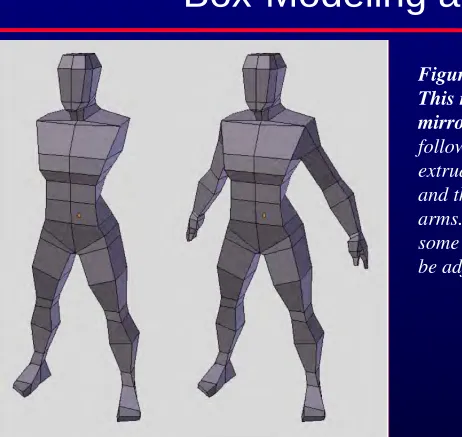
Example Modeling Through Mesh
Editing
Many objects are symmetrical (including people,
Smoothing a Mesh
The Subsurface Modifier
Getting into Position
Go to front view (numpad 1), and then move the
view slightly off center by holding down the MMB and dragging the mouse to one side. Have the y (green) axis/arrow pointing toward you;