I declare that this report entitled "WIRE PREDICTIVE TEXT ENTRY SYSTEM FOR THE DEAF" is my own work except as noted in the references. Leong Chun Farn, who gave me this rare opportunity to design a new wireless predictive text input system for the disabled to help them communicate in their daily lives. Text input systems can usually be found on digital devices such as computers and smartphones that use QWERTY keyboards to interact with.
These text input type devices are easy to use among the general population, but these text input systems are not easily used by people with disabilities. The main problem with this text input system is that it makes it difficult for people with disabilities to enter text. In this project, a new wireless predictive text input system is created to help disabled people simplify their text input process so that they can enter text faster.
This system uses a one-touch method, which means that the user needs to press the intersection of the infrared board once to enter text, the selected letter will be printed in the search box, and the number key will select the word to print in third-party applications.
CONCLUSION AND RECOMMENDATION 98
LIST OF TABLES
LIST OF SYMBOLS
LIST OF ABBREVIATIONS
Introduction
- Problem Statement and Motivation
- Objectives
- Project Scope
- Contributions
- Report Organization
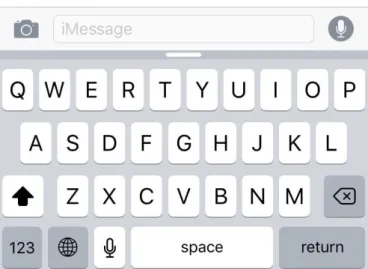
Unfortunately, this type of text input system and keyboard can be a barrier for the disabled to interact with the device [3] .. because it requires large hand movements. Swype is a text input system for the touch screen and users only need to drag their fingers to connect the dots between the letters in a word shown in Figure 1.4 [5]. Unfortunately, this type of text input system can be a barrier for people with disabilities to interact with the device [3].
In addition, the predictive text input system is also added to solve the problem, and low-cost materials will be used in this predictive text input system. The proposed similar T9 Wireless Predictive Text Input System should solve the typing problems faced by disabled people effectively. By using this wireless predictive text input system, people with disabilities can complete their work faster, more efficiently and improve productivity.
Apart from that, the innovation of this project is the predictive text input system, which means the user can input a word without inputting the whole word, then the system predicts the word and allows the user to select word in the list box word.
Literature Review
- Review of the Technologies .1 Arduino
- Raspberry Pi
- C, C++ and C# Programming Language
- Summary of the Technologies Review
- Review of the Existing Systems/ Applications
- Qanti: A Software Tool for Quick Ambiguous Non-standard Text Input A text entry system that using scanning method and alternative input method
- Text Entry Using a Dual Joystick Game Controller
- Infrared-based Text Entry system for Handicap
- Wireless-based Text Entry System for Handicap
- T9 Predictive Text Input Emulator
- Summary of Existing Systems
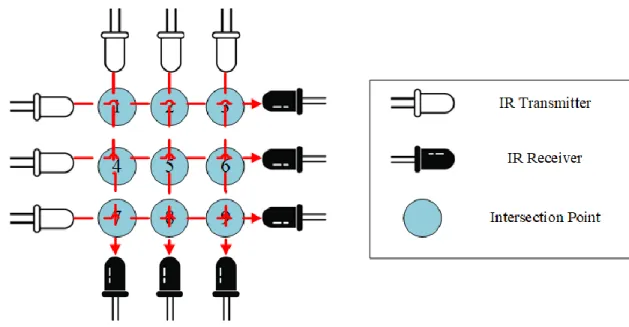
The second text input system uses Xbox game controllers to develop text input systems developed by A. For hardware components, infrared receivers and transmitters are used to build 9 intersections representing 9 keys shown in Figure 2.7 and Figure 2.8. The disadvantages of this text input system are non-wireless which will cause the device to not be portable.
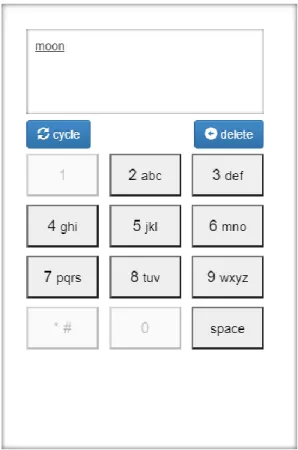
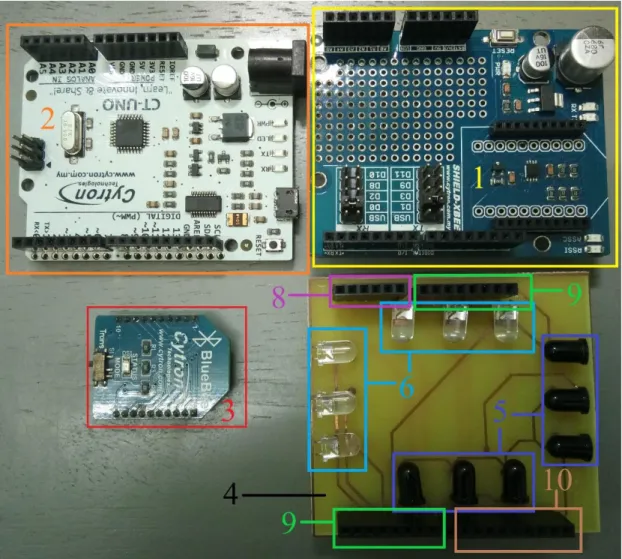
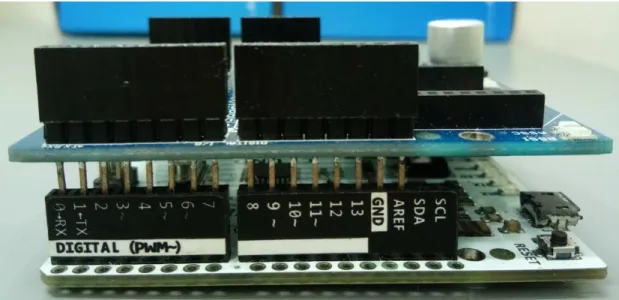
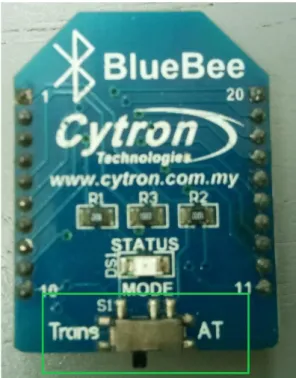
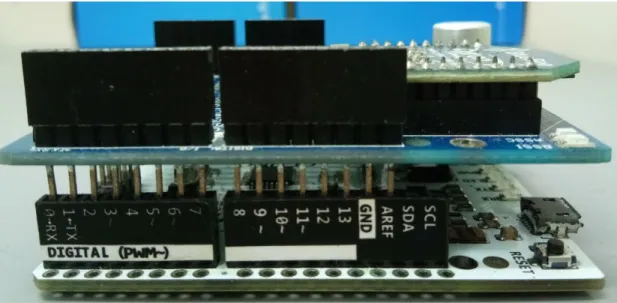
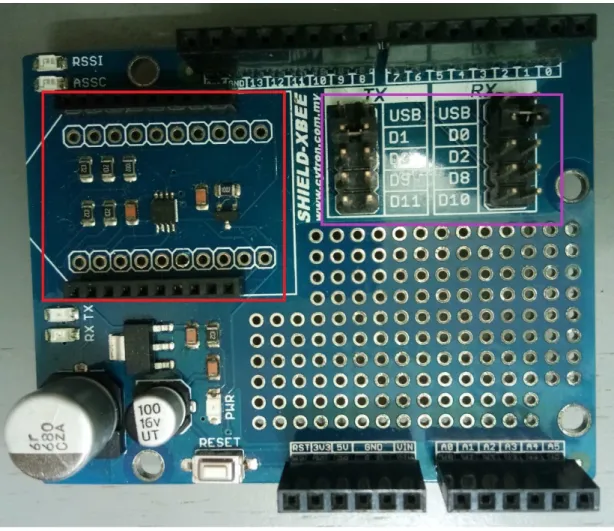
For hardware components, an infrared text entry board, a Bluetooth module mounted on a Cytron XBee Shield, and CT-UNO are used, shown in Figure 2.10 [13]. Figure 2-11 shows that the interface of GUI software has the features of T9, but not the predictive technology. The advantages of this predictive system are easy to use, for example the word "moon", so click four times on the keyboard number 6, shown in Figure 2-13.
First get "momo", click the loop button to cycle the words to get "moon" shown in Figure 2.14.
System Methodology/Approach 3.1 System Design Diagram/Equation
- Hardware Architecture Diagram
- Flowchart of Software Architecture
- Tools to use
- User requirement Hardware
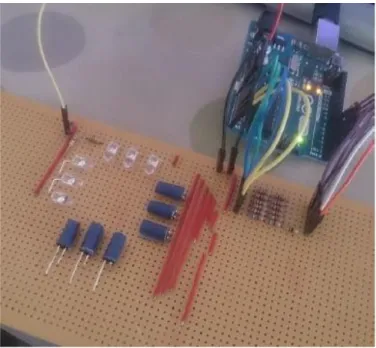
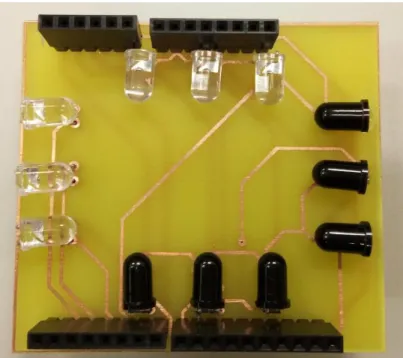
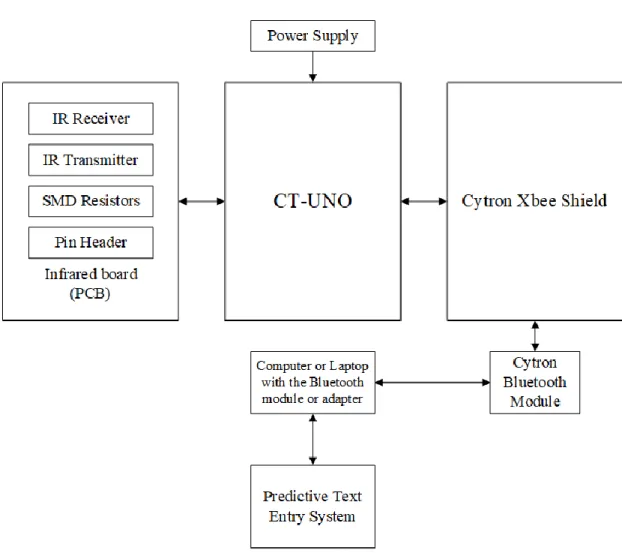
After the supervisor has done the evaluation, the supervisor's thoughts and comments will be noted for the developers to improve the product. The supervisor's thoughts and comments will be used to optimize the product and return to the "rapid design" step to redo the process until the supervisor is satisfied. From Figure 3.2, the IR Receiver, IR Transmitter, resistor and pin header will be assembled on the printed circuit board (PCB).
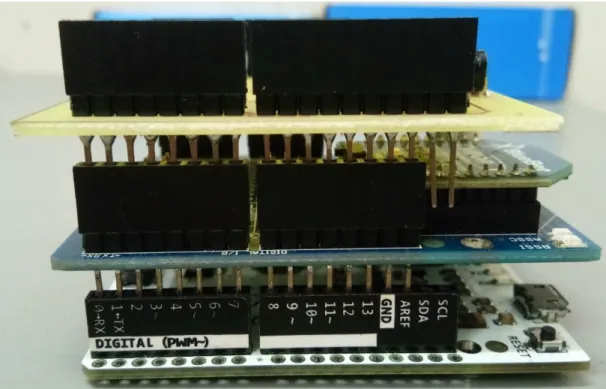
IR transmitter and IR receiver are chosen because it can easily detect the IR light and these components will be arranged in a 3 x 3 grid arrangement key. Details of this 3 x 3 grid arrangement key and how this device detects the intersection point touched by the user will be discussed in Chapter 4. When the connection is successful, when the user touches the intersection point of the infrared board, the user will check the intersection point that the user touched, and the signal of the intersection point will be received by the device to interpret which button the user is touching, and finally it will print the character or perform the function of the GUI software.
Before uploading the code to the connected board, the software must select the right Arduino and the port used.

System Design
- System Block Diagram
- System Components Specifications
- Circuits and Components Design .1 Hardware Implementation
- Infrared Board (PCB)
- Software Implementation
- System Components Interaction Operations .1 Flowchart of Hardware
- Flowchart of Software
- Flowchart of Hardware and Software Implementation
From Figure 4.2, the IR Receiver, IR Transmitter, SMD resistors and pin header are attached to the infrared board (PCB). From Table 4.1, indicate the hardware components that were used to create the text input device. The IR Transmitter and IR Receiver are set as Figure 4.13 showing the 3 x 3 grid adjustment key to detect which key the user has pressed.
Figure 4.18 shows an input device with an intersection, the user will know which intersection the user must press to represent which key is pressed in the GUI software. This GUI software has a "Connect", "Disconnect" button and a drop-down list that allows the user to select a COM port and connect to an input device. After starting the device for the first time, the user must first pair the input device with the computer via Bluetooth and this is a one-time process.
Once the pairing is complete, the input device will wait to detect the intersection that the user touched.
System Implementation 5.1 Hardware Setup
- Software Setup
- Setting and Configuration
- System Operation
- How to use the Program
- The “Function” button in the program
- Caps Lock and Shift
- Tab and Enter
- Punctuation
- Backspace
- Space
- Copy, Paste, Cut and Select All
- Choose
- Remove
- Concluding Remark
From the Figure 5.20 shows the program interface after the 4th key is pressed and the list box shows the words the user wants. Then press the "Select" button which is the 8th key of the input device. User must press the 1st key in the program after pressing the "Function" button to have the "Caps Lock" and "Shift" function.
User can enter the words in capital letters by pressing the "Caps Lock" button in the 1st key of the program. If user wants to delete the character already entered in the third application, user must press the 4th key after pressing the "Function" button. If user wants to enter the space, user must press the 6th key after the "Function".
System Evaluation and Discussion 6.1 System Testing and Performance Metrics
- Final Product
- Test Case of function
- Testing Setup and Result
- Test Case 1: Connect the input device with GUI software
- Test Case 2: Lowercase word, Choose and space function
- Test Case 3: Uppercase word (Caps Lock function) and Tab function
- Test Case 4: Punctuations, number, shift and enter function
- Test Case 5: Backspace function
- Test Case 6: Copy, Paste, Cut and Select All function
- Test Case 7: Remove function
- Typing Speed
- Power Consumption of input device
- Project Challenges
- Objectives Evaluation
- Concluding Remark
The sentence that will be used for this test case is "the greatest glory of living is not in never falling, but in getting up every time we fall". The sentence that will be used for this test case is "the greatest glory of living is not in never falling, but in getting up every time we fall". Test Case Description Expected Outcome Result of current test case Remove function To test the user.
The sentence that will be used for this test case is "the quick brown fox jumps over the lazy dog".
Conclusion and Recommendation 7.1 Conclusion
- Recommendation
In addition, the replacement of the size of components is also recommended, because this input device will be used by a difference user. The categories of users can be male, female and children and different users will have different finger sizes. Therefore, the replacement of the size of components such as the size of IR transmitter and IR receiver is 5mm, it can be replaced to 3mm size.
By replacing the size of the components, the area of the PCB board that the user can touch the junction point is also increased. In addition, make a cover for the input device to protect the input device from irreparable damage and protect the user from overheating the input device to prevent some unwanted accidents. This GUI software can make some improvements to make it usable on different operating systems because this predictive wireless text input system is written in Windows Form application format and works only on Windows platform.
This prediction system list box can add more word choices for the user to choose from or add a second page to the list box to reduce the number of characters the user has to enter. Samanta, "EyeBoard: A fast and accurate eye gaze-based text entry system," in 2012 4th International Conference on Intelligent Human Computer Interaction (IHCI), Kharagpur, 2012. Disabled Aphasiacs," in 2009 Fifth International Conference on Intelligent Information Hidden and Multimedia Signal Processing, Kyoto, 2009.
Rinderknecht, “Qanti: A Software Tool for Fast Ambiguous Nonstandard Text Input,” in 12th International Conference on Assistive Computing, 2010. Available: http://tryqa.com/what-is-prototype-model- advantages-disadvantages-and-when-to-use/. Clarkson, "Effects of limited visual feedback on mobile text input for Twiddler and mini QWERTY keyboards".
Leong, “Wireless Text Entry and Mouse System for the Disabled,” at the International Conference on Green and Human Information Technology (ICGHIT) 2019, Kuala Lumpur, 2019.
FINAL YEAR PROJECT WEEKLY REPORT
- WORK DONE
- WORK TO BE DONE
- PROBLEMS ENCOUNTERED
- SELF EVALUATION OF THE PROGRESS Do more research about the predictive text entry
- WORK TO BE DONE Repair the GUI program bug
- PROBLEMS ENCOUNTERED No problems are encountered
- WORK TO BE DONE Order the components
- PROBLEMS ENCOUNTERED Having a delay problem in system
Discuss and redo the PCB board design with supervisor because the design does not meet the manufacturing capability. Writing the code to ensure that the GUI program can receive the analog signal from Arduino. By writing the code to ensure when the intersection of infrared board is pressed, the GUI program will respond to which button is clicked.
The required originality parameters and limitations approved by UTAR are as follows:. i) the total similarity index is 20% or less, and. ii) Matching of individual cited sources must be less than 3% each and (iii) Matching of texts in a continuous block must not exceed 8 words. Note: Parameters (i) – (ii) exclude citations, bibliography and text matches of less than 8 words. Note The supervisor/candidate(s) must provide the Faculty/Institute with an electronic copy of the complete originality report set.
Based on the above results, I hereby declare that I am satisfied with the originality of the Final Year Project Report submitted by my student(s) as mentioned above. Form title: Supervisor's comments on originality report generated by Turnitin for submission of final year project report (for undergraduate programs).
UNIVERSITI TUNKU ABDUL RAHMAN FACULTY OF INFORMATION & COMMUNICATION
TECHNOLOGY (KAMPAR CAMPUS)